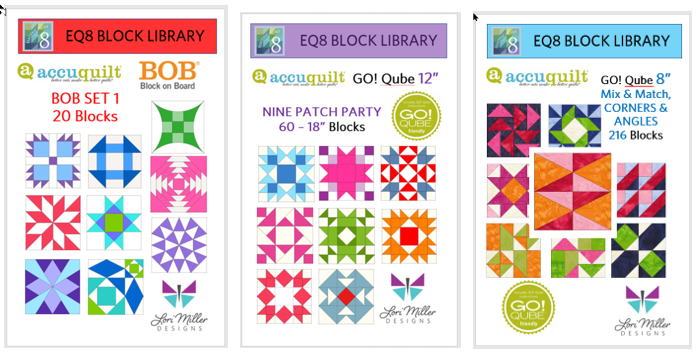
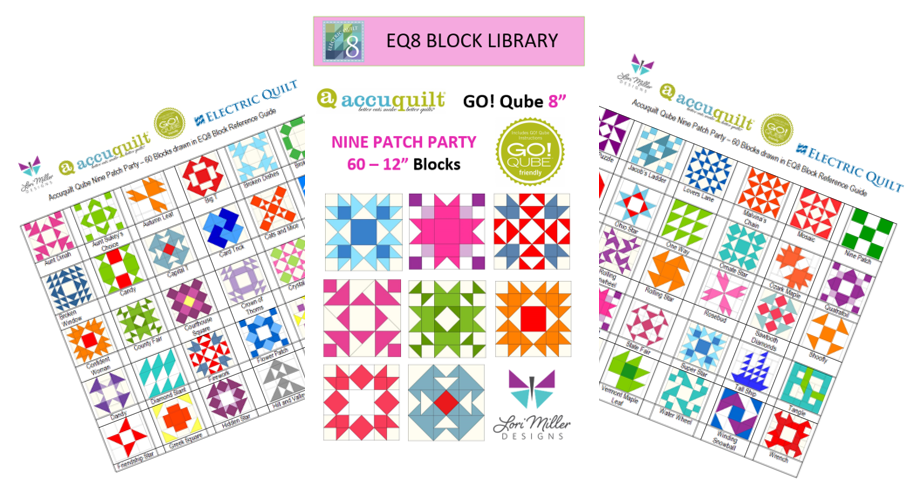
New Product! Add-on EQ8 Block Library: AccuQuilt BOB SET 5

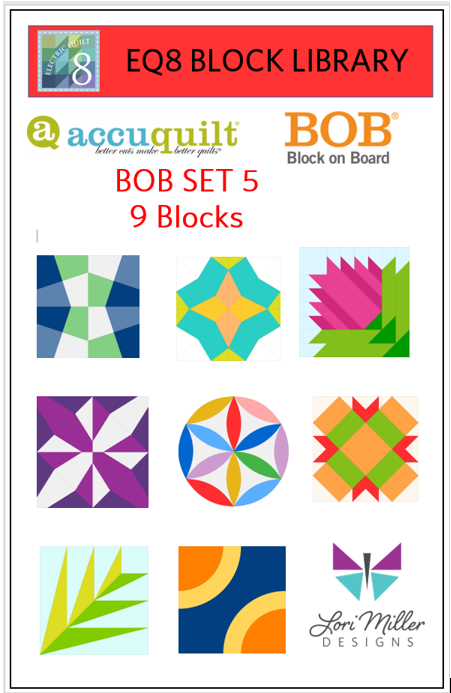
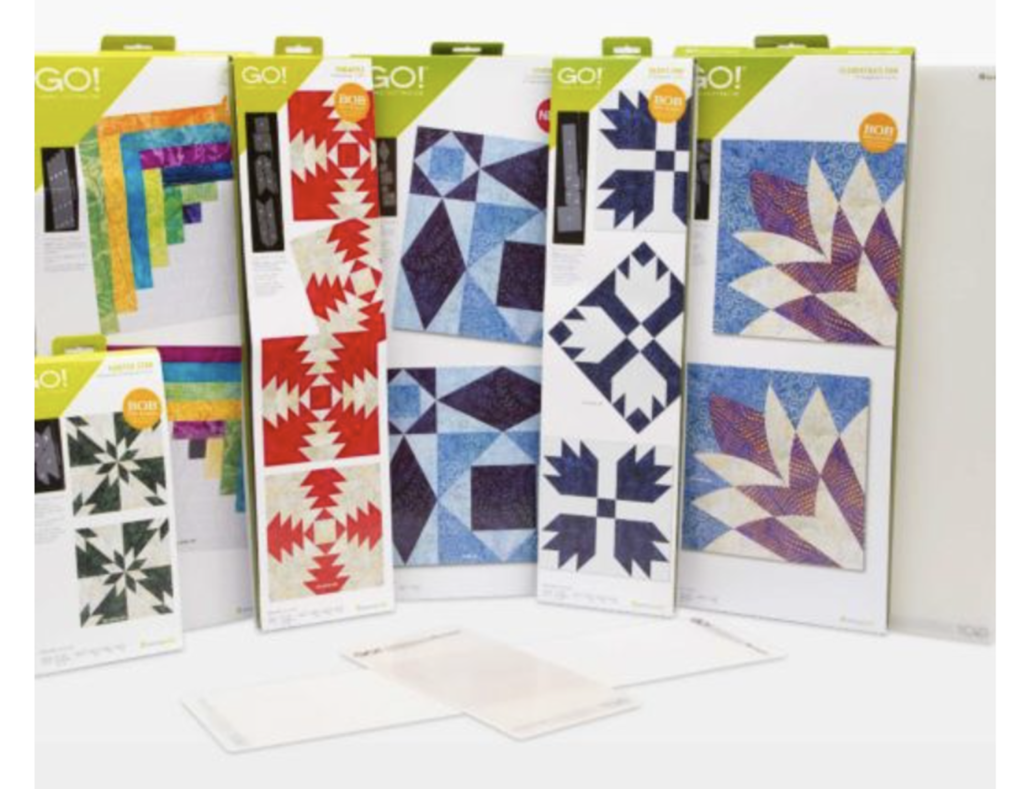
New BOB Blocks are here! This new Add-on EQ8 Block Library for AccuQuilt contains the 9 BOB blocks and variations that were released in 2023. BOB die blocks enable you to create an entire block with one die board.  Every piece needed for the block is on the design board. You can design your quilt with EQ8 and then use your AccuQuilt GO! cutter to cut it out.

This file contains SET 5 of the BOB block designs which includes 9 blocks.  The blocks vary in size as indicated to match the actual size of the BOB die block. I have included the size of the block by the name reference.

The ONLY designs included in this set are:

  • GO! Canning Jar 8” (55614)
  • GO! Fractured Tumbler 6” (55627)
  • GO! Friendship Chain 10” (55441)
  • GO! Full Blown Tulip 8” (55616)
  • GO! Joseph’s Coat 11” (55622)
  • GO! Lotus Block 10” (55609)
  • GO! Palm 8” (55193)
  • GO! Signature Circles 6” (55624)
  • GO! Turkey in the Straw 10” (55628)

Required: A running copy of EQ8 Quilt Design Software from The Electric Quilt Company.

Required: You will need the Accuquilt BOB die set in the size that matches the EQ8 library file in order to cut out these block designs with the Accuquilt GO! Cutter.  Make sure your cutter is the right size for the BOB die.

This is a downloadable digital file that you will place into your personal block library.  Once you place the block file in your library, you will be able to use it immediately to draw and design quilts.  I have included all of the instructions to add the files to your EQ8 Design Software.  You will receive the EQ8 Block library, a block reference guide and an instruction document.  The blocks are all labeled to match the reference guide.

Now you can use the power of EQ8 to recolor and combine blocks to design beautiful quilts.

Once you have designed your quilt, you can use your Accuquilt GO! Cutter to make it.  I have also included tips and suggestions for determining what dies to use and how to determine fabric requirements.

I hope you enjoy these files as you create your BOB design quilts.

Happy designing with your AccuQuilt Block on Board Set 5 library blocks in EQ8!
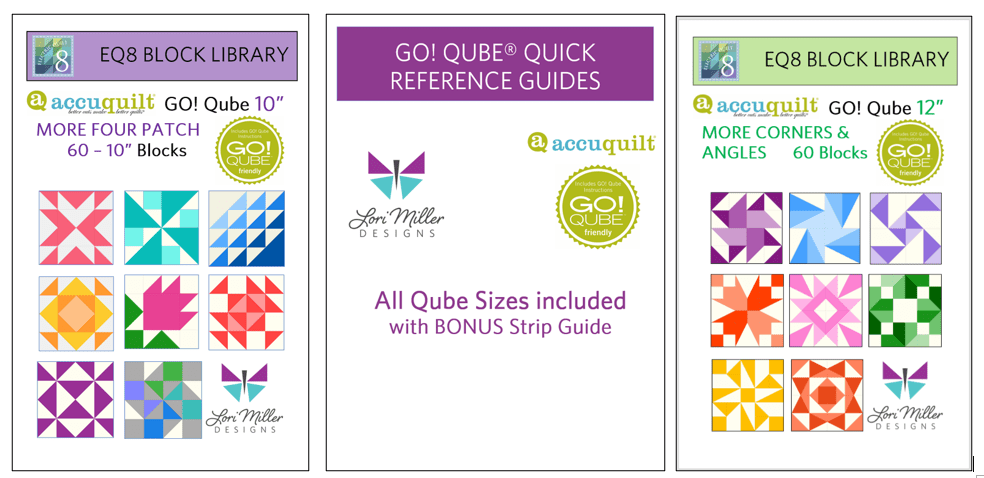
If you liked the new Add-on EQ8 Block Library files for AccuQuilt BOB Set 5, check out my other available Add-on Block libraries for EQ8 that work with AccuQuilt in my shop.

I appreciate your feedback and suggestions on this product. Please tag me on Facebook or Instagram @lorimillerdesigns with your designs, I would love to see them.

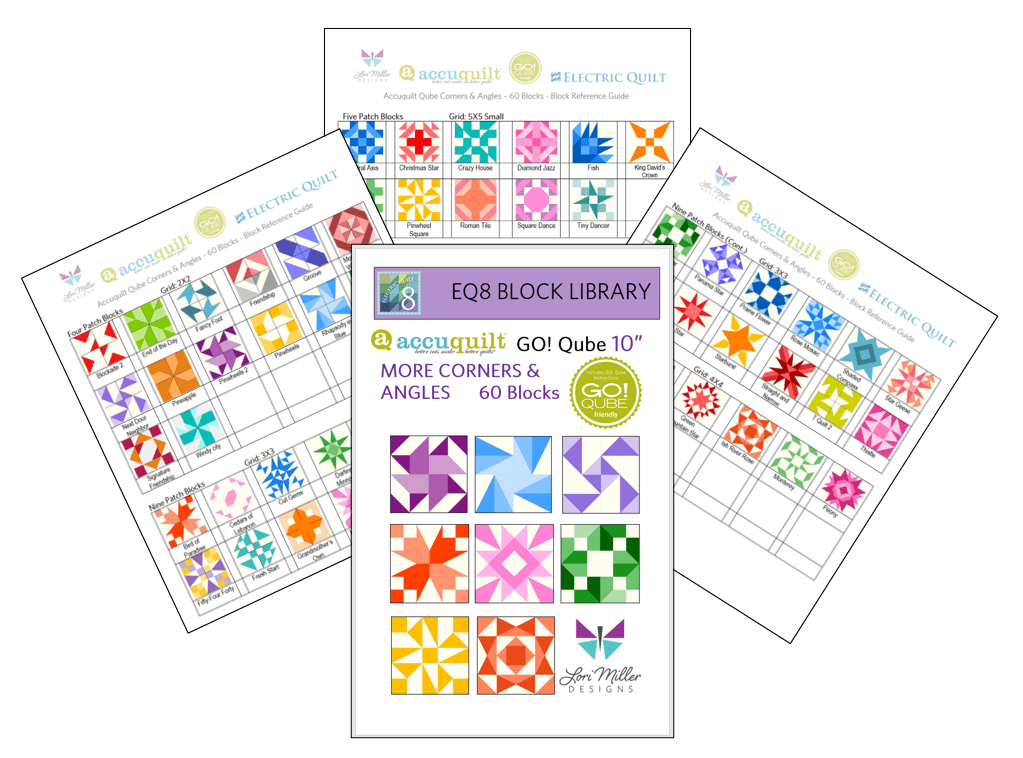
New Product! Add-On EQ8 Block Library – AccuQuilt Qube MORE Corners and Angles

It is here! Another stunning EQ8 Block Library Add-on for AccuQuilt Qubes! Now there are even MORE Corners and Angles Blocks you can make with your GO Qubes and Companions! These libraries are so convenient to use when designing quilts and table runners, just drop the block in where you want it. This new set of digital EQ8 Block Library files for the AccuQuilt Qubes includes 60 stunning block designs in four different grid sizes that you can load into EQ8 Quilt design software.

These library files are made to use with EQ8. EQ8 is Quilt Design Software by The Electric Quilt Company.  I design my quilts in EQ8, I teach EQ8 and I use EQ8 in my original patterns. I love that I can create my own designs and mix and match blocks easily in my designs until I have the perfect design. Then I can cut it out with my AccuQuilt GO Cutter.

These block designs work with the Accuquilt GO! Qube Mix & Match, Companion Corners and Companion Angles Block Die sets.  You can use the Die Shapes in the GO! Qubes to cut out all of these blocks.

These EQ8 Block Library files are downloadable digital files that are designed to work with your EQ8 Quilt Design Software.  They are only compatible with EQ8.  Once you place the block file in your library, you will be able to use it immediately to draw and design quilts.

Required: A running copy of EQ8 Quilt Design Software.

60 Beautiful Sixteen Patch Blocks!

I have included 60 MORE Corners and Angles Block designs with brand new, traditional and dynamic blocks. There are so many design possibilities in EQ8.

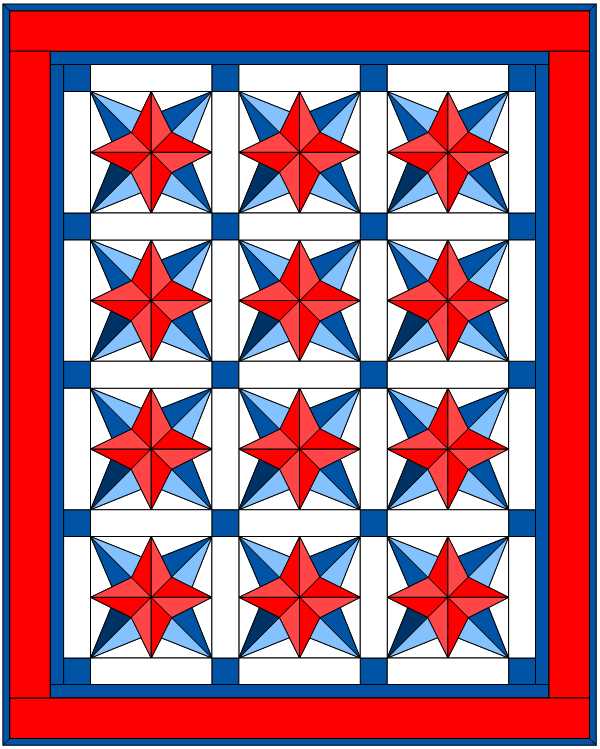
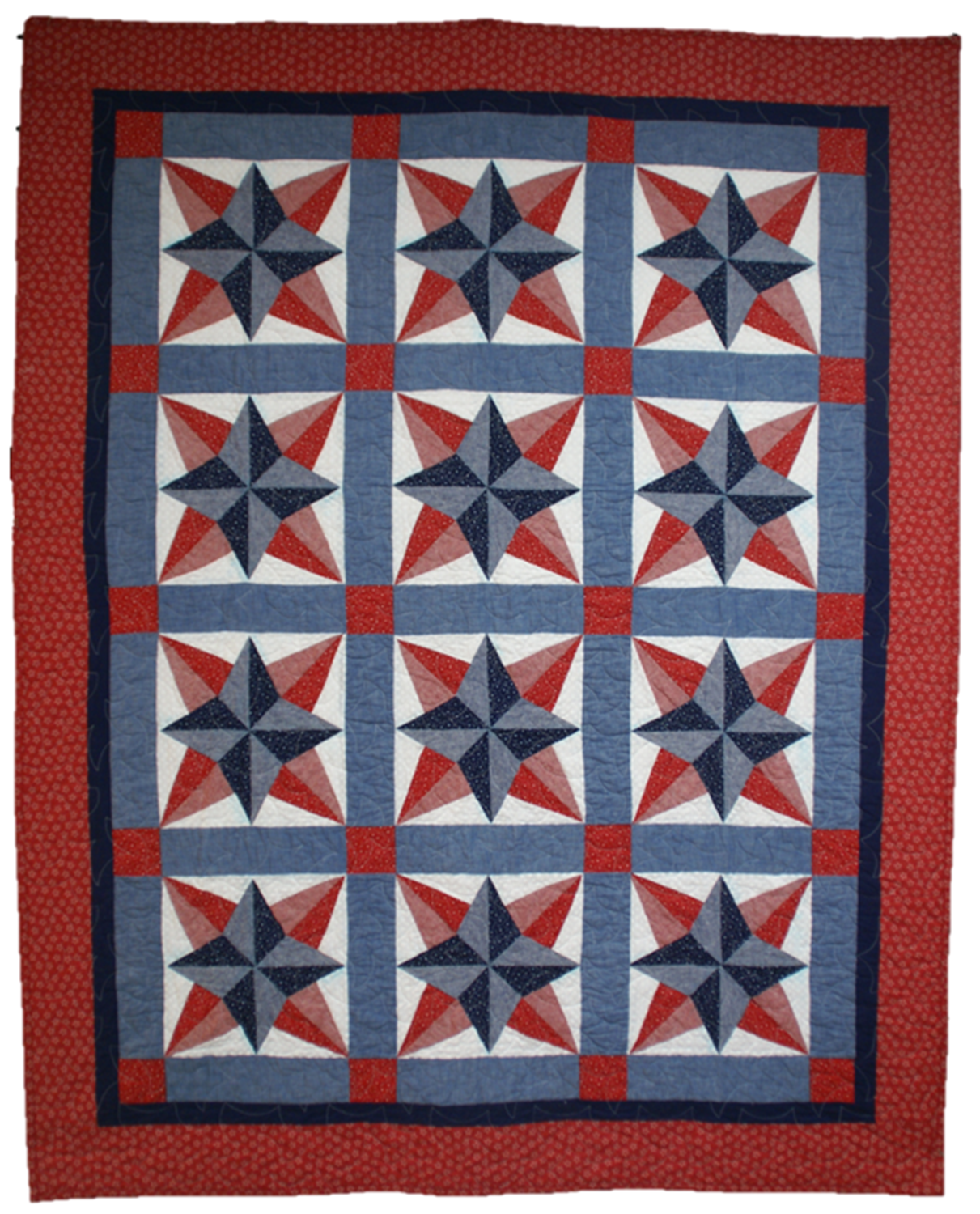
This Quilt features both the Homeward Star and Square Dance quilt blocks.

These blocks include four different grids, 2×2 Four patch Blocks, 3×3 Nine Patch Blocks, 4×4 Sixteen Patch Blocks and 5 x5 large and Small Blocks.

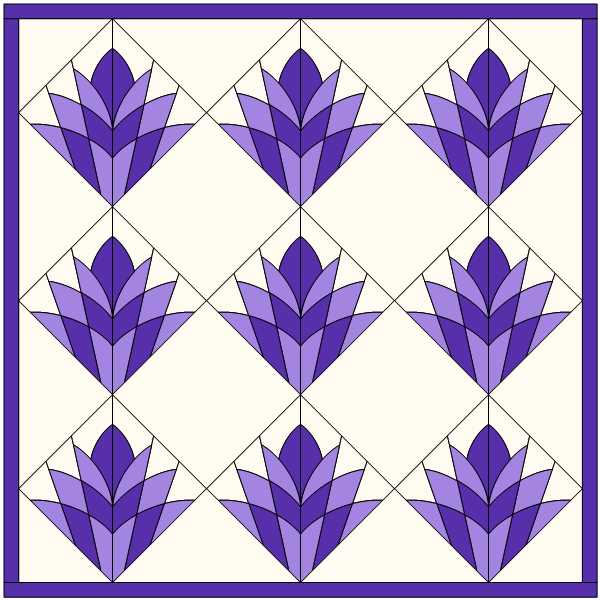
This Quilt uses the Rose Mosaic Block.

Complete Instructions including Die Cutting Guide!

Each set of library blocks comes with a complete set of Instructions, a Block Reference Guide and a Die Cutting Guide.

The Die Cutting Guide provides pictures of the MORE Corners and Angles blocks and which shapes are needed from the Mix & Match Qube, Companion Corners and Companion Angles to cut out that block similar to the picture above.

Please note:  If you have more than one size of Qube, you only need one size of library.  Once you have the EQ8 Library for Accuquilt installed into EQ8, you can easily resize to your other size Qubes as it will scale properly. 

Thank You!  And Happy Quilting!

More Products Available!

If you like designing and making your own quilts with EQ8 and AccuQuilt, check out some of my other products.

Find GO! Friendly patterns and more Add-on EQ8 Block Libraries including the original 216 Four Patch Mix & Match designs, Nine Patch Party, Five Patch Fun, Sweet Sixteen, English Paper Piecing and four sets of BOB libraries.

New Product! AccuQuilt Qube Quick Reference Guides

They are here! The brand new AccuQuilt Qube Quick Reference Guides by Lori Miller Designs.

If you don’t know by now, I love using my AccuQuilt GO! Cutters with my GO! Qube sets. I just think they are so versatile to create all kinds of traditional style blocks in many different sizes.

I was printing out the huge GO! Fabric Reference Chart provided by AccuQuilt which is a wealth of great information. However, I wanted something a bit easier to read since I used it so often. And since I have been buying multiple sizes of Qubes, I wanted the Qube information for several sizes.

So I created a Quick Reference Guide for every Qube!

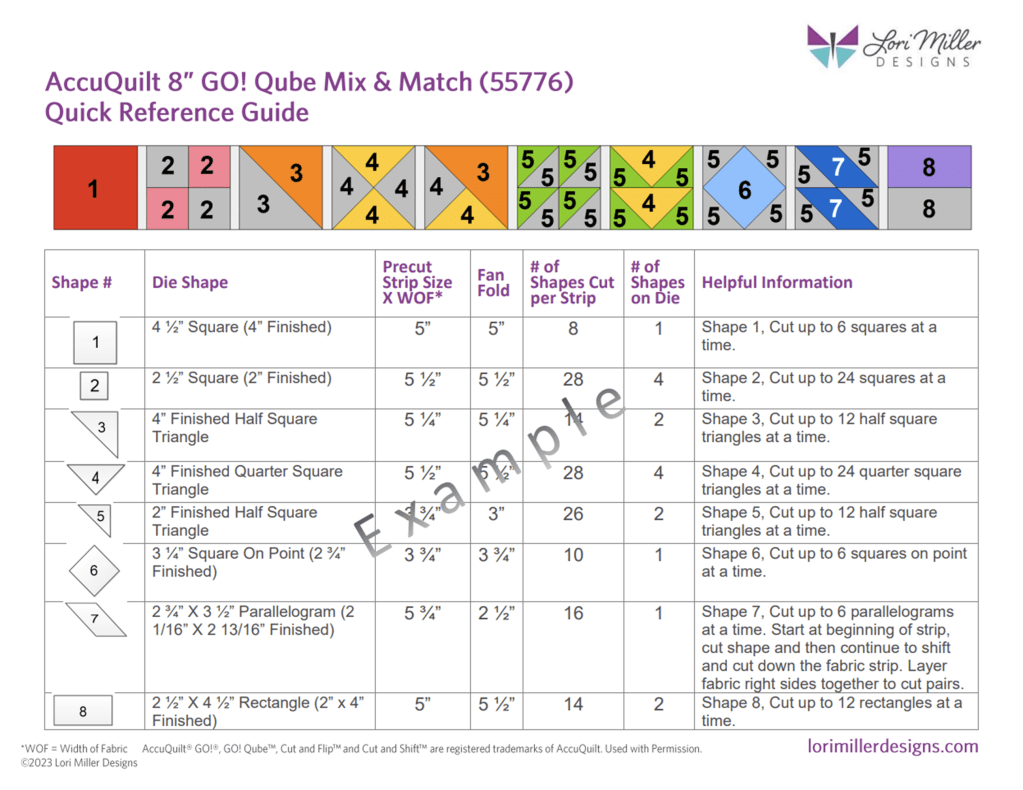
In this guide, you have all of the information at your fingertips in a larger print to figure out how to cut out the shapes you need from your AccuQuilt GO! Qubes and Strips.  There are visual guides to all of the shapes.  It contains what size strips to cut and how many shapes you can get out of a strip.  It also includes fan folding information and how many shapes are on a die board.  This convenient guide gathers all the information you need in one place!

There are 4 pages of information for each size of GO! Qube:

  • Shapes 1 – 8 included in the AccuQuilt GO! Qube Mix & Match
  • Shapes 9-12.1 included in the AccuQuilt GO! Qube Companion Corners
  • Shapes 13- 16 included the AccuQuilt GO! Qube Companion Angles
  • A page with the corresponding block and Side and Corner Setting Triangles, plus Grid information to go beyond the Four Patch original block designs.

Bonus

I have also created TWO pages of information on the various GO! Strip dies containing all of the information to help you figure out what to cut and how much fabric you will need.

This AccuQuilt GO! Qube Quick Reference Guide is so handy and I don’t even have to grab my readers to see the print. I made mine even easier by printing the Guide on Card Stock and I punched a hole in each one for a ring to hold them all together.

You can purchase the guide in my shop.

Do you use EQ8 Quilt Design Software?

Check out my EQ8 Block Libraries available for any size GO! Qube and Block on Board dies. Design beautiful quilts with EQ8 and then cut them out with your GO! Cutter.

New Pattern – Blue Prairie

    Meet Blue Prairie, my new quilt pattern containing the beautiful Double Aster Block. The swirling petals are set on point and framed with complimentary sashing and bright green accents.

    This pattern not only contains Traditional Rotary cutting directions, but it also contains AccuQuilt Cutting directions so it is GO! Friendly!

    I designed my quilt with EQ8 Quilt design software. It is my go to tool when designing beautiful, unique quilts.

    Blue Prairie comes in 3 convenient sizes

    • Baby 46” X 46”
    • Twin 72” x 97”
    • Queen 97” x 122”

    If you will be using AccuQuilt, here are the Dies Used to Complete this Pattern

    • GO! Qube Mix & Match 12” Block
    • GO! Qube Mix & Match 6” Block
    • GO! Strip Cutter 1 ½”
    • GO! Strip Cutter 2”
    • GO! Strip Cutter 2 ½”

    Thanks for stopping by to visit and checking out my new pattern now available in my Etsy Shop.

    Check out these other great quilt patterns from my shop!

    New Product! Add-on EQ8 Block Library: AccuQuilt BOB SET 4

    New BOB Blocks are here! This new Add-on EQ8 Block Library for AccuQuilt contains 16 gorgeous BOB blocks that were released in 2022. BOB die blocks enable you to create an entire block with one die board.  Every piece needed for the block is on the design board. You can design your quilt with EQ8 and then use your AccuQuilt GO! cutter to cut it out.

    This file contains SET 4 of the BOB block designs which includes 16 blocks.  The blocks vary in size as indicated to match the actual size of the BOB die block. I have included the size of the block by the name reference.

    The ONLY designs included in this set are:

    • GO! Alabama Beauty 10” (55597)
    • GO! Butterfly Pieced 9” (55598)
    • GO! Chinese Lanterns 8” (55599)
    • GO! Goose Tracks 9” (55536)
    • GO! Grandmother’s Fan 9” (55537)
    • GO! Lucky Star 10” (55600)
    • GO! Mill and Stars 8” (55601)
    • GO! Mosaic #4 10” (55608)
    • GO! North Carolina Star 12” (55605)
    • GO! Plaited Block 12” (55606)
    • GO! Priscilla Stripe 6” (55607)
    • GO! Road to Fortune 9” (55586)
    • GO! Star of the East 9” (55587)
    • GO! Tree of Life 14” (55588)
    • GO! Washington’s Puzzle 4” (55602)
    • GO! Whirling Star 12” (55603)

    Required: A running copy of EQ8 Quilt Design Software from The Electric Quilt Company.

    Required: You will need the Accuquilt BOB die set in the size that matches the EQ8 library file in order to cut out these block designs with the Accuquilt GO! Cutter.  Make sure your cutter is the right size for the BOB die.

    This is a downloadable digital file that you will place into your personal block library.  Once you place the block file in your library, you will be able to use it immediately to draw and design quilts.  I have included all of the instructions to add the files to your EQ8 Design Software.  You will receive the EQ8 Block library, a block reference guide and an instruction document.  The blocks are all labeled to match the reference guide.

    Now you can use the power of EQ8 to recolor and combine blocks to design beautiful quilts.

    Once you have designed your quilt, you can use your Accuquilt GO! Cutter to make it.  I have also included tips and suggestions for determining what dies to use and how to determine fabric requirements.

    I hope you enjoy these files as you create your BOB design quilts.

    Happy designing with your Accuquilt Block on Board Set 4 library blocks in EQ8!

    If you liked the new Add-on EQ8 Block Library files for AccuQuilt BOB Set 4, check out my other available Add-on Block libraries for EQ8 that work with AccuQuilt in my shop.

    I appreciate your feedback and suggestions on this product. Please tag me on Facebook or Instagram @lorimillerdesigns with your designs, I would love to see them.
    New Product! Add-on EQ8 Block Library: AccuQuilt BOB SET 3

    You have been asking for them and they are finally here! This Add-on EQ8 Block Library for AccuQuilt contains another 15 lovely BOB blocks. BOB die blocks enable you to create an entire block with one die board.  Every piece needed for the block is on the design board. You can design your quilt with EQ8 and then use your AccuQuilt GO! cutter to cut it out.

    This file contains SET 3 of the BOB block designs which includes 15 blocks.  The blocks vary in size as indicated to match the BOB die. I have included the size of the block by the name reference.

    The ONLY designs included in this set are:

    • GO! Basket of Lilies 12” Finished (55530)
    • GO! Carpenter’s Wheel 18” Finished (55531)
    • GO! Cornucopia 10” Finished (55532)
    • GO! Crossroads 9” Finished (55533)
    • GO! Drunkards Path 3.5” Finished (55070)
    • GO! Drunkards Path 4” Finished (55338)
    • GO! Drunkards Path 7” Finished (55034)
    • GO! Feather Star 16” Finished (55535)
    • GO! Goose Tracks 9” Finished (55536)
    • GO! Pickle Dish 10” Finished (55539)
    • GO! Prairie Star 14” Finished (55540
    • GO! Rising Star 10” Finished (55541)
    • GO! Schoolhouse 9” Finished (55542)
    • GO! Tangled Star 10” Finished (55543)
    • GO! Weathervane 8” Finished (55544)

    Required: A running copy of EQ8 Quilt Design Software from The Electric Quilt Company.

    Required: You will need the Accuquilt BOB die set in the size that matches the EQ8 library file in order to cut out these block designs with the Accuquilt GO! Cutter.  Make sure your cutter is the right size for the BOB die.

    This is a downloadable digital file that you will place into your personal block library.  Once you place the block file in your library, you will be able to use it immediately to draw and design quilts.  I have included all of the instructions to add the files to your EQ8 Design Software.  You will receive the EQ8 Block library, a block reference guide and an instruction document.  The blocks are all labeled to match the reference guide.

    Now you can use the power of EQ8 to recolor and combine blocks to design beautiful quilts.

    Once you have designed your quilt, you can use your Accuquilt GO! Cutter to make it.  I have also included tips and suggestions for determining what dies to use and how to determine fabric requirements.

    I hope you enjoy these files as you create your BOB design quilts.

    Happy designing with your Accuquilt Block on Board Set 3 library blocks in EQ8!

    If you liked the new Add-on EQ8 Block Library files for AccuQuilt BOB Set 3, check out my other available Add-on Block libraries for EQ8 that work with AccuQuilt in my shop.

    I appreciate your feedback and suggestions on this product. Please tag me on Facebook or Instagram @lorimillerdesigns with your designs, I would love to see them.

    Share this:

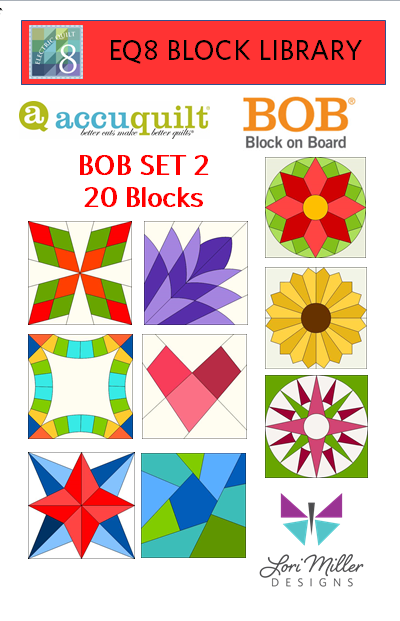
    New Product! Add-on EQ8 Block Library: Accuquilt BOB SET 2

    It’s Here! You have been asking for more BOB’s or Block on Board die Quilt Blocks and they are finally here. This Add-on Block Library for EQ8 contains another 19 fabulous BOB blocks. BOB die blocks enable you to create an entire block with one die board.  Every piece needed for the block is on the design board. You can design your quilt with EQ8 using these blocks and then use your AccuQuilt GO! cutter to cut it out with speed and accuracy.

    This file contains SET 2 of the BOB block designs which includes 20 blocks.  The blocks vary in size as indicated to match the BOB die. I have included the size of the block by the name reference.

    The ONLY designs included in this set are:

    • Arkansas Traveler 12”
    • Blazing Star 12”
    • Cleopatra’s Fan 12”
    • Courtyard 10”
    • Crazy Quilt 6”
    • Crazy Quilt 10”
    • Double Wedding Ring 11.5”
    • Double Wedding Ring 12.5”
    • Dresden Point 5 – 6”
    • Dresden Point 20 – 12”
    • Dresden Round 5 – 6”
    • Dresden Round 20 – 12”
    • Flowering Snowball 12”
    • Kite 4”
    • Mariner’s Compass 12”
    • Robbing Peter to Pay Paul 7”
    • Spider Web 6”
    • Winding Ways 8”
    • Wonky Heart 6”
    • BONUS! Hunter’s Star 12”

    I have added a bonus Hunter’s Star 12″ because the first set of BOB’s only had the Hunters Star 6″ piece, so now you can design with both.

    Required: A running copy of EQ8 Quilt Design Software from The Electric Quilt Company.

    AccuQuilt Block On Board (BOB)

    Required: You will need the AccuQuilt BOB die set in the size that matches the EQ8 library file in order to cut out these block designs with the AccuQuilt GO! Cutter.  Make sure your cutter is the right size for the BOB die.

    This is a downloadable digital file that you will place into your personal block library.  Once you place the block file in your library, you will be able to use it immediately to draw and design quilts.  I have included all of the instructions to add the files to your EQ8 Design Software.  You will receive the EQ8 Block library, a block reference guide and an instruction document.  The blocks are all labeled to match the reference guide.

    Now you can use the power of EQ8 to recolor and combine blocks to design beautiful quilts.

    Once you have designed your quilt, you can use your AccuQuilt GO! Cutter to make it.  Be sure to go through my Informational Instructions as I have also included tips and suggestions for determining what dies to use and how to determine fabric requirements.

    I hope you enjoy these files as you create your BOB design quilts.

    Happy designing with your AccuQuilt Block on Board Set 2 library blocks in EQ8!

    If you liked the new AccuQuilt BOB Set 2 EQ8 Block Library Files, check out my other available Add-on Block libraries for EQ8 that work with AccuQuilt as well as GO! Friendly patterns for you to make. 

    Happy Designing!

    New Product! Add-on EQ8 Block Library for AccuQuilt Qube: Nine Patch Party

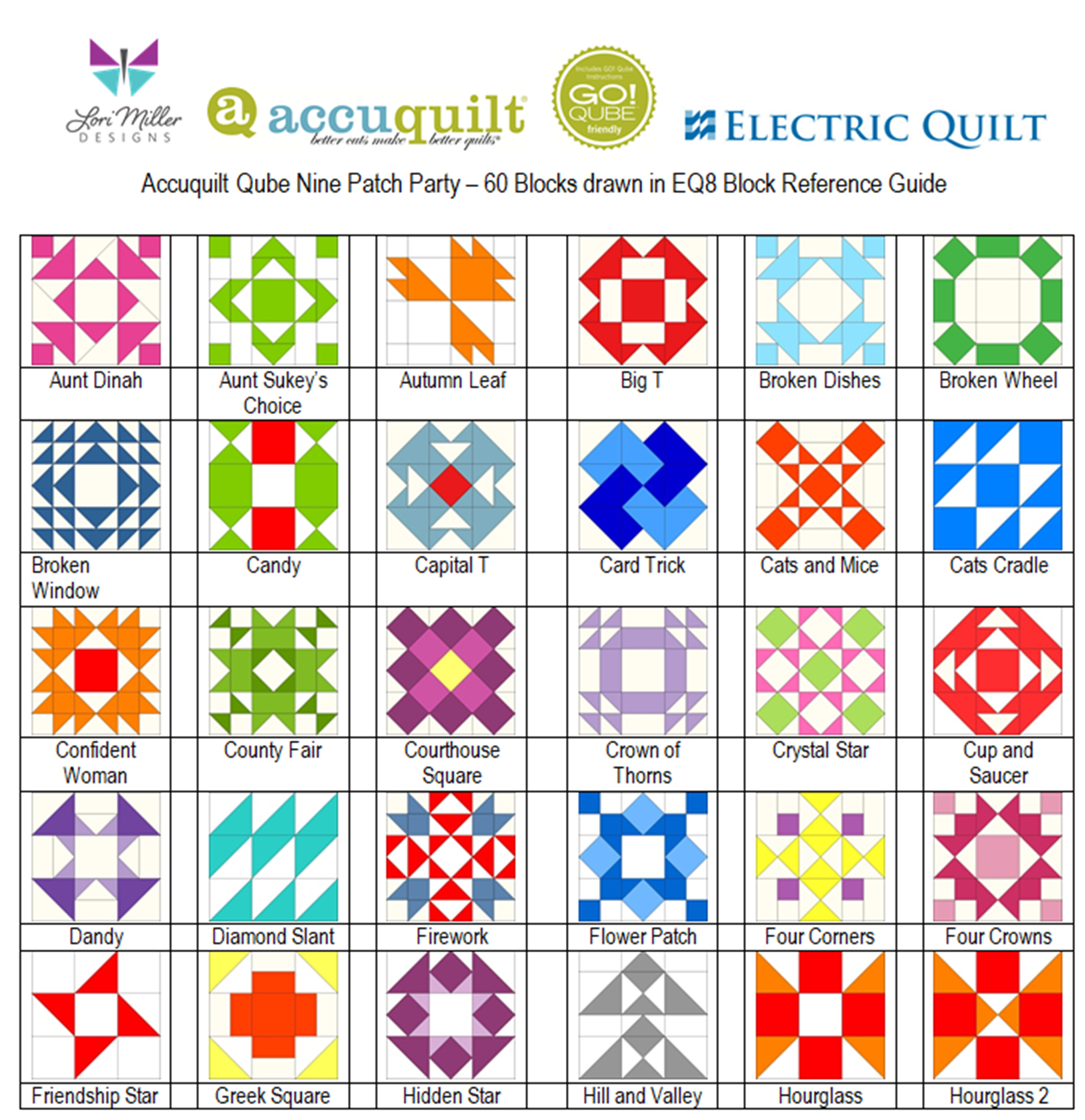
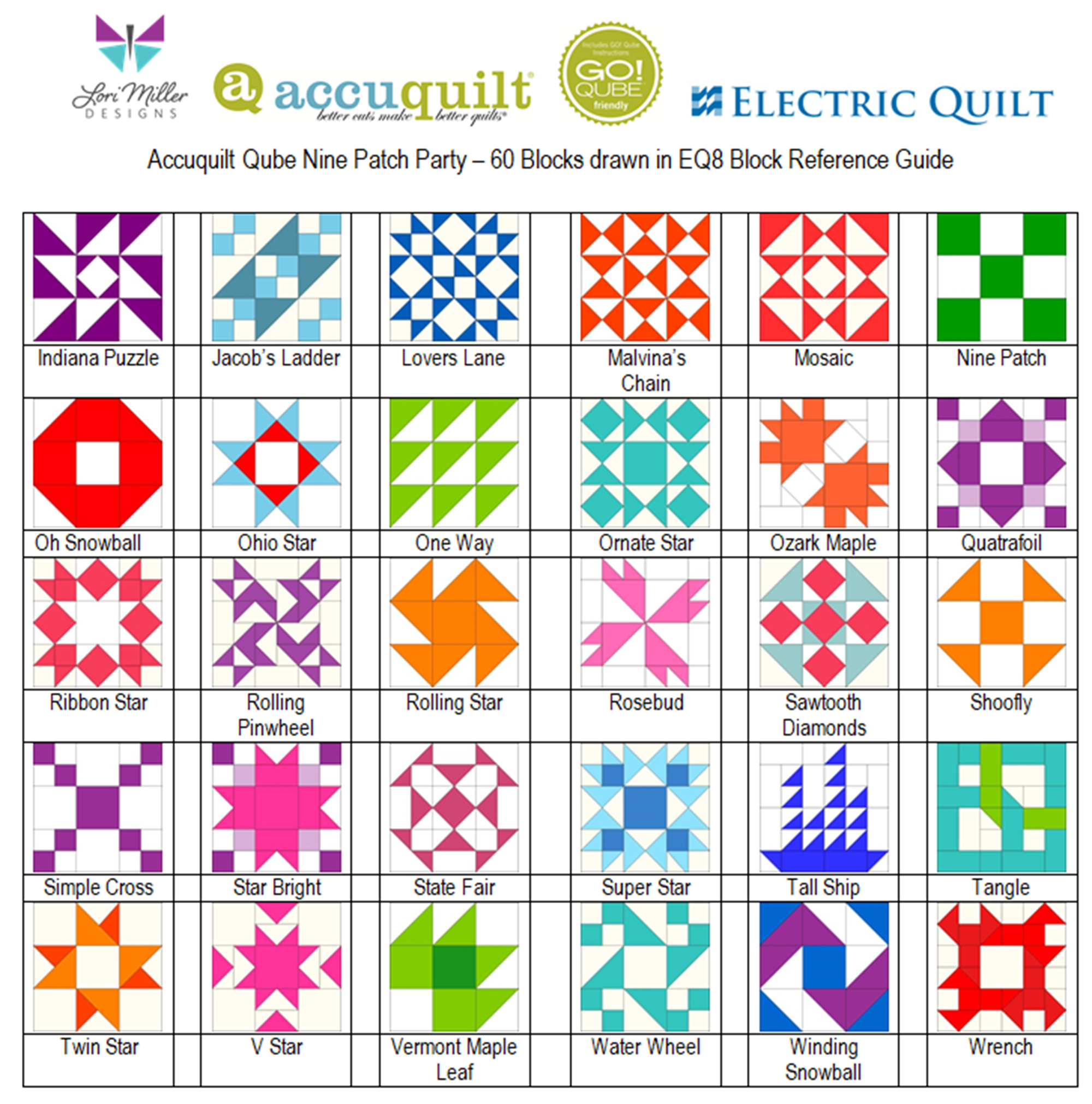
    Let’s have a party!  A Nine Patch Party!  I am pleased to introduce the next set of  Add-on EQ8 Block Library files designed to work with your AccuQuilt Mix & Match Qubes.  Included are 60 gorgeous Nine Patch variation block designs that you can load into EQ8 Quilt design software.

    EQ8 is Quilt Design Software by The Electric Quilt Company.  I design my quilts in EQ8, I teach EQ8 and I use EQ8 in my original patterns.

    These convenient block designs work with the Accuquilt GO! Qube Mix and Match Die sets.  You can use the Die Shapes in the GO! Qubes to cut out these blocks with speed and accuracy.

    These EQ8 Block Library files are downloadable digital files that are designed to work with your EQ8 Quilt Design Software.  They are only compatible with EQ8.  Once you place the block file in your library, you will be able to use it immediately to draw and design beautiful quilts.

    Required: A running copy of EQ8 Quilt Design Software.

    60 Gorgeous Nine Patch Blocks!

    I have included 60 Nine Patch Party Block designs from beginner to challenging, from traditional to creative.  You are sure to find some great options to design and color your own quilts in EQ8.

    These blocks are Nine Patch Blocks that can be cut out with your Go! Qube Mix & Match Set, no companion dies are needed.

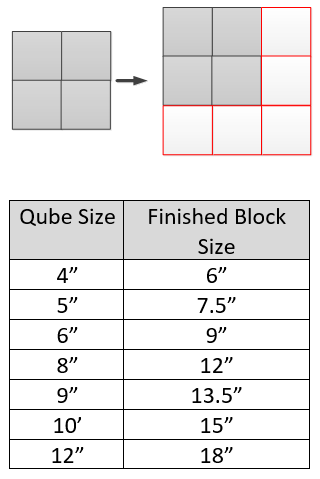
    Since the Nine Patch design is based upon a 3 x 3 grid, your finished block sizes will finish larger as indicated in the chart below.

    block sizes

    Nine Patch Party is available in all of the GO! Qube sizes.  They are color coordinated by size in the shop so you can find the size you need.

    Complete Instructions including Die Cutting Guide!

    Each set of library blocks comes with a complete set of Instructions, a Block Reference Guide and a Die Cutting Guide.

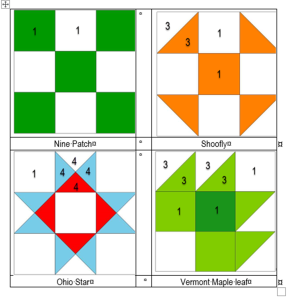
    The Die Cutting Guide provides pictures of the Nine Patch Party blocks and which shapes are needed from the Qube to cut out that block similar to the picture above.

    Please note:  If you have more than one size of Qube, you only need one size of the block library.  Once you have the EQ8 Library for AccuQuilt installed into EQ8, you can easily resize to your other size Qubes as it will scale properly.  You can certainly purchase other sizes for convenience, but it is not necessary.

    More Products Available!

    If you like designing and making your own quilts with EQ8 and AccuQuilt, check out my other products!.

    Thank You!  And Happy Quilting!