All Six EQ8 Add-ons for the GO! Qube Now Available

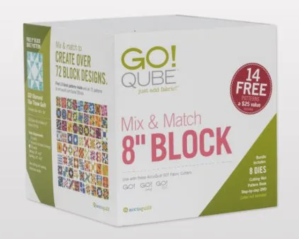
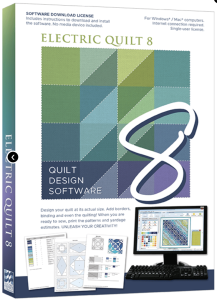
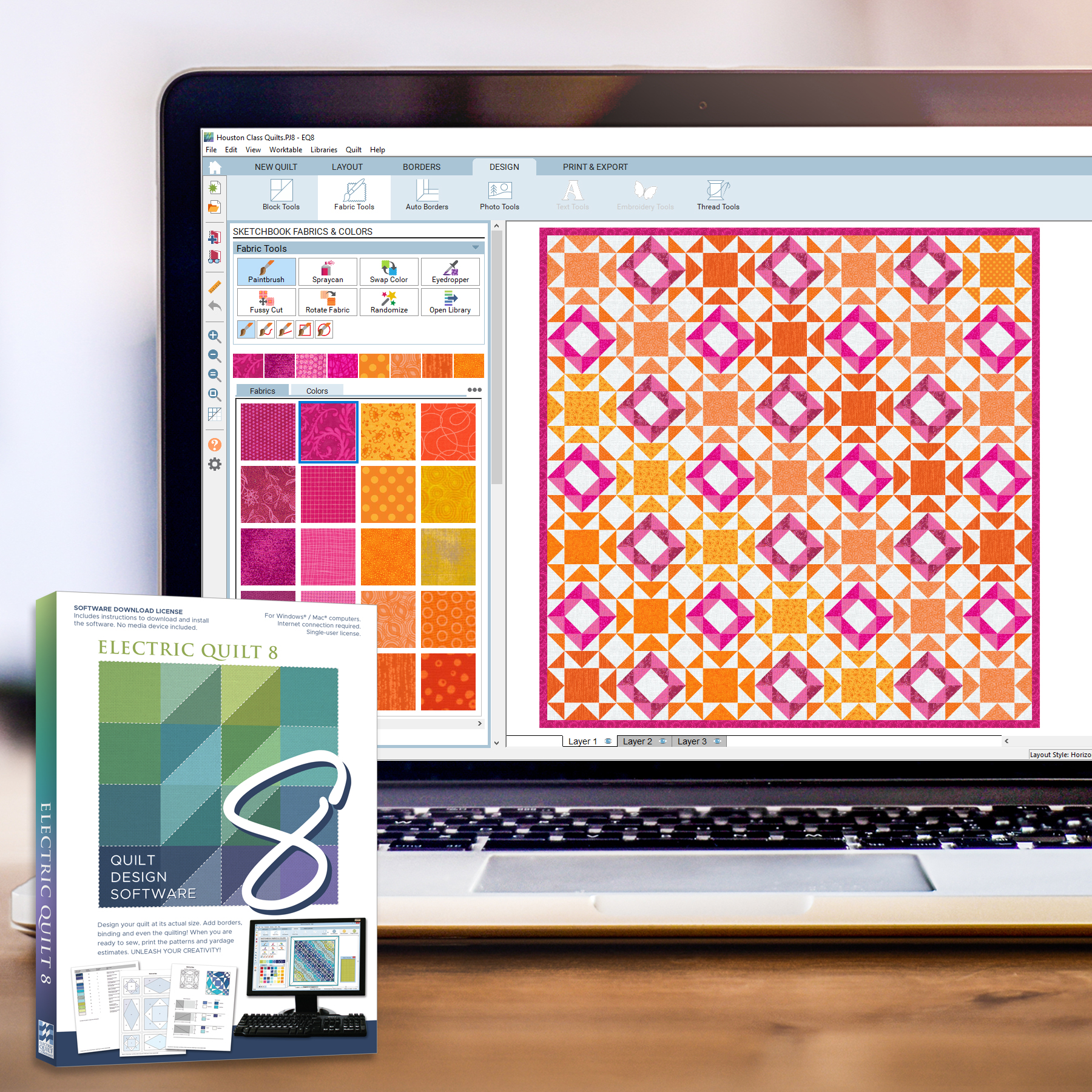
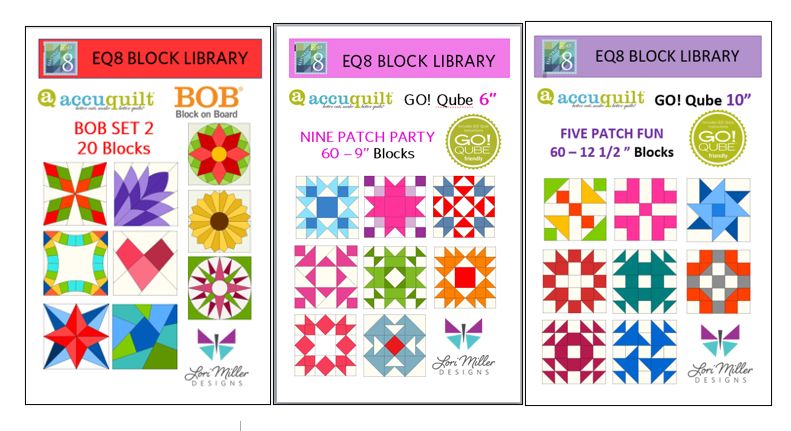
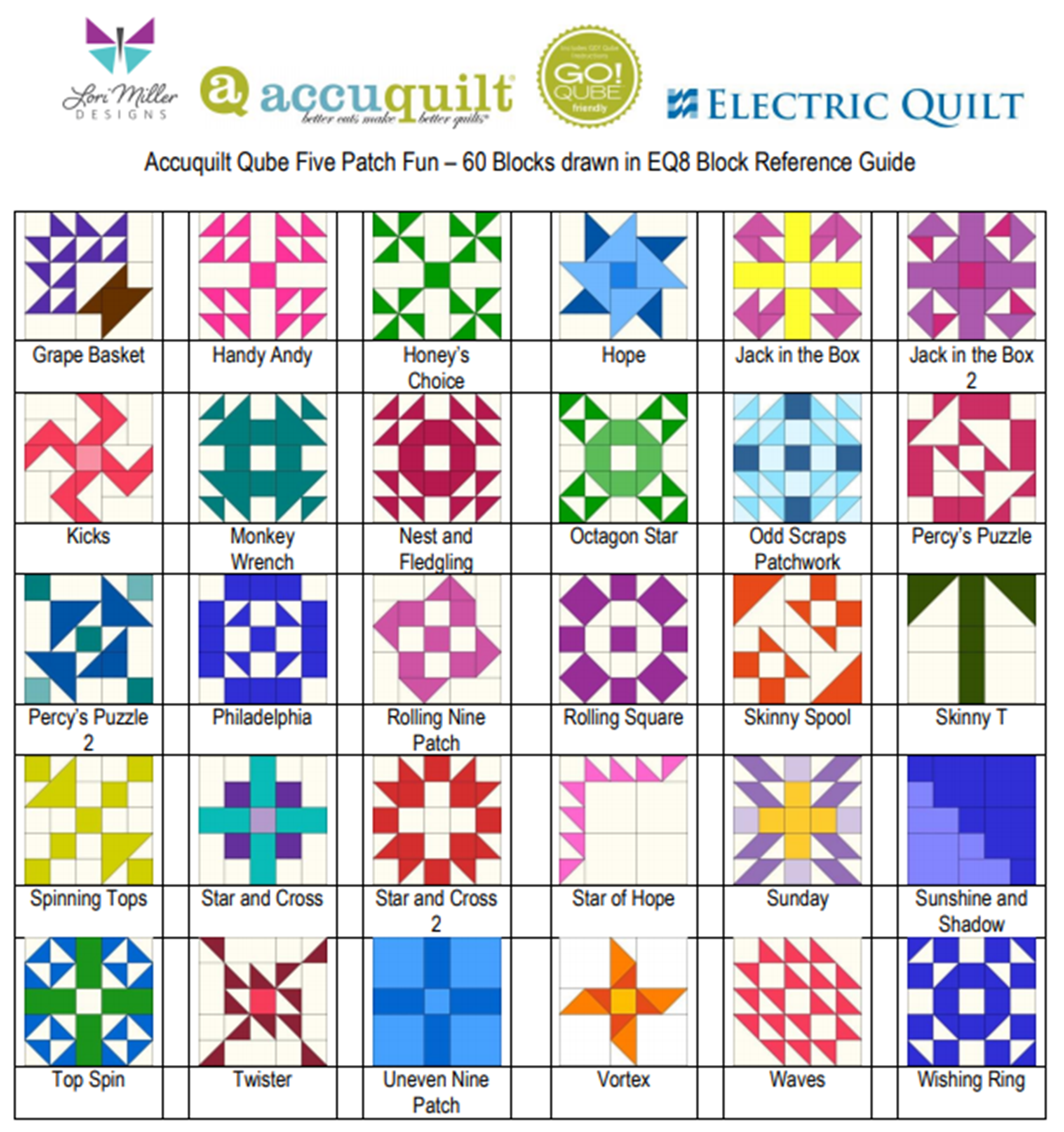
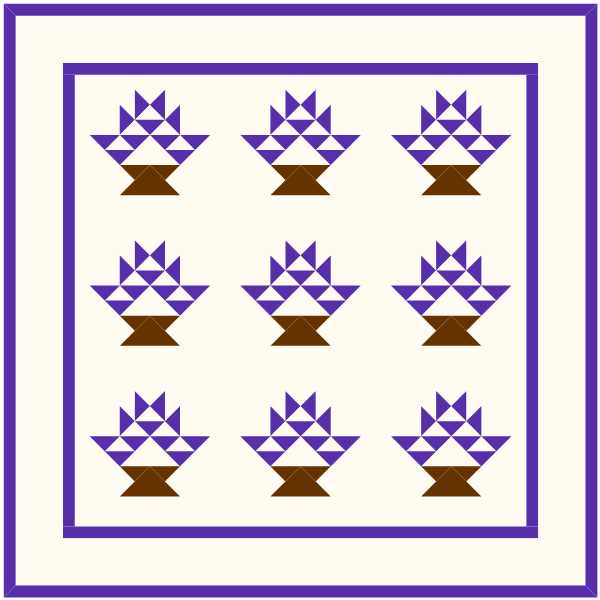
Quilty friends, I am excited to share that all six GO! Qube Block Add-ons for EQ8 are available! That’s right, there are six Block libraries offering hundreds more blocks that you can easily design within EQ8 and then cut out with your AccuQuilt GO! Qube dies and cutters.

Each of these six, easy-to-use block libraries will work with any size Qube. When you combine Electric Quilt® software with your AccuQuilt® GO! fabric cutter and GO! Qube dies, you have the perfect mixture of creativity and precision!

We released the first Block Library in October, and the reception has been so welcoming. If you missed it, you can read more about the GO! Qube Mix & Match, Plus Corners and Angles HERE! And let me introduce you to the rest of the family. Be sure to follow the LINKS for all of the details.

1 – Fabulous Four Patch

This block library contains 60 Four Patch blocks using a 2 X 2 grid.

2 – Five Patch Fun

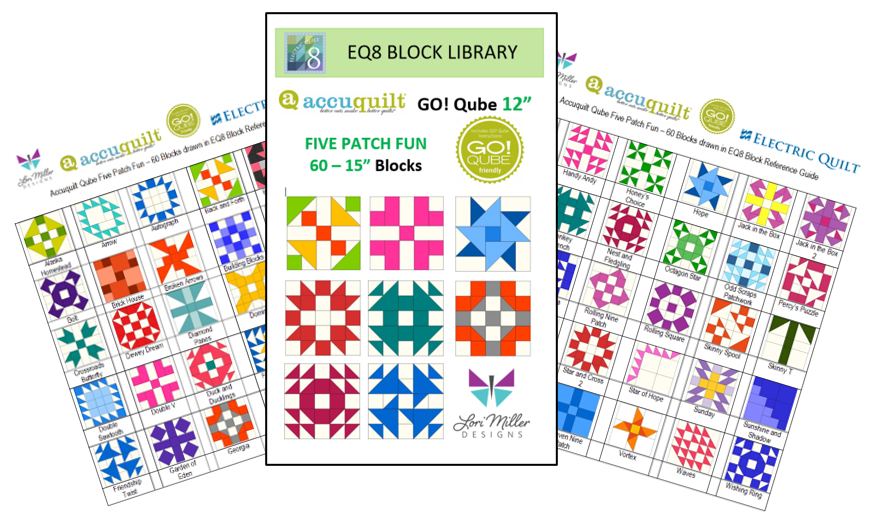
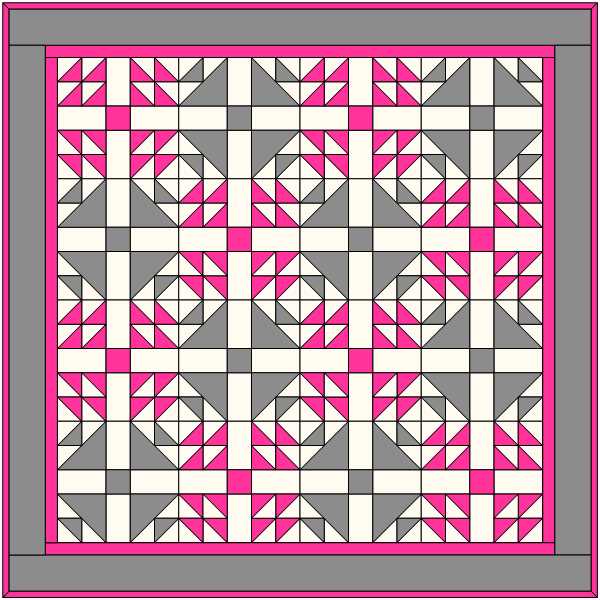
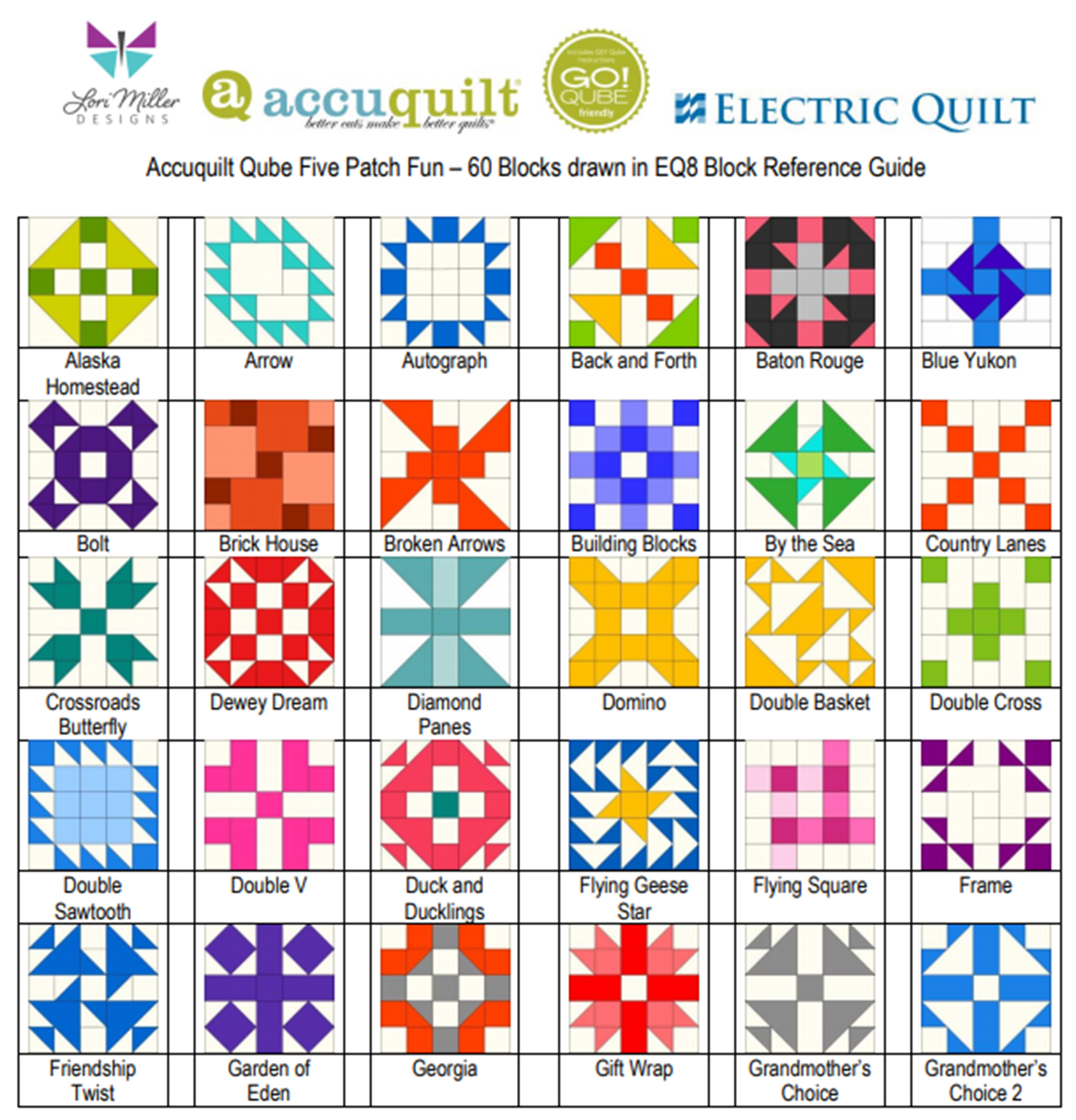
This block library contains 60 Five Patch blocks using a 5 x 5 grid (small). 

3 – Nine Patch Party

This block library contains 60 Nine Patch blocks using a 3 X 3 grid.

4 – Sweet Sixteen

This block library contains 60 Sixteen Patch blocks using a 4 x 4 grid. 

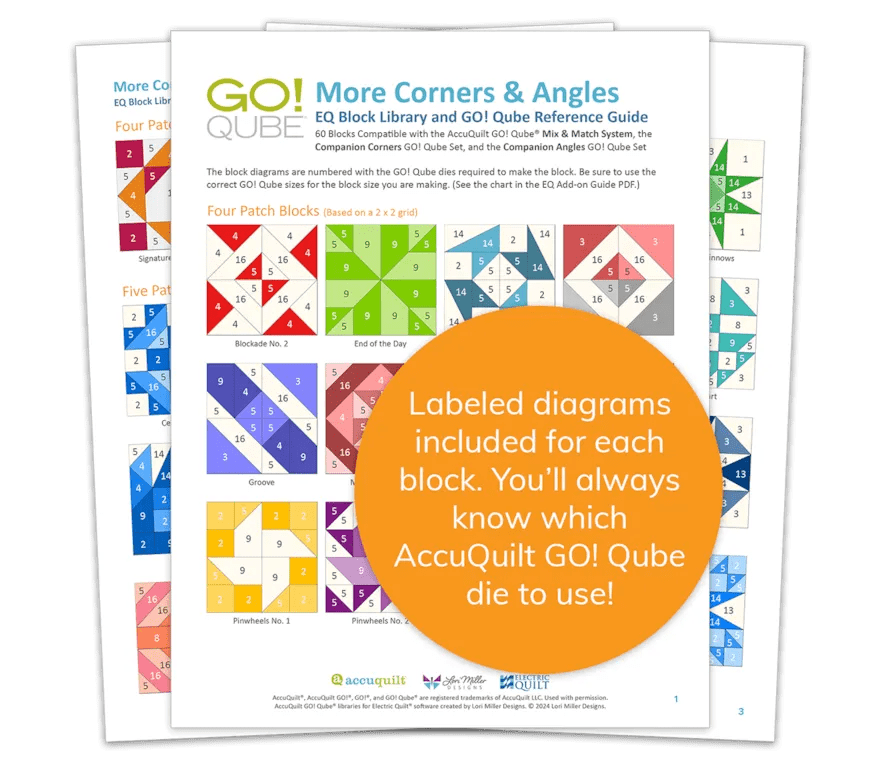
5 – More Corners & Angles

This block library contains 60 blocks that use the GO! Qube Mix & Match with the Companion Corners and Angles. The blocks come in multiple grid sizes with Four Patch, Five Patch, Nine Patch, Sixteen Patch, and 25 Patch blocks.

Each EQ8 Block Add-on Library for the GO! Qube comes with:

  • An automated download that loads the blocks directly into the AccuQuilt Libraries folder found in your EQ8 Block Library.
  • PDF Resources including color pictures of each block showing the GO! Qube die shape numbers required to create the block and additional information on how to use the blocks with your EQ software.
  • Ten quilt designs in 4 different colorways, a total of 40 quilt designs to inspire your design journey.
  • And Electric Quilt’s fantastic tech support; free with your purchase so if you need any help, just call, email, or live chat with them!

These products are available for purchase at ElectricQuilt.com and AccuQuilt.com!

Designed by Lori Miller Designs.

I am teaching EQ8 in 2025!

Hello Quilty friends.  I am excited to share that I am back this year teaching EQ8 classes.  EQ8 is Quilt design software that allows you to design beautiful quilts and quilt blocks.

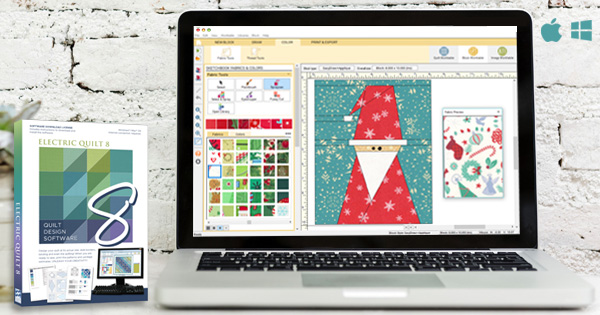
I use EQ8 myself to design all of my quilts. It is the leading quilt design software in the world. As a full-featured software, it lets you see your quilt on the screen before you even cut a piece of fabric. You can swap and rotate blocks, add borders, and play with different colorways and fabrics.

EQ8 is perfect for beginner or professional quilters with computer skills of all levels and is available for PC and Mac.

If you have your software, but have not cracked it open or just need an in person class to pick up those skills, these classes are for you!  I specialize in my beginner class that will help you navigate the software and build confidence to design on your own. I hope you can join me.

Over the next 3 months, I have a full array of classes at the following shows and dates.  Full descriptions of the classes follow below.

AQS Daytona 2025
Ocean Center, Daytona Beach, FL
February 19 – 22

  • Feb 19 – EQ8 Getting Started
  • Feb 20 – EQ8 I want to Learn more
  • Feb 21 AM – EQ8 Fabulous Framing (sashing and borders)
  • Feb 21 PM – EQ8 Fun with Fabrics
  • Feb 22 – EQ8 KickStart Mini Beginner

EQ Academy 2025
Perrysburg, OH
March 27 – 29

  • March 27-28 Getting Started with EQ8
  • March 29 AM Adding Fabrics and Photos to EQ8
  • March 29 PM Design with EQ8 and AccuQuilt GO!

AQS Paducah 2025
Schroeder Expo Center, Paducah, KY
April 23 – 26

  • April 23 EQ8 Start at the Beginning
  • April 24 EQ8 I want to Learn More
  • April 25 EQ8 Fabulous Framing (Borders and Sashing)
  • April 25 Design with EQ8 and AccuQuilt GO!
  • April 26 EQ8 KickStart Mini Beginner

Class Descriptions

EQ8 Start at the Beginning

Build your EQ confidence! Tour the workspace and begin designing a variety of beautiful quilt styles. Search the EQ8 libraries for the perfect block or fabric to turn your quilt designs into reality. You can even add fabrics from your own stash. Learn how to print yardage estimates, rotary cutting charts, and more. Nicely paced and encouraging workshop for those who want to understand and practice the basics. Windows and Mac users welcome

EQ8 I want to Learn More

Take the next step learning EQ8. Learn to draw or edit your own blocks to place in your quilt creations. Explore appliqué and stencils to better understand the three layers of the quilt in EQ8. Take a deep dive into borders and Auto Borders. Create personal libraries, use text and photos, and explore free-form quilt settings. By the end of the workshop, you will have the confidence to design your own beautiful blocks and quilts. Windows and Mac users welcome.

Design with EQ8 and AccuQuilt GO!

In this class, we will combine the power of EQ8 quilt design with the ease of fabric die cutting. The AccuQuilt GO! Qube system is made up of building blocks in a four-patch design grid that make up some of the most common blocks already available in Electric Quilt. Use those blocks to design beautiful quilts, try colors and fabrics and then when you are ready, use your AccuQuilt GO! Cutter to cut your fabric.  The new AccuQuilt add-ons are not required for this class. The concepts covered in class will make working with EQ8 and AccuQuilt easier, with or without the add-on products.

Please note: This class will focus on the EQ8 design process for compatible blocks and quilts. No die cutters will be used.

EQ8 Fun with Fabrics

This half-day class will show you how simple it is to add your own fabrics and panels to EQ8. Learn how to import fabrics, straighten, scale, crop, and add the fabrics to your Favorites library! Discover the differences between fabrics and panels and how to edit them for your design.

Using photos in your quilt is very similar to how you would use fabrics. Learn the difference between photos and fabrics, import photos for use in a photo quilt, and discover new ways to use photos that you may not have even imagined.

EQ8 Fabulous Framing (Borders and Sashing

Are your borders simply boring? Do you just slap on strips of fabric to add length and width to your quilt? Is your sashing simple? Take your borders from blah to beautiful and your sashing from sad to stunning with the built-in tools in EQ8. This fun workshop explores a variety of borders and border styles from pieced, Flying Geese, appliqué, checkerboard, and more. Use borders to jazz up a panel or medallion quilt. Discover creative sashing with pieced blocks and clever design ideas. Your quilts are limited only by your imagination. NOTE: This workshop moves at a faster pace than beginner EQ8 workshops. PC and Mac Users welcome.

EQ8 KickStart Mini Beginner

Are you brand new to EQ8? This is the perfect workshop to get to know your exciting new quilt design software. This workshop will go over the basics for beginner EQ8 users needing an overview of the EQ experience. Take an in-depth tour through the software to get a better understanding of the three worktables, the Project Sketchbook, and how to navigate the entire workspace. We will start designing quilts right away using EQ8 as your virtual design wall. Study the many pattern-printing options available and learn how to find yardage estimates. The best way to learn is by doing! This workshop is nicely paced for beginners. Windows and Mac users welcome. Please note, this workshop is designed for brand new EQ8 users and is focused on EQ8 basics. If you have taken the full day beginner workshop, this workshop covers similar topics.

I am looking forward to seeing you in class!

New Pattern – Blue Prairie

    Meet Blue Prairie, my new quilt pattern containing the beautiful Double Aster Block. The swirling petals are set on point and framed with complimentary sashing and bright green accents.

    This pattern not only contains Traditional Rotary cutting directions, but it also contains AccuQuilt Cutting directions so it is GO! Friendly!

    I designed my quilt with EQ8 Quilt design software. It is my go to tool when designing beautiful, unique quilts.

    Blue Prairie comes in 3 convenient sizes

    • Baby 46” X 46”
    • Twin 72” x 97”
    • Queen 97” x 122”

    If you will be using AccuQuilt, here are the Dies Used to Complete this Pattern

    • GO! Qube Mix & Match 12” Block
    • GO! Qube Mix & Match 6” Block
    • GO! Strip Cutter 1 ½”
    • GO! Strip Cutter 2”
    • GO! Strip Cutter 2 ½”

    Thanks for stopping by to visit and checking out my new pattern now available in my Etsy Shop.

    Check out these other great quilt patterns from my shop!

    Happy Hues Block of the Month

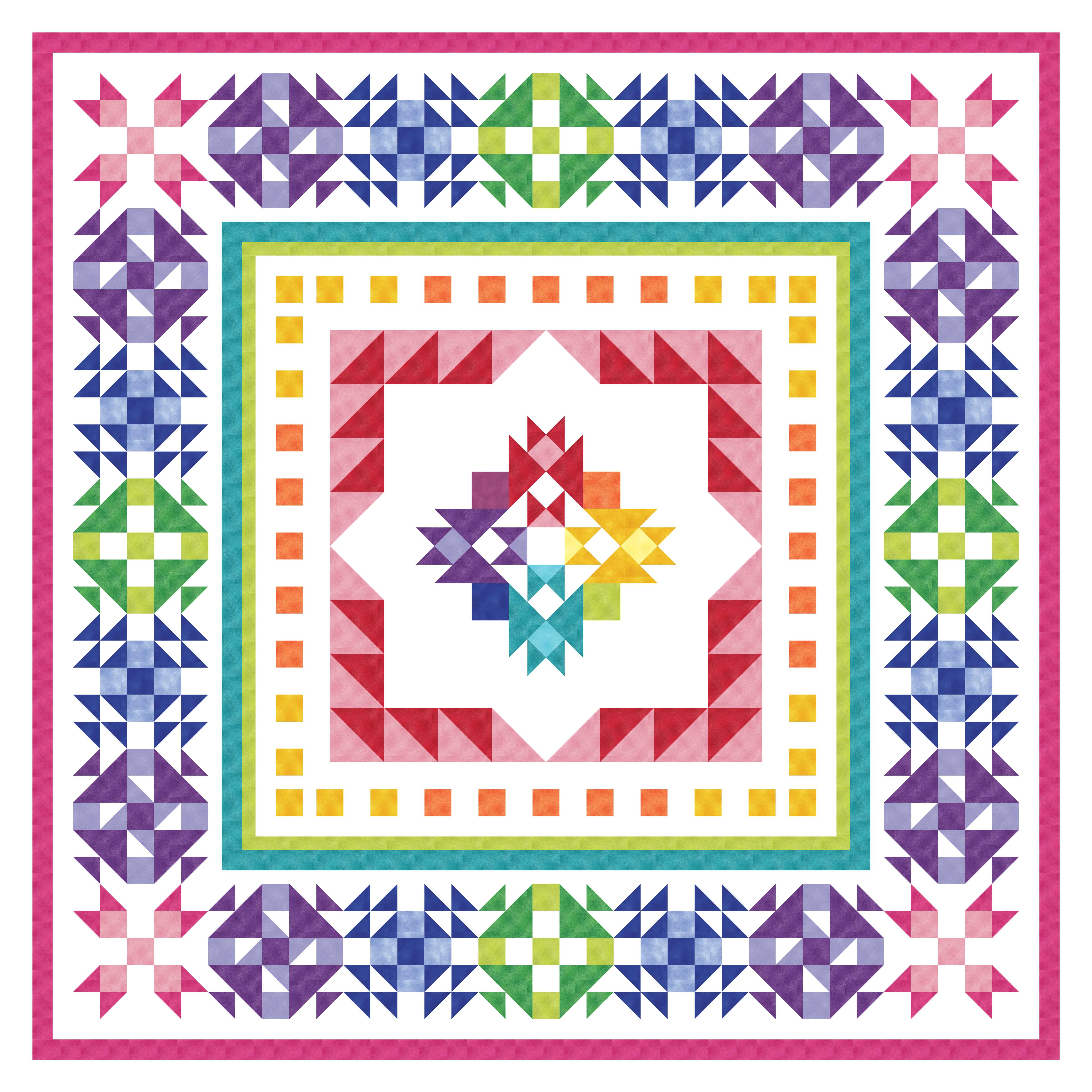
    I am so excited to announce that I was asked to design Happy Hues, the new Block of the Month (BOM) for American Patchwork and Quilting. All People Quilt will be exploring color, contrast and value with this medallion quilt in a rainbow of hues.

    Patterns will launch on the second Tuesday of each month. And for this BOM, they will provide BOTH Rotary cutting and AccuQuilt cutting directions. That means everyone can join in!

    This quilt finishes at 80″ X 80″ square. I used Shadow Blush and Superior Solids fabrics from Benartex. The Fabric requirements have just been posted on the website, so gather what you need to get started in September. Instructions will be included for traditional Rotary Cutting AND for AccuQuilt Cutting. Join us for 7 months of quilty fun.

    If you are using AccuQuilt, you will need the following dies:

    • 55776: GO! Qube Mix & Match 8″ Block
    • 55017: Strip Cutter 2 1/2″ (2″ Finished)
    • 55025: Strip Cutter 2″ (1 1/2″ Finished)
    • 55024: Strip Cutter 1 1/2″ (1′ Finished

    This quilt was designed with EQ8 Quilt Design Software. It is my go to tool for designing beautiful quilts.

    I used blocks from my EQ8 Add-on Block Libraries for AccuQuilt. Each library for the AccuQuilt GO! Qube contain 60 blocks that are compatible with AccuQuilt GO! Cutters.

    The center block of the Quilt is from my Sweet Sixteen EQ8 Block Library called Bursting Star.

    The Blocks in the outer border are from my Five Patch Fun EQ8 Block Library. The blocks are Crossroads Butterfly, Friendship Twist, Nest and Fledgling, and Duck and Ducklings.

    You can find these Add-on Block Libraries, Quilt Patterns and more in my Etsy Shop.

    Join me in this Quilting fun! I will be sewing another Happy Hues Quilt along with you and sharing my journey in the Facebook group. Be sure to join the Facebook page. You can also share on instagram with the hashtag #APQHappyHues.

    Happy Quilting!

    I am Teaching EQ8!

    Hello Quilty Friends! 

    If you have been wanting to design your own quilts and are ready for the next step, you will want to consider learning EQ8 Quilt Design Software.  If you are looking for an in person class to take, I wanted to share that I am teaching EQ8 in person in September at the AQS Des Moines Quilt Show and in October/November at the Houston Quilt Festival.

    Shop ElectricQuilt.com

    If you are not familiar, EQ8 is my design tool of choice to make and create beautiful quilts.  It is quilt design software available for the PC and the MAC.  It allows you to ditch the pencils and graph paper and design all kinds and styles of quilts using your computer.

    If you have never seen it, check out this brilliant demo from The Electric Quilt Company for a great overview.

    Watch a demo of EQ8!

    Teaching Schedule and Classes

    AQS Des Moines EQ8 Classes

    September 27 – 30th

    Des Moines, Iowa Events Center.

    I am teaching a full slate of classes and there is still room to join me.

    EQ8 Start at the Beginning, #59101w

    Build your EQ8 confidence! Tour the workspace and begin designing a variety of beautiful quilt styles. Search the EQ8 libraries for the perfect block or fabric to turn your quilt designs into reality. Or add fabrics from your own stash. Learn how to print yardage estimates, rotary cutting charts, and more. Nicely paced and encouraging class for those who want to understand and practice the basics. Windows and Mac users welcome. Registration for this class includes show admission for Wednesday.

    EQ8: I Want to Learn More, #59102t

    Take the next step learning EQ8. Learn to draw or edit your own blocks to place in your quilt creations. Explore appliqué and stencils and understand the three layers of the quilt in EQ8. Take a deep dive into borders and Auto Borders. Create personal libraries, use text, photos, and explore free-form quilt settings. By the end of the class, you will have the confidence to design your own beautiful blocks and quilts. Windows and Mac users welcome. This is a great followup to the EQ8 Beginner class. 

    EQ8: Design for AccuQuilt Qube, #59503

    Combine the power of EQ8 quilt design software with the ease of fabric die cutting. The AccuQuilt GO! Qube system is made of building blocks to create a four patch quilt block. Discover EQ8 compatible blocks, draw your own blocks, try different fabrics, and create your own block library. Your design will be ready to cut with the AccuQuilt GO! Cutter. Learn tips and tricks to use the best features of both EQ8 and AccuQuilt. Class based on the 8” Qube, with help to accommodate other sizes. Please note: This is an EQ8 software design class. No die cutters will be used. Completion of a beginner EQ8 class is helpful.

    EQ8: Borders and Sashings, #59504

    Are your Borders simply boring? Do you just slap on strips of fabric to add length and width to your quilt? Is your sashing simple? Take your borders from blah to beautiful and your sashing from sad to stunning with the built-in tools in EQ8. This fun class will explore a variety of borders and border styles from pieced, flying geese, appliqué, checkerboard, and more. Use borders to jazz up a panel or medallion quilt. Discover creative sashing with pieced blocks and clever design ideas. Your quilts are limited only by your imagination. NOTE: This class moves at a faster pace than Beginner EQ8 classes. PC and Mac Users welcome.

    EQ8: Adding Fabrics, #59505

    Grow your EQ8 skills! Learn how easy it is to add your own fabrics, panels, and photos to EQ8. Import fabrics, straighten, scale, crop and add them to your Favorites library! Add current manufacturer fabric lines to use in your quilt designs. Discover how you can scan or photograph your own stash to use in your creations. Include fabric panels to creatively design one-of-a-kind quilts. This is the perfect follow-up to any Beginner EQ8 class. Windows and Mac Users welcome.

    Houston International Quilt Festival EQ8 Classes

    October 30th – November 5th

    George R Brown Convention Center in Houston, TX

    I am teaching the whole week and there are still a few seats left for my classes in Houston.

    108   EQ8 Lets Start at the Beginning

    220   EQ8: I Want to Learn More

    348   EQ8: Design for AccuQuilt Qube

    367   EQ8: Adding Fabrics and Photos

    425   EQ8: Lets Start at the Beginning

    533   EQ8: Kick Start

    Are you brand new to EQ8? This is the perfect class to get to know your exciting new quilt design software. Explore the workspace and start designing quilts right away! EQ8 is your virtual design wall. Use it to try out exciting color combinations, estimate fabric yardage quickly, and print blocks and rotary cutting charts to get started right away. Class nicely paced for beginners. Windows and Mac users welcome. Please note: This class is designed for brand new EQ8 users and is focused on EQ8 basics. If you have taken the full-day beginner class, this class covers similar topics. 

    569   EQ8: Adding Fabrics and Photos

    More Ways to Learn EQ8

    If you can’t attend an in person class, The Electric Quilt Company also offers online courses and books for purchase to help you learn the quilt design program.

    Learn EQ at Home

    Check out the Online classes

    EQ8 Lesson Books

    Use EQ8 Lesson Books to master the software!

    EQ8 Tutorials

    Check out my EQ8 Lessons with Lori on the EQ Blog

    I am a self-professed EQ8 Superfan, Pattern Designer and Quilter.  Head over to my shop to find my stunning Quilt patterns and EQ8 Block libraries for AccuQuilt.

    Quilt the World 2022

    Hello Quilting friends!  I wanted to share with you my Charity Quilt for the Pay It Forward Campaign called Covering the World: One Quilt at a Time 2022.  This is my charming Quilt of Valor Quilt.

    I am an AccuQuilt Go!Getter and I have teamed up with other quilters and designers from AccuQuilt, Moda Fabrics, and Brother to create and donate our time and quilts to a charity of our choice.  Every week in 2022, one person from our teams will be donating a quilt to our favorite charity.  My chosen charity is the Quilt of Valor Foundation.

    The Mission of the Quilt of Valor Foundation is to cover Service Members and Veterans touched by war with comforting and healing Quilts of Valor.  I have many friends and family members who have served our country and I have a special place in my heart for the veterans and members of the military who have given so much of themselves.

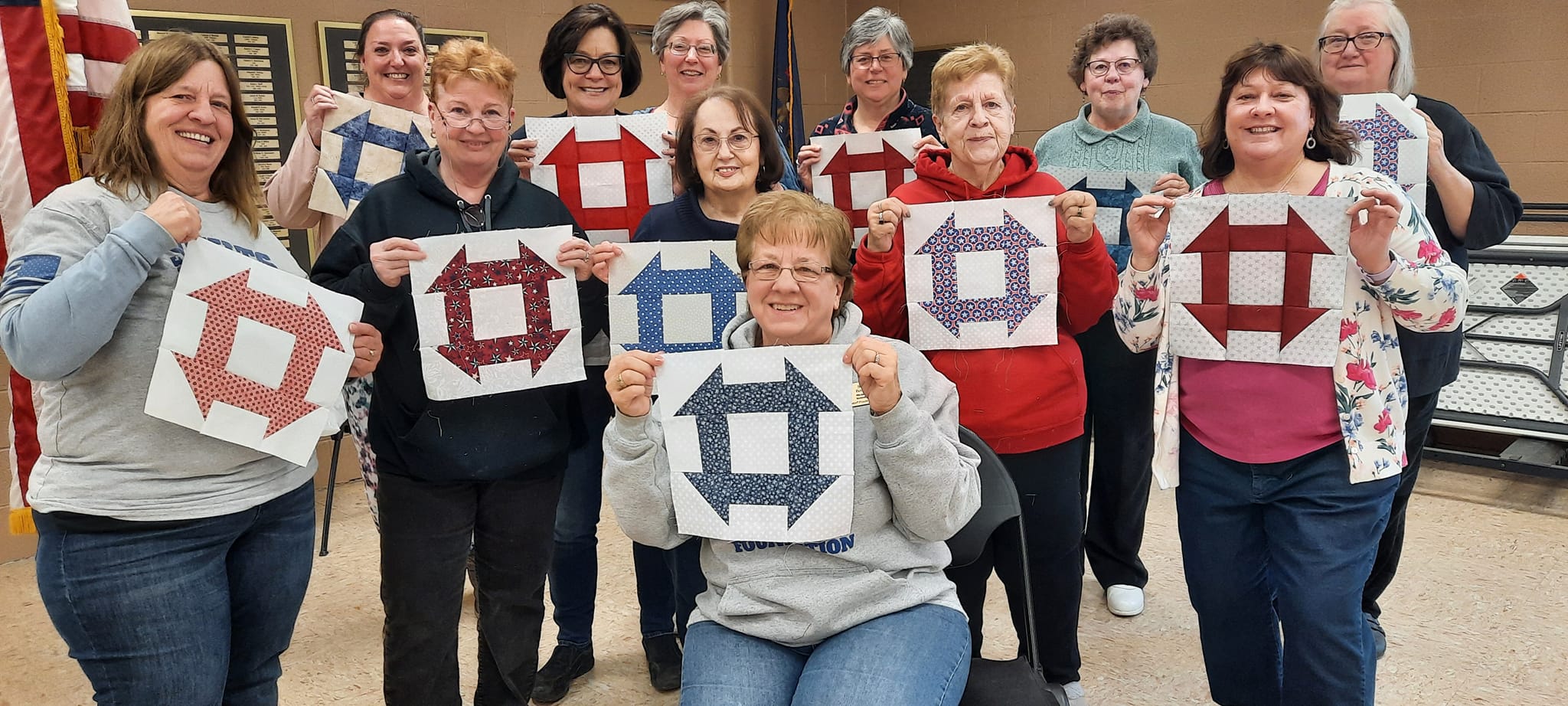
    I belong to my local group, Stitching Sisters Quilts of Valor in Clawson, Michigan.  We get together monthly to sew quilts in fellowship and fun.  Here is a picture of our group showing some of the blocks we were making for our quilts.

    This picture showing the completed quilt made with our blocks being awarded to a deserving veteran.

    This is a picture of our latest group of veterans to receive their Quilts of Valor.

    We often get fabric donated to our group from the local community.  All of the fabrics in the quilt I made were donated.  I had a selection of chambrays and red and blue cotton fabrics with tiny stars printed on them.

    I used the AccuQuilt GO! Blazing Star 12” Finished die (55051) by Eleanor Burns for my quilt blocks.  The contrast of the prints and chambray really make the Blazing Star stand out.  I used sashing and cornerstones to pull it all together.  My friend, Sue Baker, did a beautiful job of completing the long arm quilting.  She was one of the sisters who founded our Stitching Sisters QOV group.

    Do you make quilts for Quilt of Valor? I have a FREE TUTORIAL to make this GO! Rising Star Quilt of Valor quilt on the Accuquilt Blog.

    I hope you enjoyed seeing my Quilt of Valor charity quilt.  Would you like to join us in making a quilt for charity?  For more information on making and donating a charity quilt as part of the Quilt the World 2022 project, visit AccuQuilt.

    New GO! Friendly Pattern – Honey Bee Hive

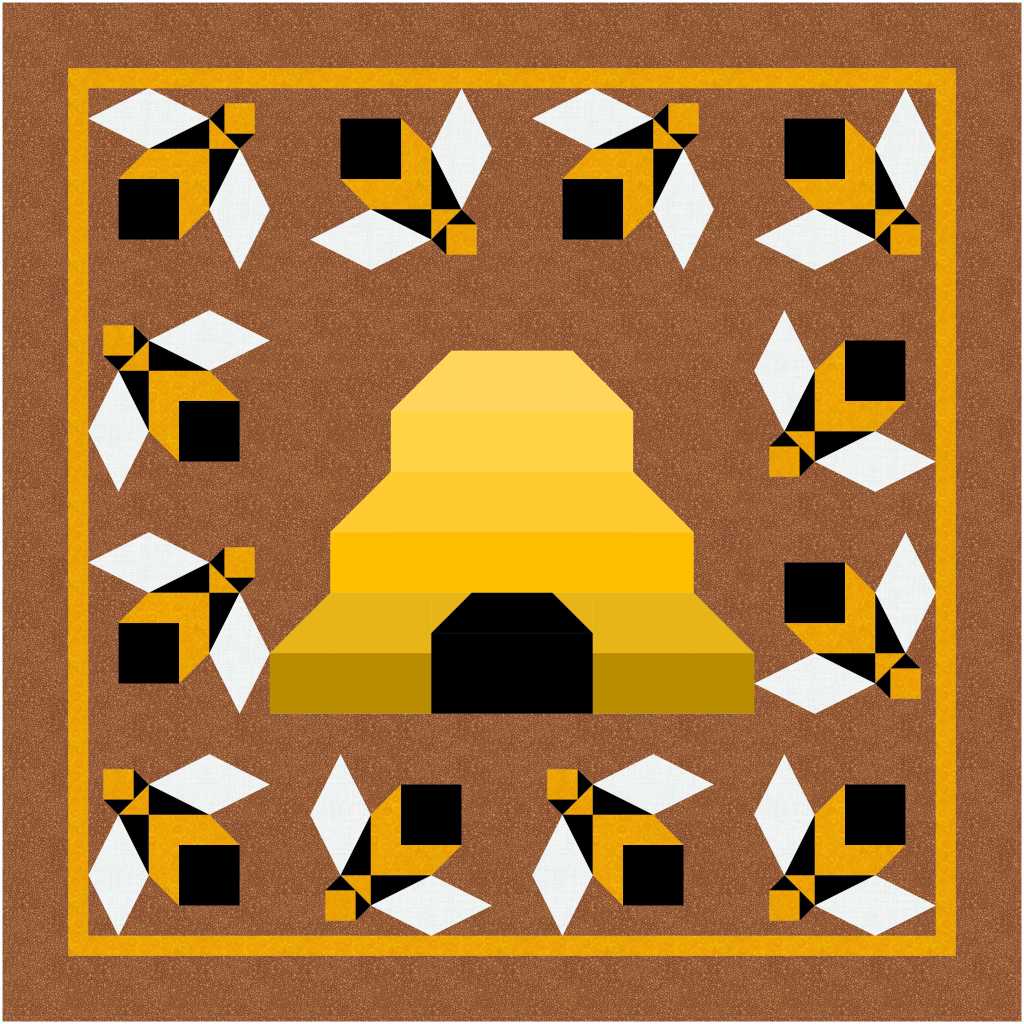
    Honey Bee Hive by Lori Miller Designs

    Introducing Honey Bee Hive, this pattern has been all of the buzz. This is an AccuQuilt GO! Friendly pattern. It uses the Storm at Sea Block on Board Die and several strip dies.

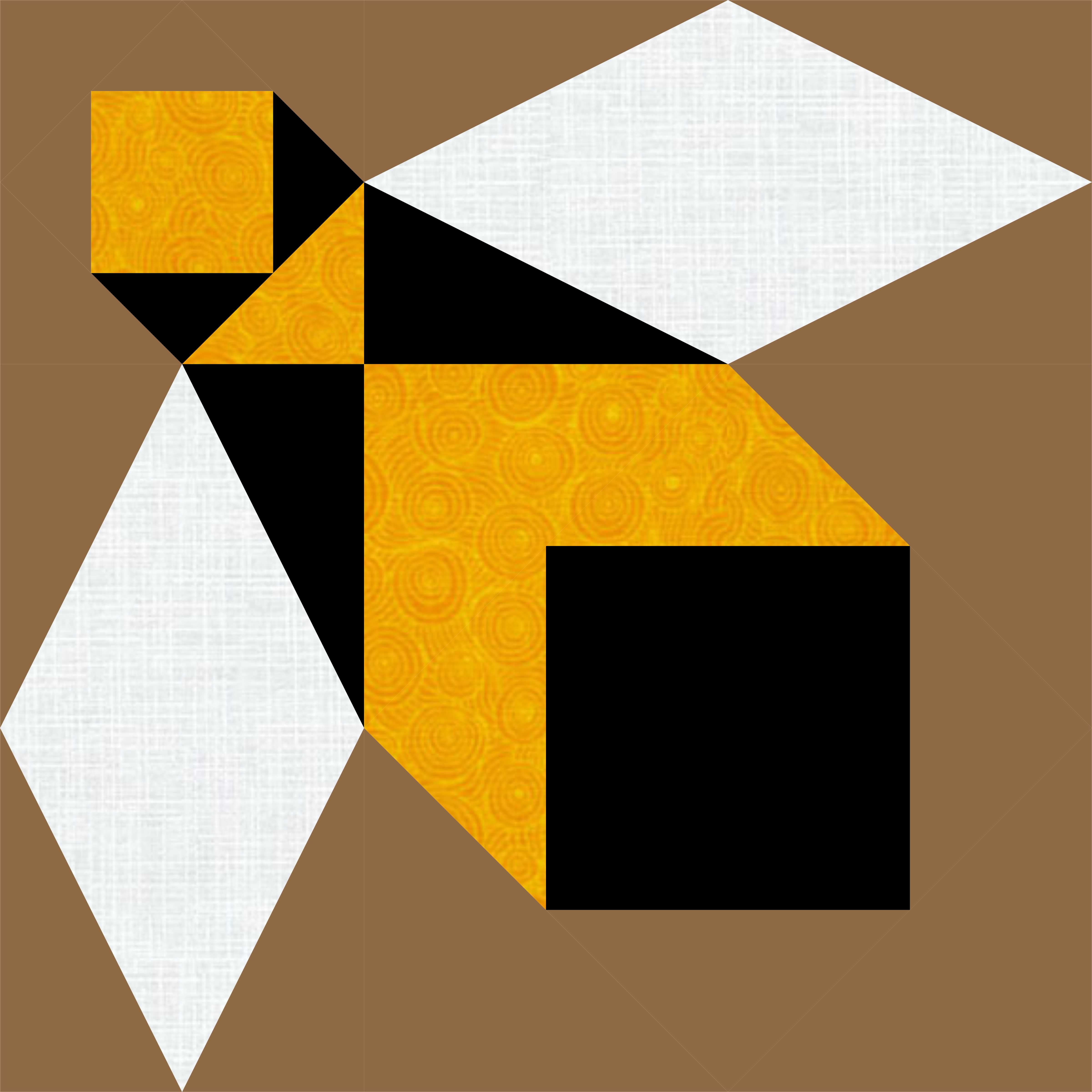
    Honey Bee Block by Lori Miller Designs

    This little quilt has a special place in my heart. My Dad was a beekeeper for over 50 years. I used to go and help him work the bees and take off the honey. The honey was so delicious.

    Honey Bee Hive – Baby or Wall Hanging by Lori Miller Designs

    I designed my quilt using Electric Quilt Design software. Honey Bee Hive comes in three sizes, Baby or Wall hanging, Throw Size and Queen, of course.

    This pattern only comes with AccuQuilt GO! Cutter instructions. You will need the following dies:

    • GO Storm at Sea Die (9” Finished) (55221)
    • GO! Strip Cutter 3 ½” (3” Finished Strip Die (55032)
    • GO! Strip Cutter – 1 ½” (1” Finished) (55024) OR GO! Strip Cutter – 2 ½” (2” Finished) (55017) depending on Quilt size.

    I love the accurately cut pieces which makes string piecing go quickly.

    A closeup of the little Bee Skep Beehive in the center. So Cute!

    Thanks for stopping by to see my new Pattern Design.

    Available now in my Etsy Shop!

    Check out these other AccuQuilt GO! Friendly patterns in my shop.

    New Product! Add-on EQ8 Block Library – AccuQuilt Qube English Paper Piecing (EPP)

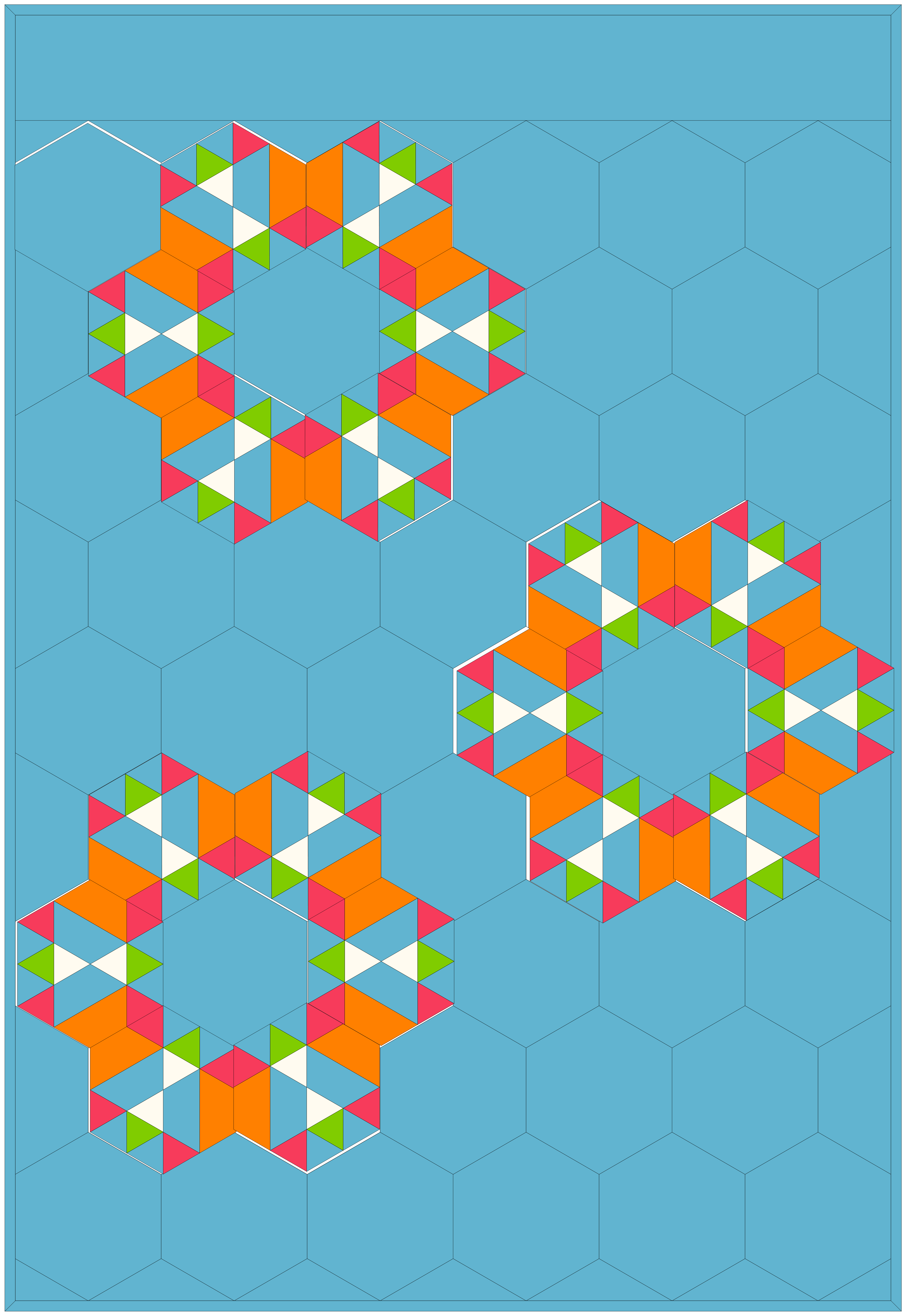
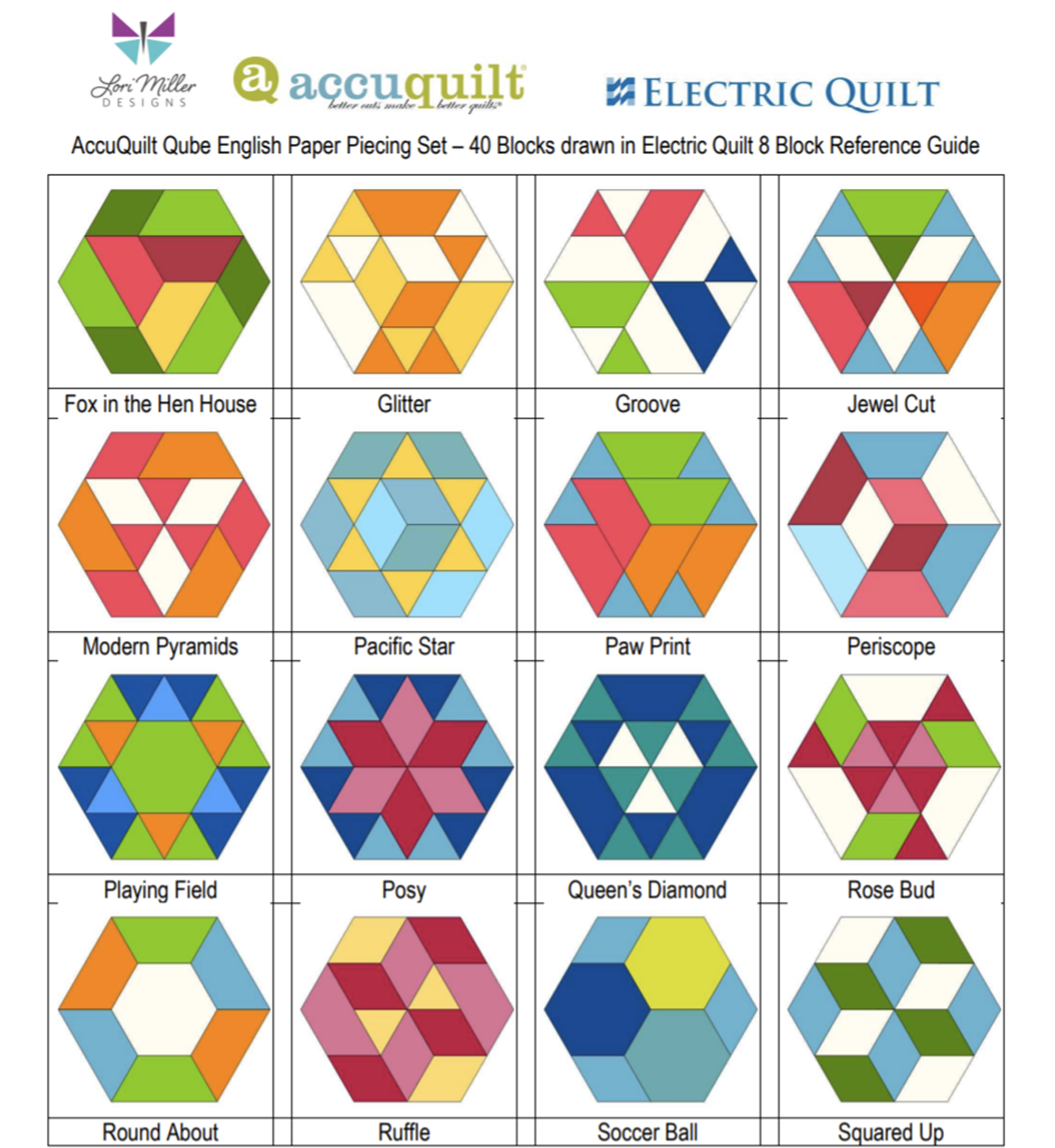
    Introducing my latest Add-on EQ8 Block Library file, AccuQuilt Qube English Paper Piecing. Included are 40 Pieced Hexagon blocks to load into EQ8 Quilt design software.

    Add-on EQ8 Block Libraries and AccuQuilt are a genius combination!

    Convenient, predrawn pieced blocks

    • Visual reference of 40 unique block designs
    • Design in EQ8 quickly, Cut out with speed and accuracy with your AccuQuilt GO!
    • Download and installation instructions included
    • Bonus FREE EQ8 layout lessons

    EQ8 is Quilt Design Software by The Electric Quilt Company.  I design my quilts in EQ8, I teach EQ8 and I use EQ8 in my original patterns. I love this design software!

    These block designs work with the Accuquilt GO! Qube English Paper Piecing (EPP) (1″ Finished Sides) Die set.  You can use the Die Shapes in the GO! Qube EPP to cut out these blocks. These pieced blocks finish with a 2″ side.

    These EQ8 Block Library files are downloadable digital files that are designed to work with your EQ8 Quilt Design Software.  They are only compatible with EQ8.  Once you place the block file in your library, you will be able to use it immediately to draw and design quilts.

    Required: A running copy of EQ8 Quilt Design Software.

    40 Pieced Hexagon Blocks!

    I have included the 36 Pieced Hexagon Blocks included in the GO! Qube English Paper Piecing Brochure plus 4 bonus blocks. These pieced blocks finish as a hexagon shape with 2″ finished sides.

    These blocks are Pieced Hexagon EPP Blocks that can be cut out with your Qube English Paper Piecing die set.

    Designing with the EQ8 Block library lets you play with fabrics and colors using these shapes to design and tailor your own beautiful quilt to your unique style.

    Complete Instructions including EQ8 Hexagon Quilt layout design lessons!

    Each set of library blocks comes with a complete set of Instructions, a Visual Block Reference Guide and four EQ8 Hexagon Quilt layout design lessons.

    AccuQuilt provides detailed sewing instructions to piece the 36 pieced blocks on their website, a link is provided in the Instruction document.

    Thank You!  And Happy Designing!

    More Products Available!

    I have Add-on EQ8 Block Libraries for the Accuquilt Qube original 216 Four Patch designs, Nine Patch Party, Five Patch Fun, Sweet Sixteen and three sets of BOB libraries.

    New Pattern – Bundle Up Holiday Coasters

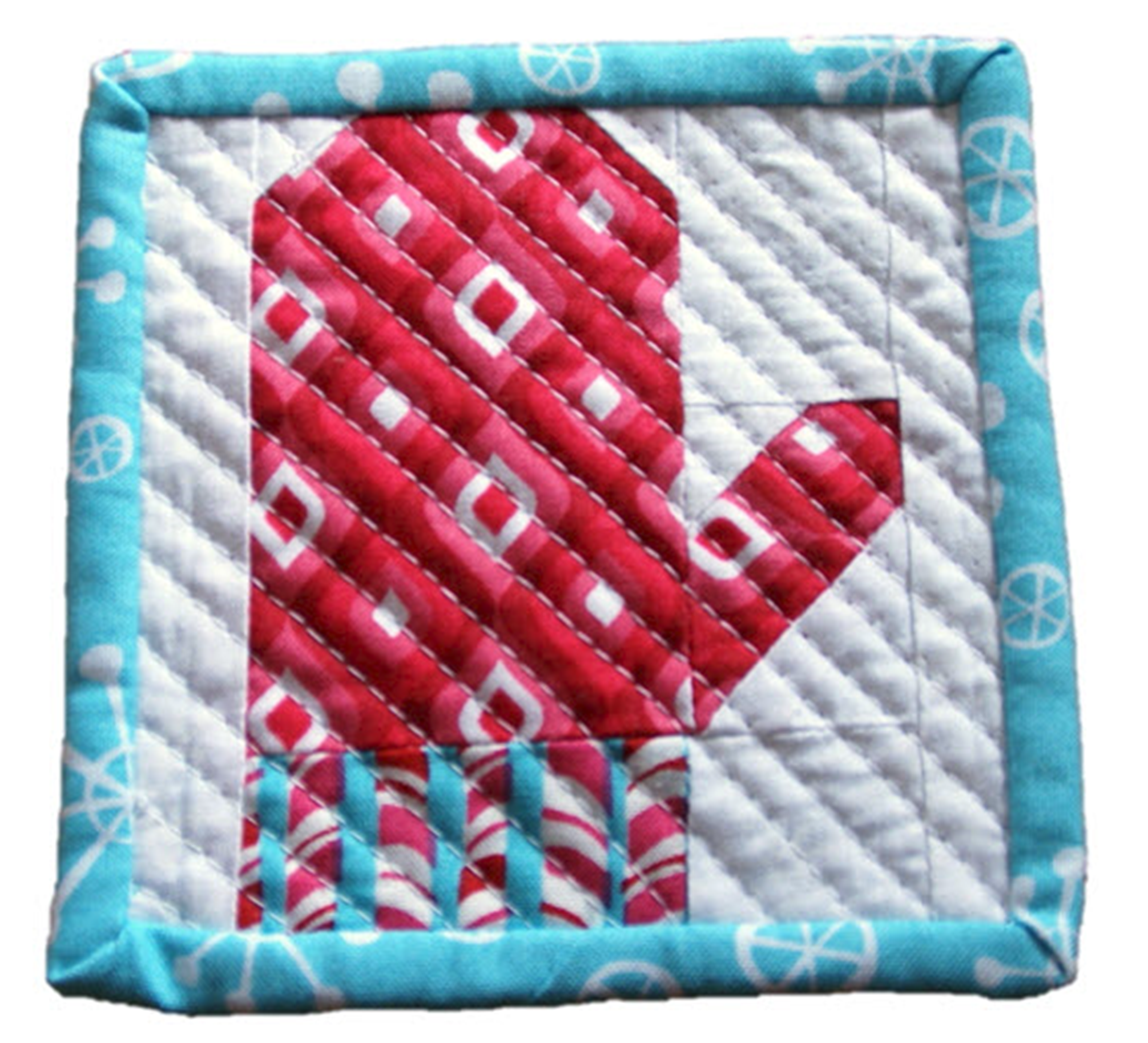
    Hello Friends! I have a new pattern available called Bundle Up Holiday Coasters. Featuring four mix and match designs, these super cute little guys are the perfect last minute homemade gift. All of the designs are centered around my Bundle Up for Winter theme, a mitten, stocking, Knit Cap and Turtleneck with Sweater Vest.

    This pattern started out with the Mini Mitten which was published by itself in Modern Patchwork Gifts back in 2016. It was so cute, I had to add a few more coaster designs to create a collection.

    Want to add a little pizazz to your coasters? Try fussy cutting and piecing the sweater vest with adorable prints like these. You can go crazy creating these. For these coasters, I quilted by using straight stitch quilting on the diagonal with a walking foot about 1/4″ apart.

    Need to whip up the coasters in a jiffy, go for the simple stocking and just a 3 way color scheme. Those polkadots are just too cheery. Again I am straight line quilting with a walking foot, this time straight up and down.

    These coasters don’t take much fabric either, you could easily make them with your holiday fabric scraps.

    The pattern is available now in my Etsy Shop HERE.

    If you like this pattern, check out my other holiday patterns below:

    Gingerbread House Ornament, Gift Card Holder and Pincushion Pattern
    Poinsettia Pop Quilt Pattern

    Thanks for stopping by. Happy Stitching!

    Published – Santa Baby Door Hanger

    USED WITH PERMISSION FROM QUILTS & MORE™. ©2021 MEREDITH CORPORATION. ALL RIGHTS RESERVED

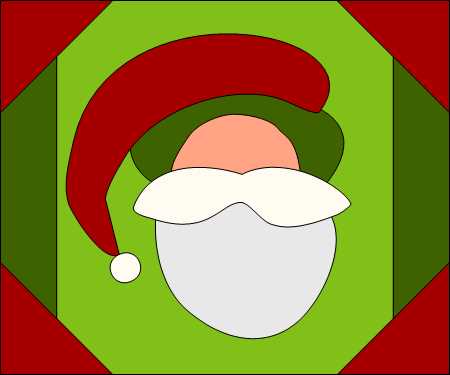
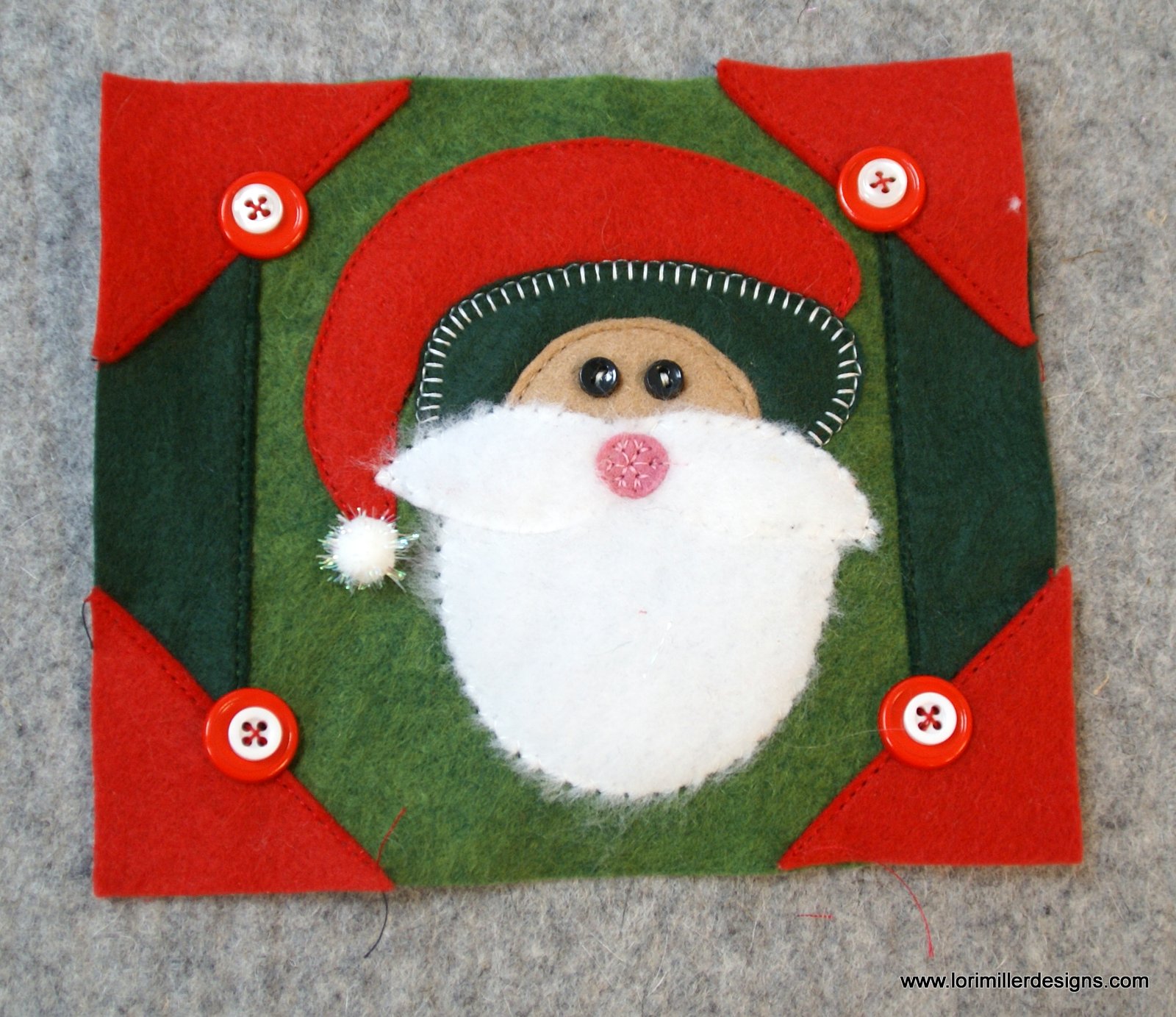
    HO HO HO! Santa Claus is coming to town! This adorable Santa Baby Door Hanger is a festive way to celebrate the season. I am so proud to have it featured in Quilts & More Magazine. It is made with wool felt applique and embellishments. A great gift idea for friends and family too.

    My Santa Baby Door Hanger is featured in the Winter 2022 issue of Better Homes & Gardens Quilts & More Magazine available now.

    Shop ElectricQuilt.com

    I designed this little project with my trusty EQ8 Quilt Design Software.

    I designed this little project with my trusty EQ8 Quilt Design Software. I used it to create the little applique shapes and the background piecing. I love that you can add or remove a seam allowance around the applique shapes depending on the applique technique you are using.

    The little guy really starts to take shape as you add embellishements like buttons, pom pom and the fuzzy wool felt I found for the beard and mustache.

    USED WITH PERMISSION FROM QUILTS & MORE™. ©2021 MEREDITH CORPORATION. ALL RIGHTS RESERVED

    The extra fringe, pom pom trim and ribbon loop add to the holiday charm.

    You can find the pattern and instructions in the Winter 2022 Issue of Quilts & More.

    Happy Stitching!

    Free Tutorial – Updated Silverware Rolls

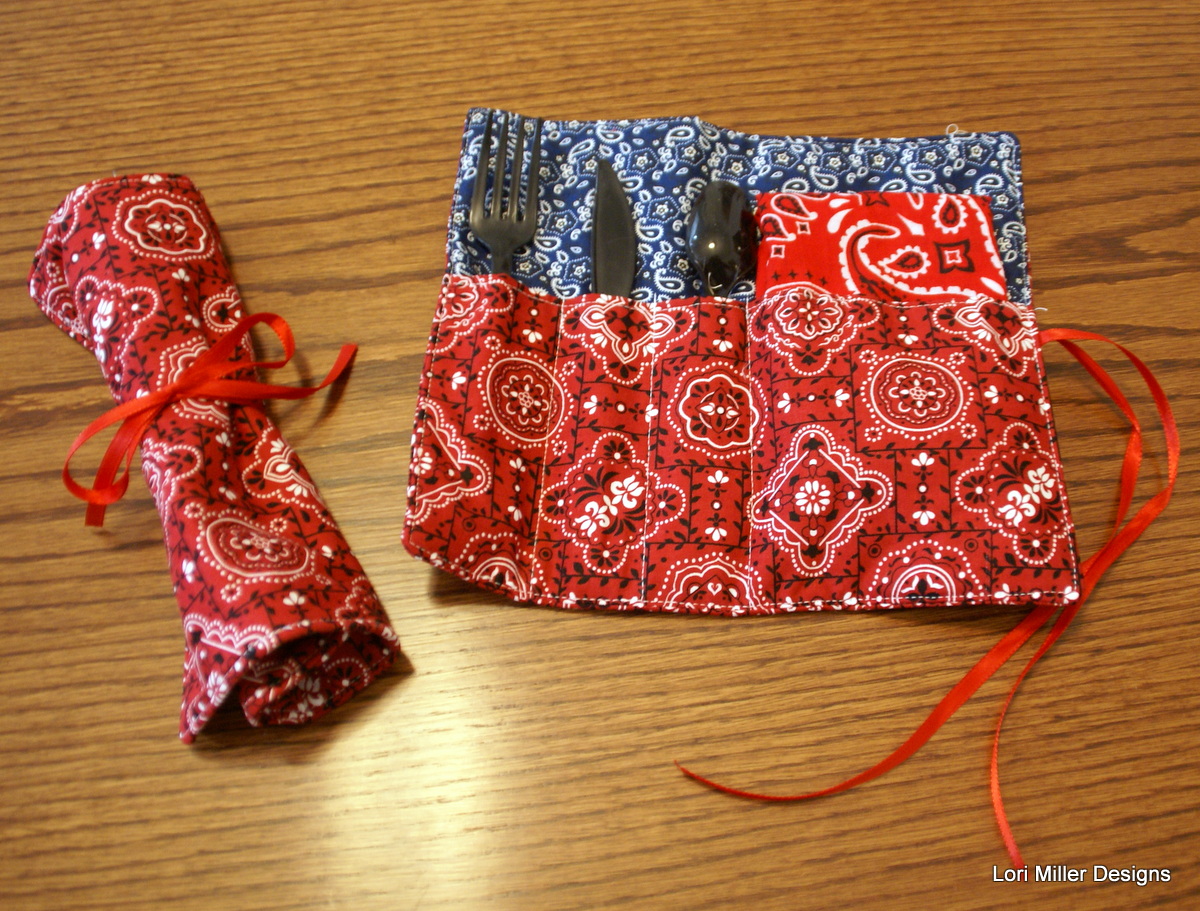
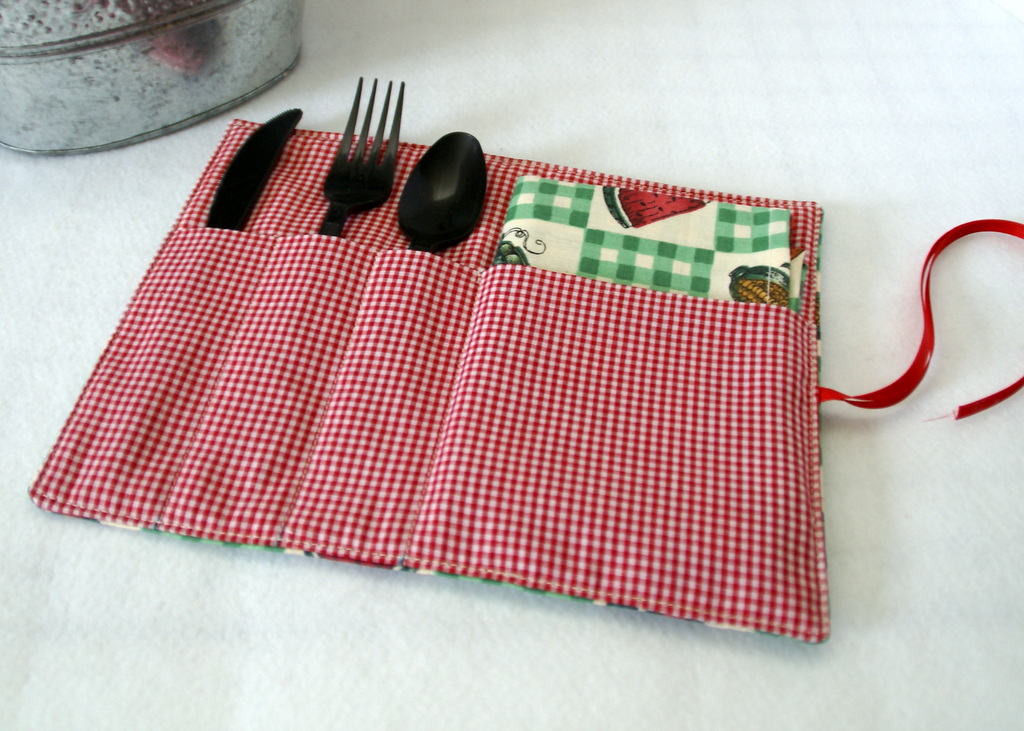
    I first introduced these handy little silverware rolls back in 2015. They are such a great project that I have revisited the pattern and updated the design. They are still great for picnics, family reunions and bbq’s, or just throw them in the car when you grab some take out and go to the park.

    They are sized perfectly to fit plastic or regular silverware and a napkin. Make one or tuck in a paper napkin, they all work well.

    These stitch up so fast that you will want to make several and give some away. My quilt guild used to hold holiday potlucks and these made perfect gifts for my quilty friends for those dinners. I love that you can just wash them up, refill and use again and again.

    Materials Needed:

    This will make 4 silverware rolls.

    • 5/8 yd red print fabric for outside and pocket
    • 3/8 yd blue print fabric for lining
    • 3/8 yd of batting
    • 1/4 yd Medium Weight iron-on interfacing
    • 3-4 yards of coordinating ribbon
    • Coordinating thread

    Directions:

    Cut

    For each silverware roll (Make 4)

    • 1 — 9″ x 10″ rectangle of red print fabric for outside
    • 1 — 9″ x 10″ rectangle of batting
    • 1 — 9″ x 10″ rectangle of blue print fabric for lining
    • 1 — 10″ x 10″ rectangle of red print fabric for pocket
    • 1 – 4 1/2″ x 10″ rectangle of interfacing
    • 22″ of ribbon for the tie

    Stitch

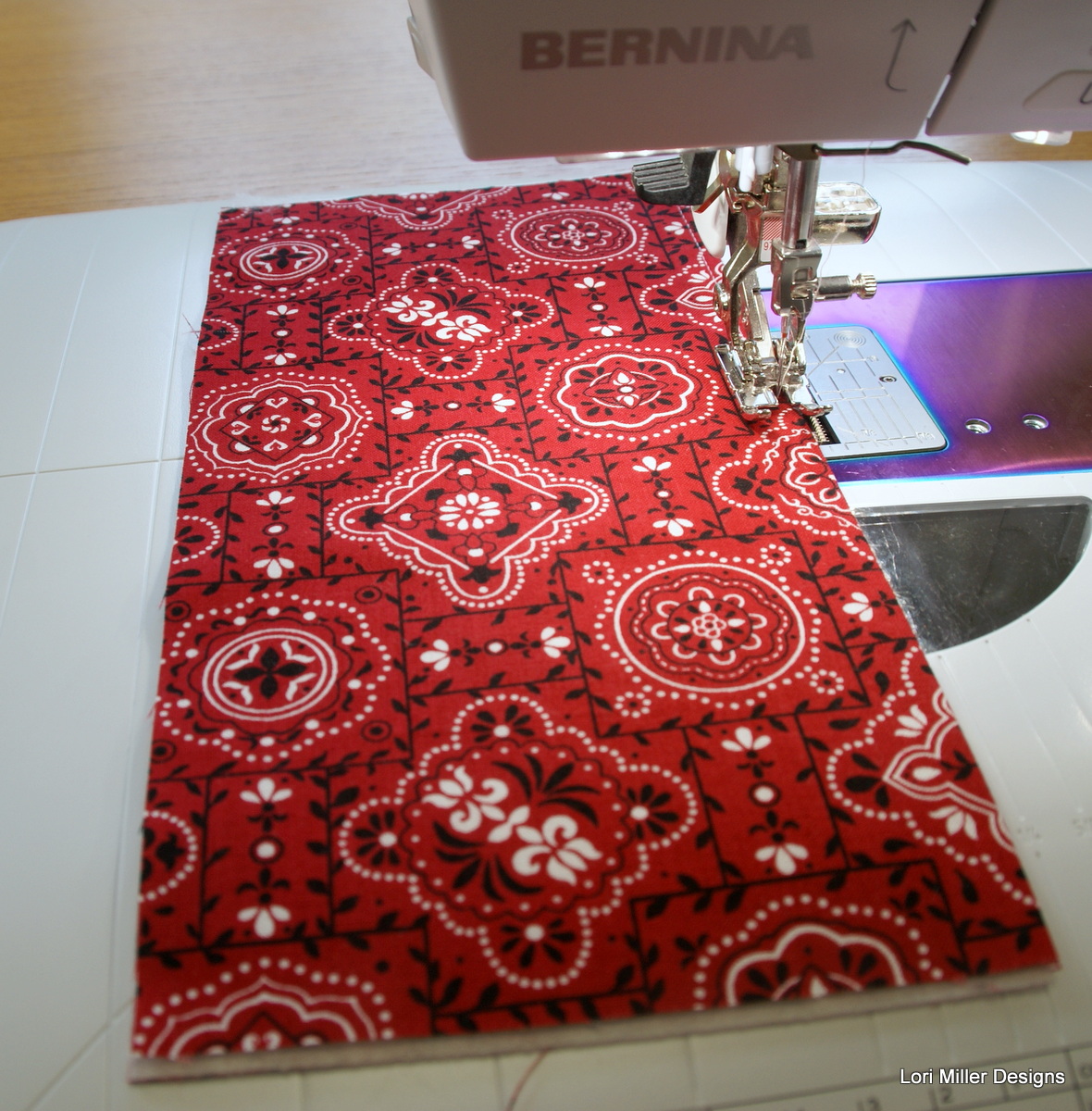
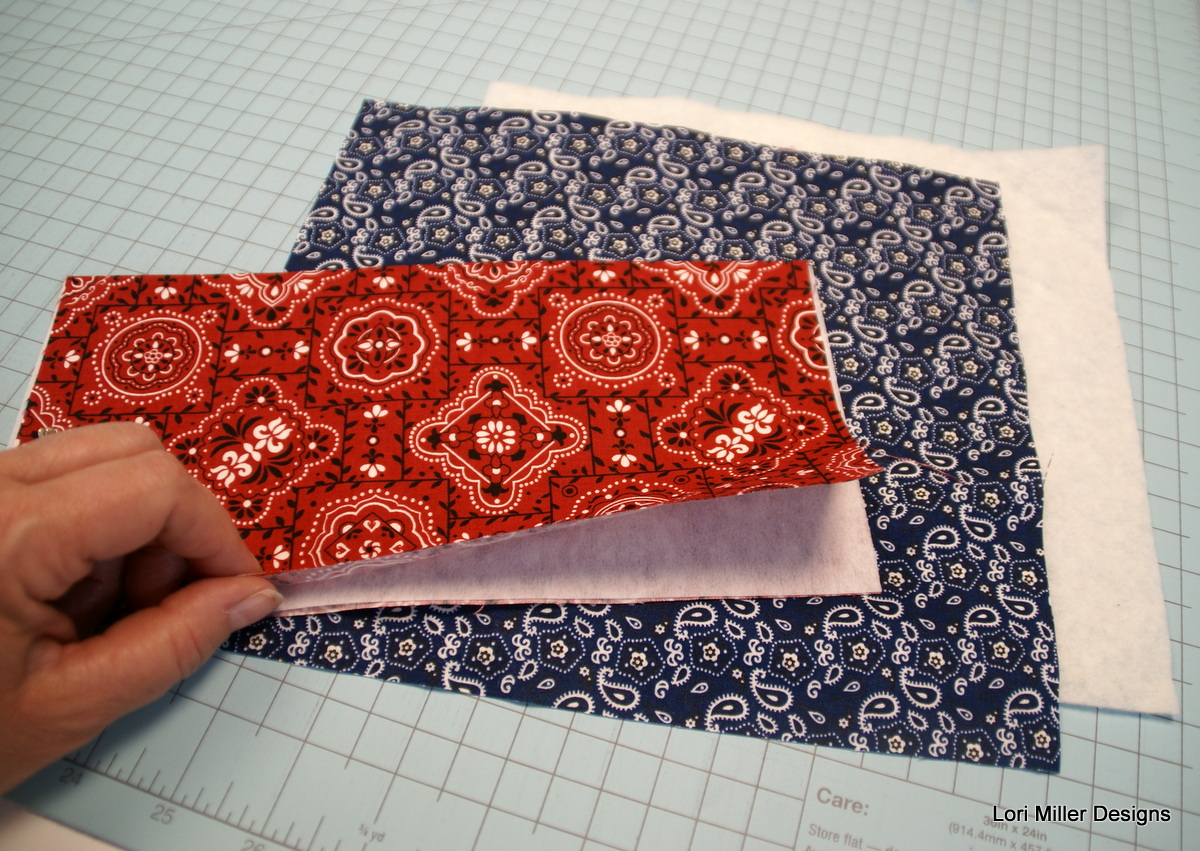
    1. Take the 10″ x 10″ pocket and fold in half and press flat.
    2. Place the strip of interfacing inside and press.
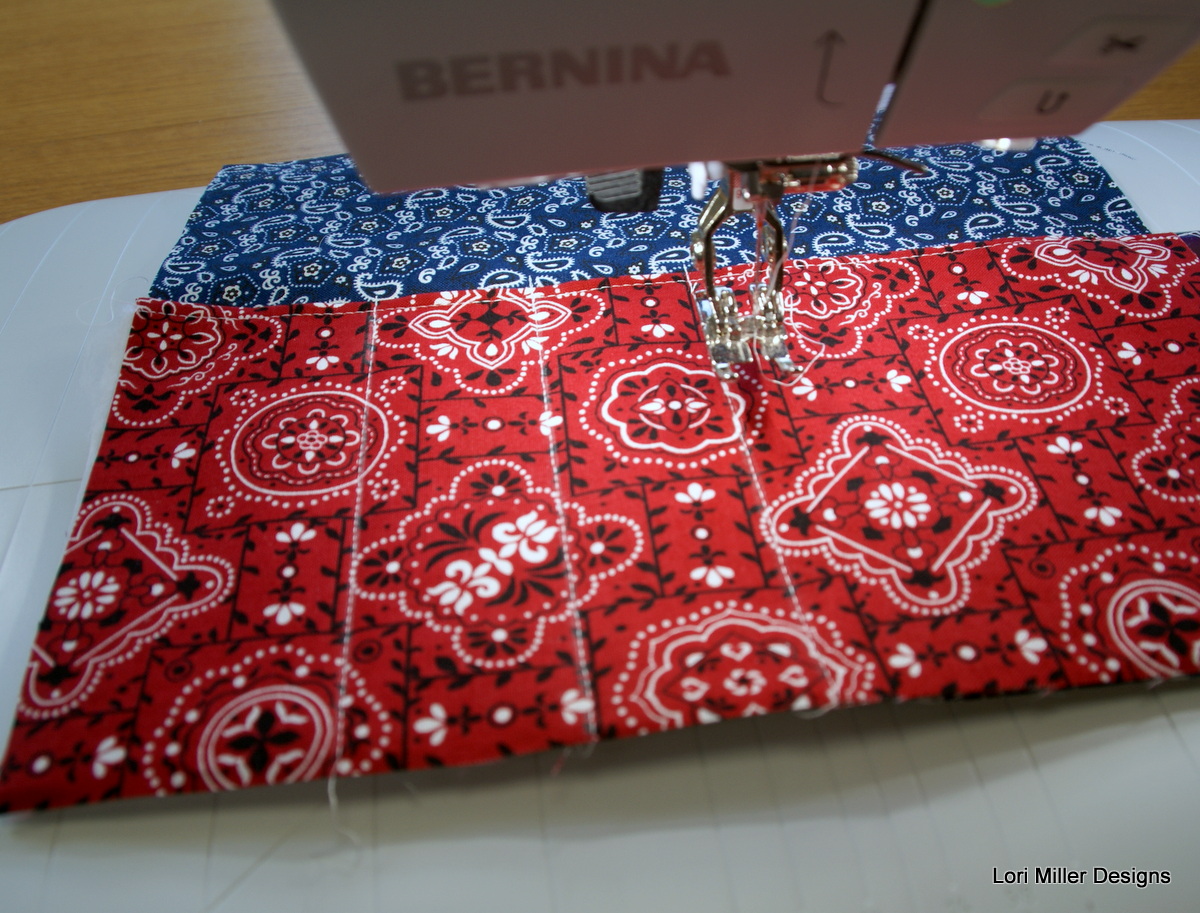
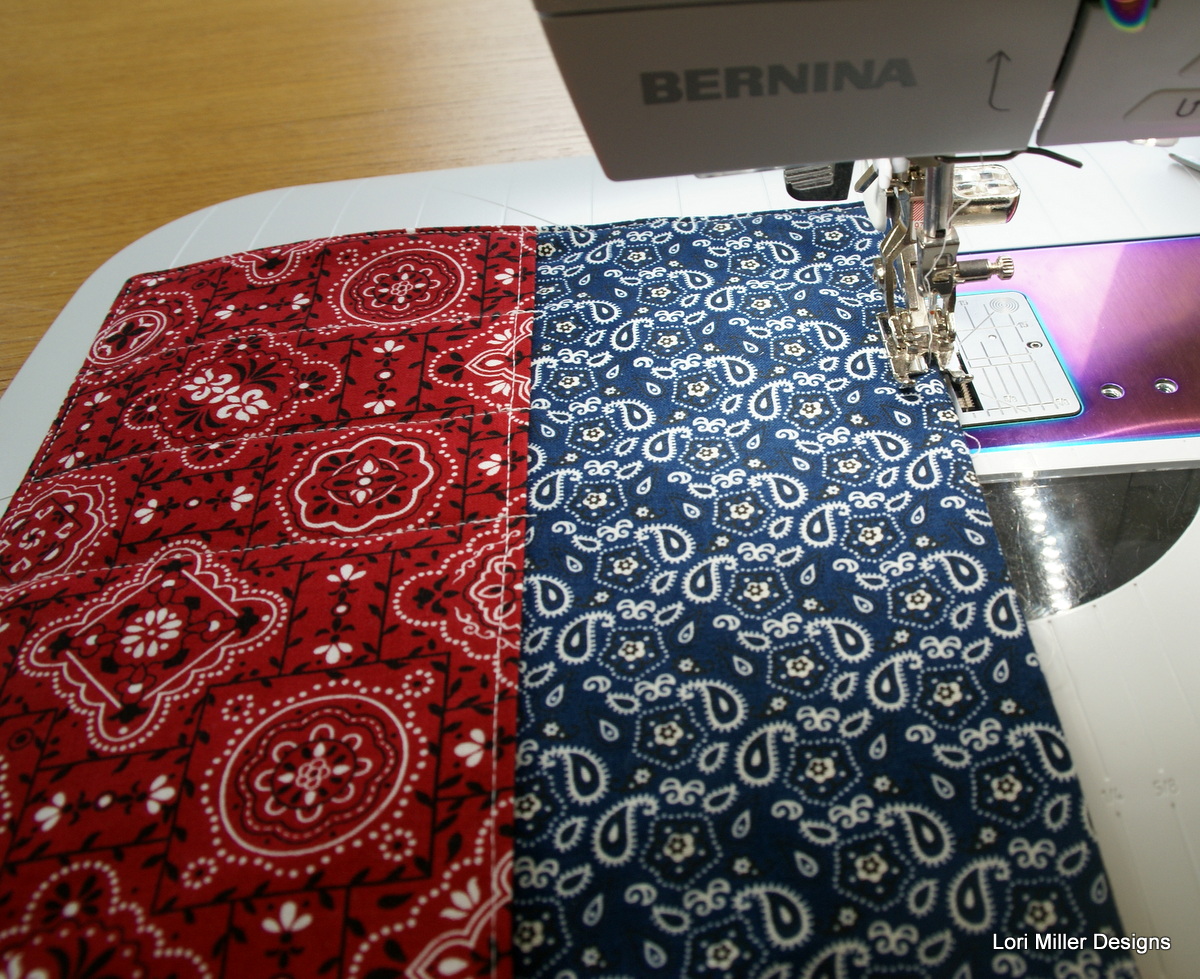
    3. Top stitch the top of the pocket at the fold stitching two lines, 1/8″ and 3/8″ away from the fold.


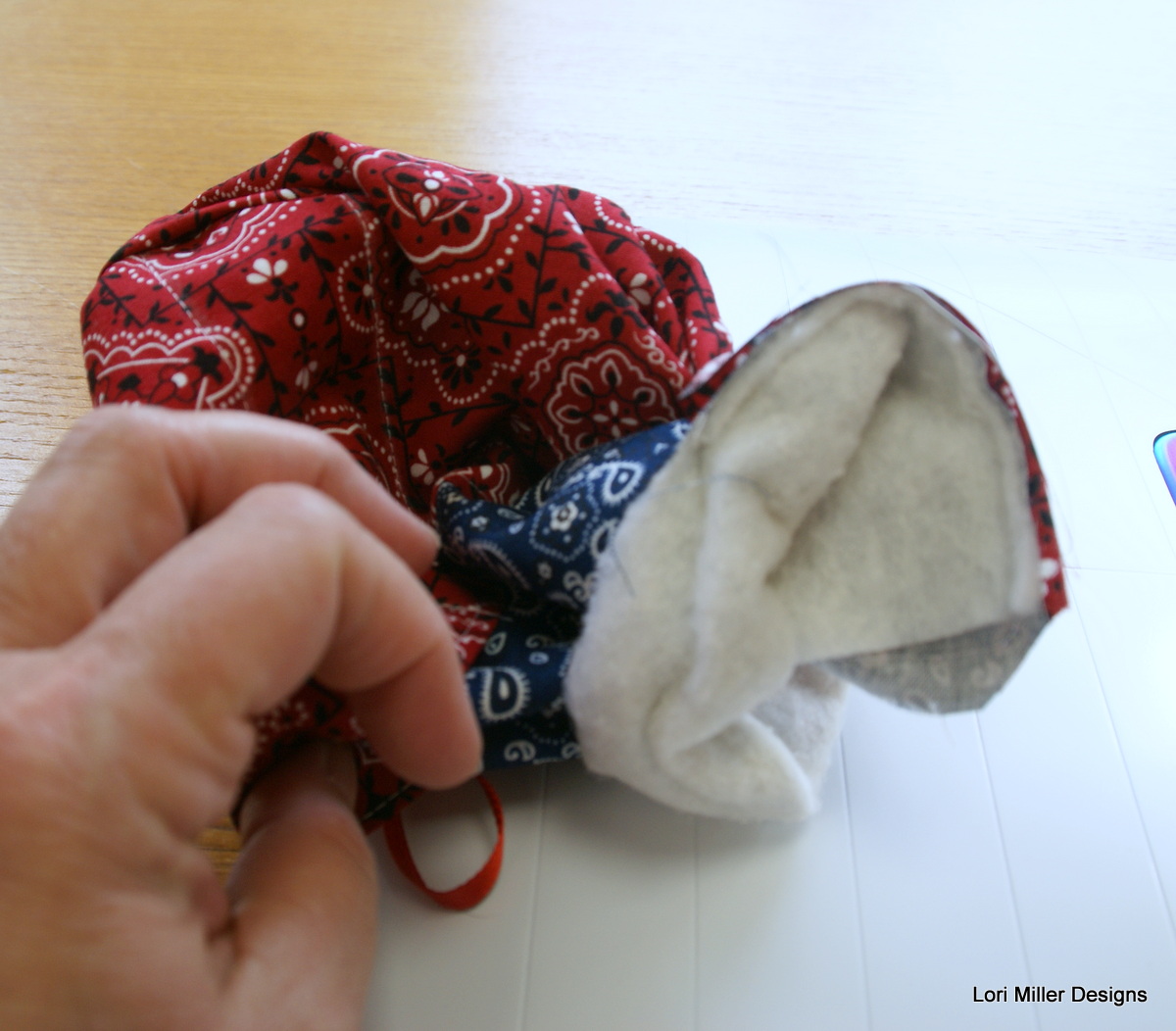
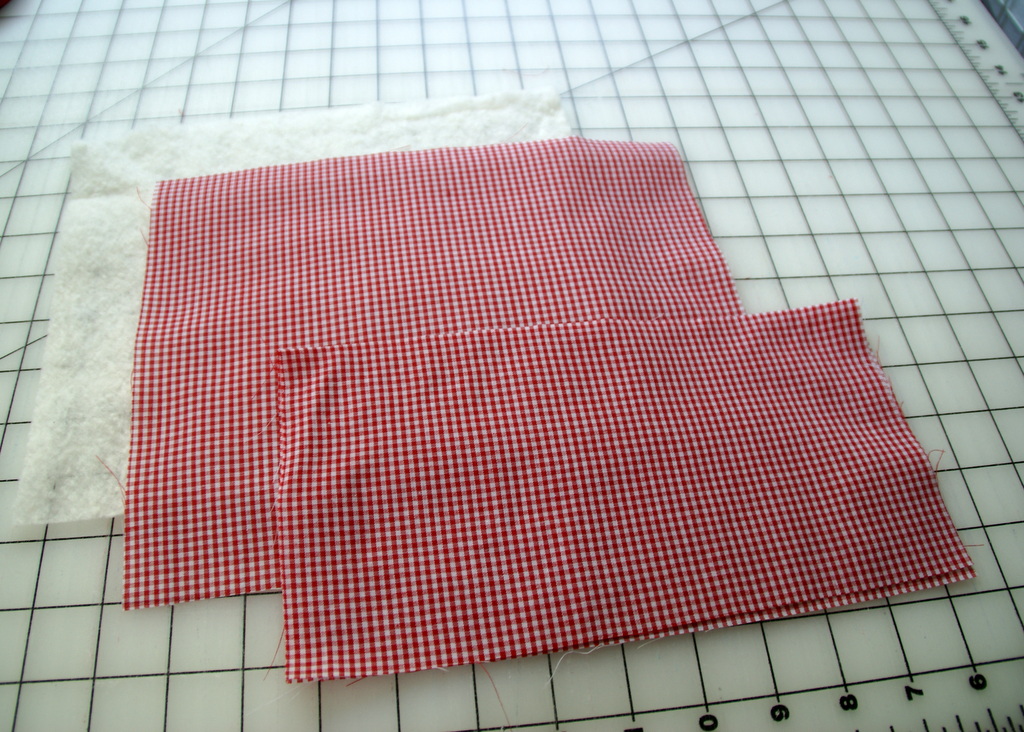
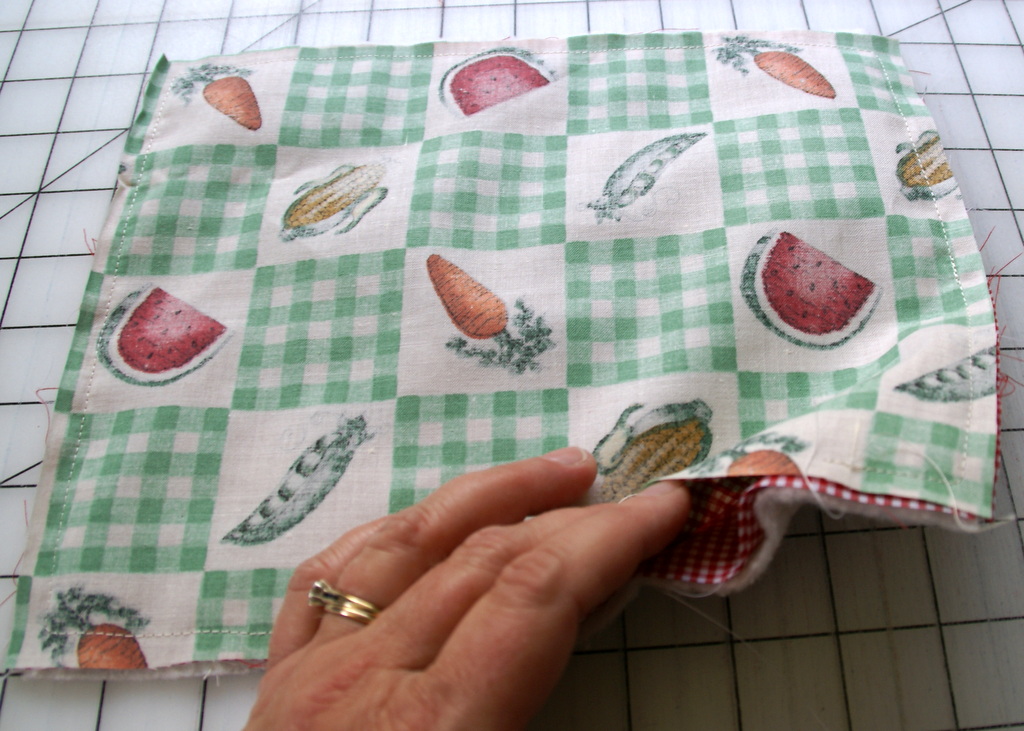
    4. Layer the batting, the lining and the pocket all facing up as shown.


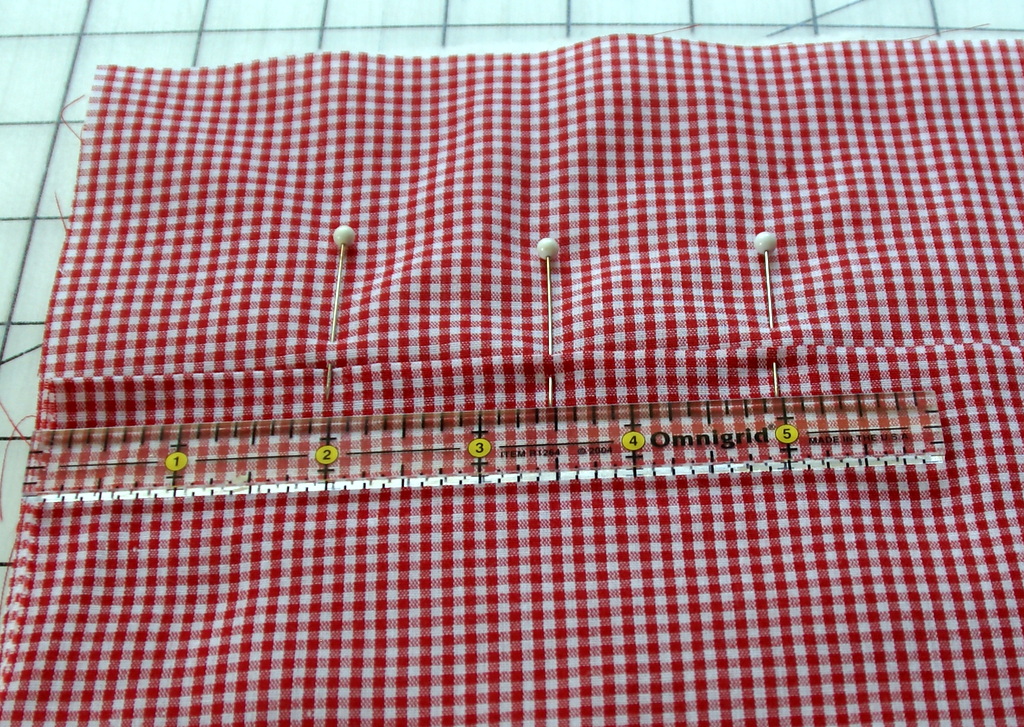
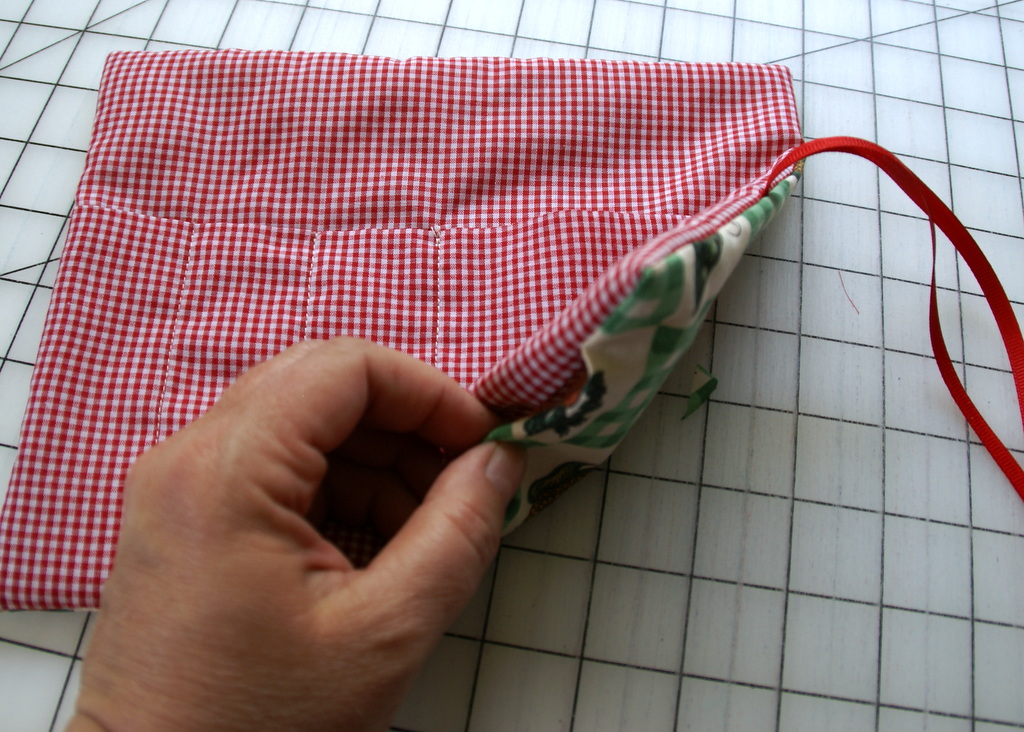
    5. From the left side of the pocket, measure 2 inches, 3 1/2″ and 5″ at the top and bottom of the pocket.  These will mark the stitch lines to make the channels for the silverware.
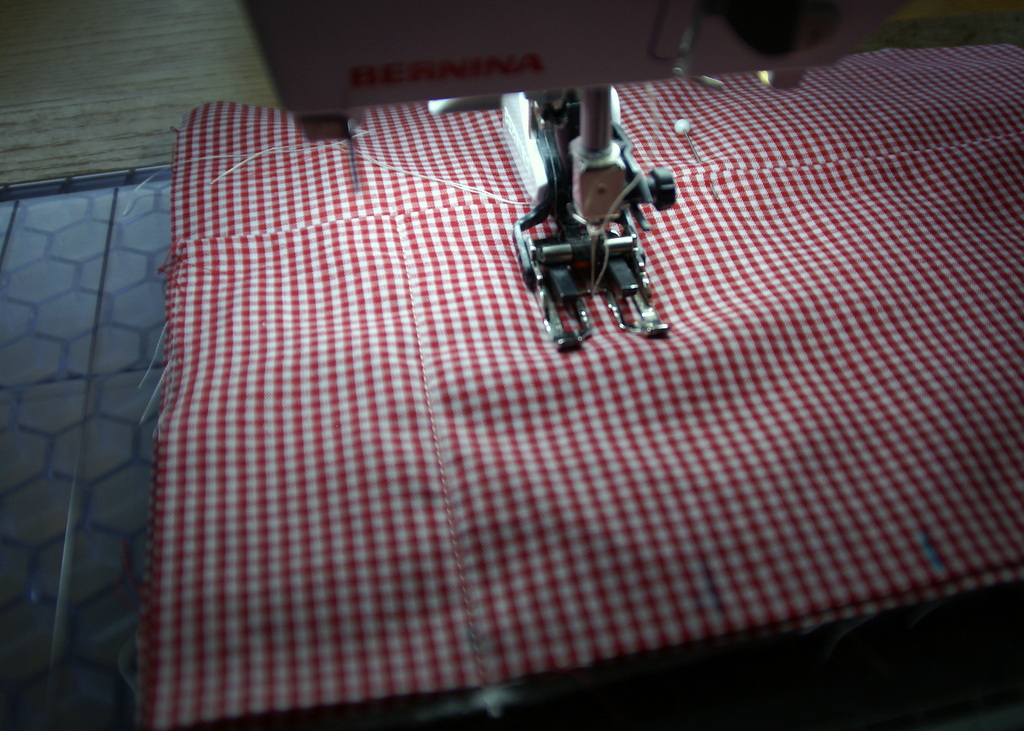
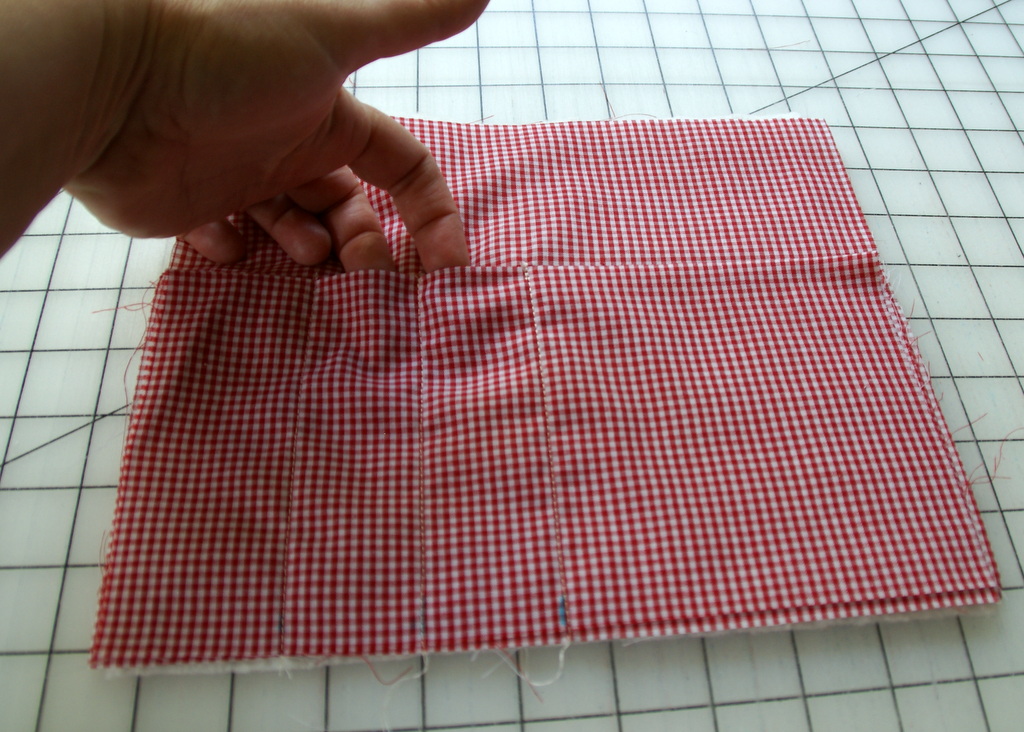
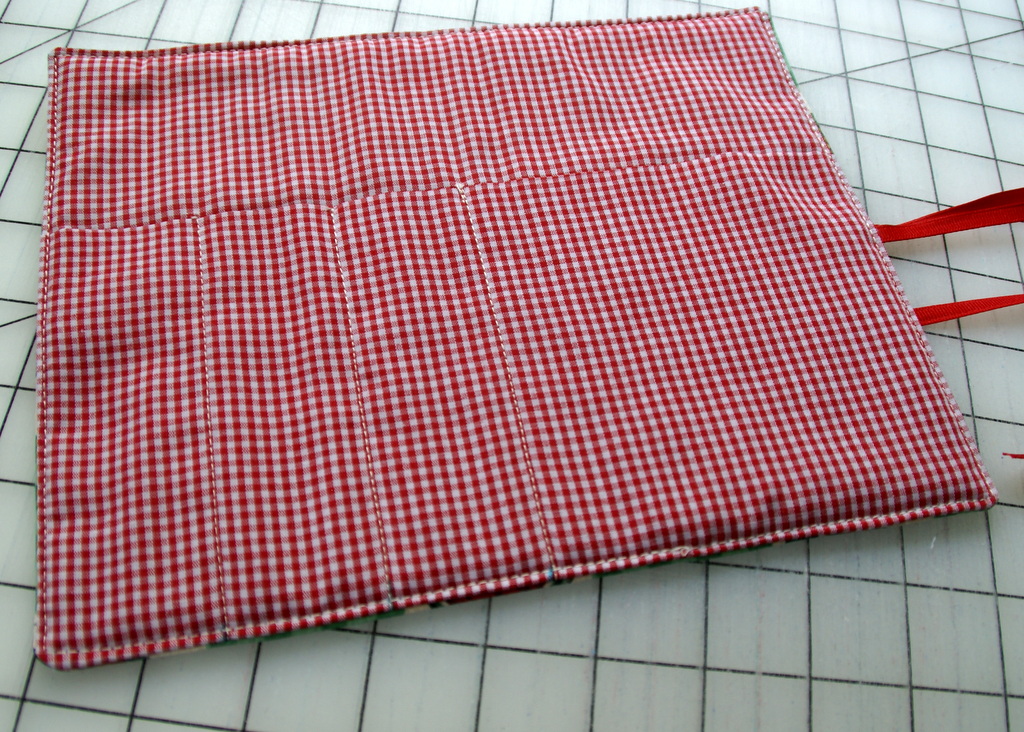
    6. Stitch down from the markings on the pocket to make the silverware channels.  You will have three stitch lines.  Do a couple of back stitches at the top to secure the channels.


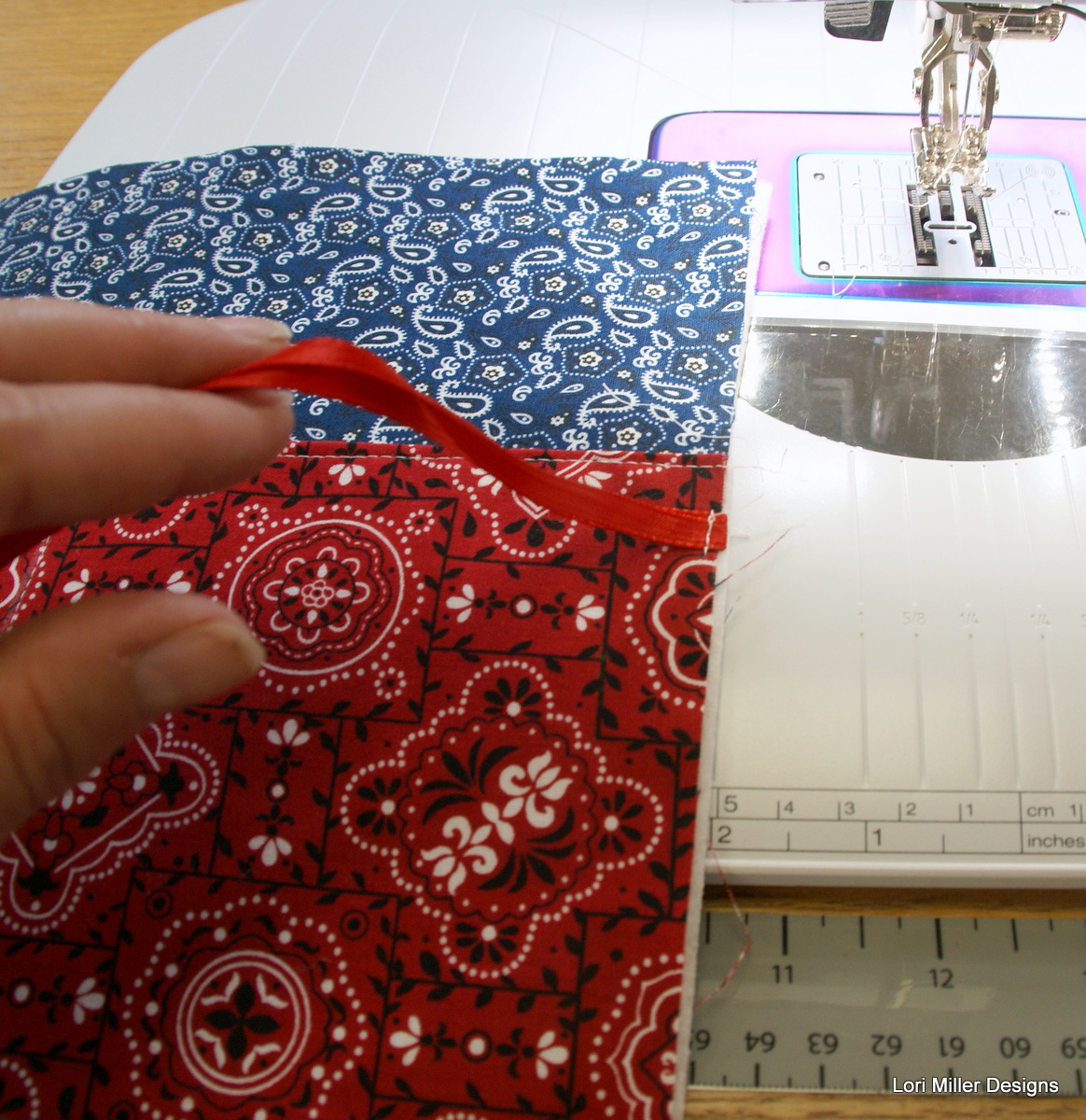
    7. Next, take your 22 inch ribbon and fold almost in half leaving one end about one inch longer than the other.  Pin the ribbon flat on the right side of the pocket about halfway down the side of the roll.  Make sure that you will catch the ribbon when you stitch the side seam.  Tuck the ends out of the way so that you do not catch them in the side seams.


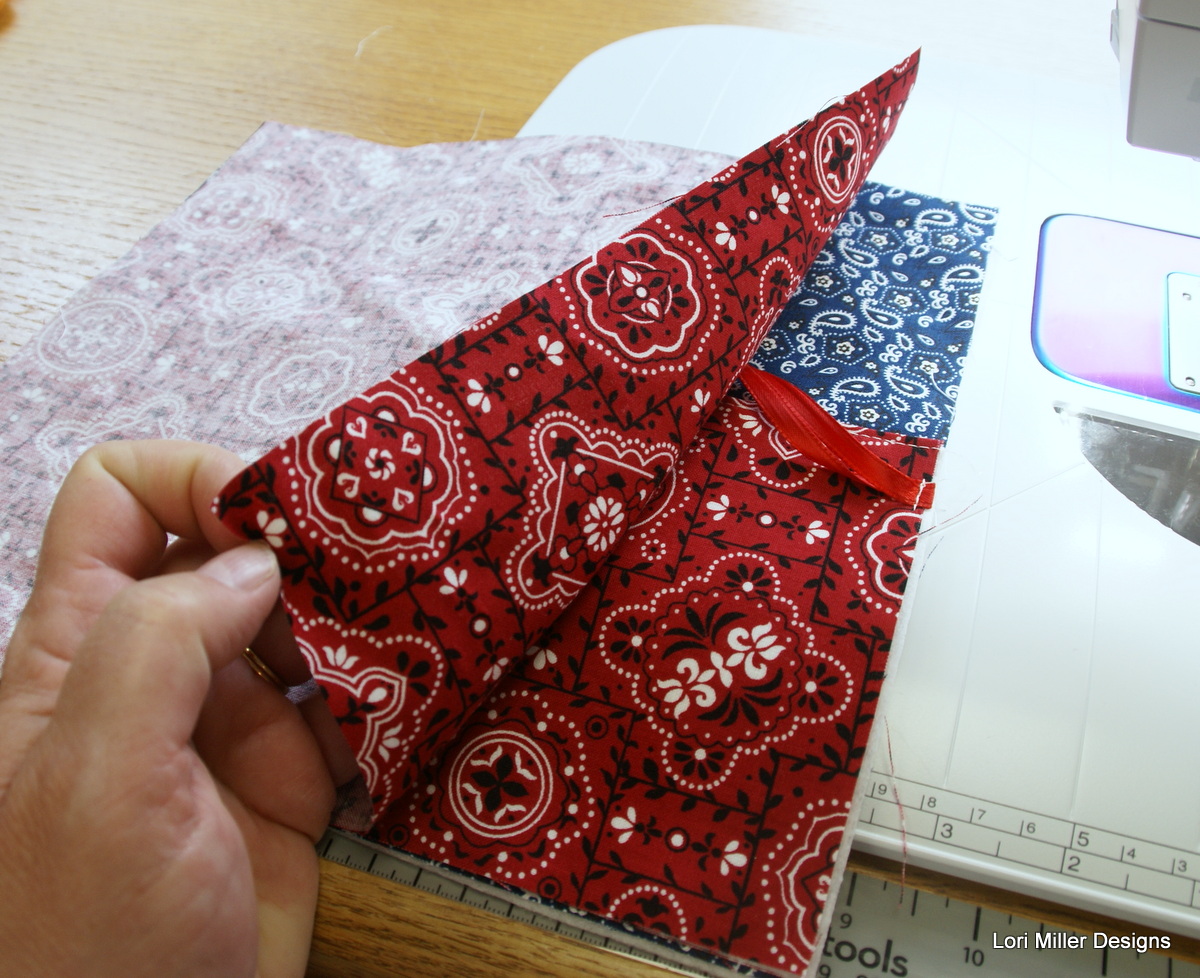
    8. Layer the rectangle from the print fabric over the pocket, right sides together and pin in place.
    9. With a 1/4″ seam, stitch all the way around the roll leaving an opening for turning on the bottom.  Clip corners.

    10. Turn the roll right side out and tuck in the raw edges on the opening.  Iron the silverware roll flat.


    11. Top stitch close to the edge of the roll all the way around being sure to catch the edges of the opening and sew them shut.


    12. Your first silverware roll is completed, now just make three more!  These really do stitch up fast, sew them assembly line style! To store, just roll them up and tie with the ribbon.

    New Product! Add-On EQ8 Block Library – Accuquilt Qube Five Patch Fun

    The fun never ends! My newest Add-on EQ8 Block Library file is Five Patch Fun! I am excited to offer the next set of digital EQ8 Block Library files for the AccuQuilt Qubes.  These files include 60 gorgeous Five Patch variation block designs that you can load into EQ8 Quilt design software. These convenient blocks make designing a breeze, and they are ready to cut out with speed and accuracy using your GO! Cutter.

    EQ8 is Quilt Design Software by The Electric Quilt Company.  I design my quilts in EQ8, I teach EQ8 and I use EQ8 in my original patterns. Many of you have found the joy of using EQ8 to design your quilts.

    These block designs work with the AccuQuilt GO! Qube Mix & Match Block Die sets.  You can use the eight Die Shapes in the GO! Qubes to cut out these blocks.

    These EQ8 Block Library files are downloadable digital files that are designed to work with your EQ8 Quilt Design Software.  They are only compatible with EQ8.  Once you place the block file in your library, you will be able to use it immediately to draw and design quilts.

    Required: A running copy of EQ8 Quilt Design Software.

    60 Gorgeous Five Patch Blocks!

    You receive 60 Five Patch Fun Block designs with new, creative and even familiar blocks. There are so many design possibilities in EQ8.

    These blocks are Five Patch Blocks that can be cut out with your Qube Mix & Match Set, no companion dies are needed.

    Since the Five Patch design is based upon a 5 x 5 grid, your finished block sizes will finish larger as indicated in the chart below.

    The Five Patch Fun files are available in all Qube sizes.  They are color coordinated by size in the shop so you can find the size you need. You only need one size of EQ8 Qube files as you can use EQ8 to resize the quilt blocks.

    Complete Instructions including Die Cutting Guide!

    Each set of library blocks comes with a complete set of Instructions with tips and hints, a color Block Reference Guide and a Die Cutting Guide.

    The Die Cutting Guide provides pictures of the Five Patch Fun blocks and which shapes are needed from the Qube to cut out that block similar to the picture above.

    Please note:  If you have more than one size of Qube, you only need one size of library.  Once you have the EQ8 Library for AccuQuilt installed into EQ8, you can easily resize to your other size Qubes as it will scale properly.  You can certainly purchase other sizes for convenience, but it is not necessary.

    Thank You!  And Happy Quilting!

    More Products Available!

    If you like designing and making your own quilts with EQ8 and AccuQuilt, you may like some of my other GO Friendly patterns, EQ8 Block libraries and products.