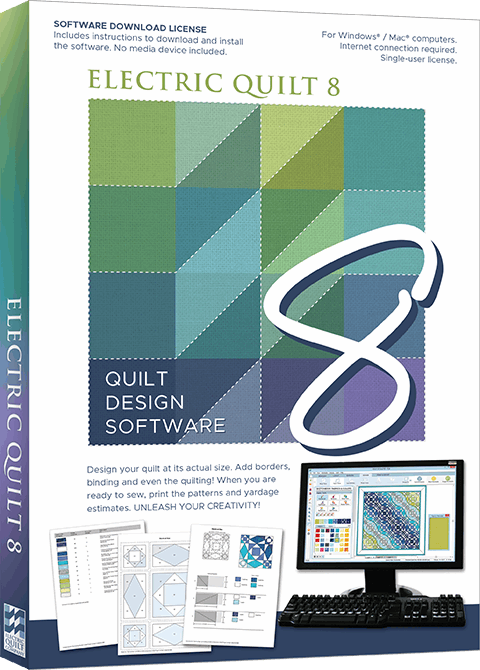
EQ8 Collector’s Edition BOB Block libraries

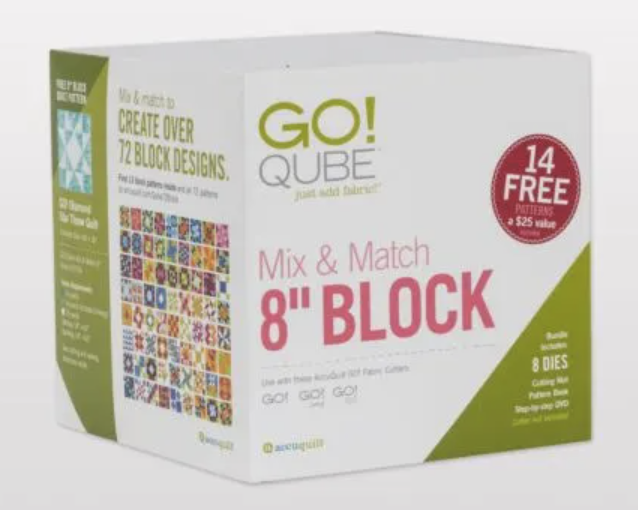
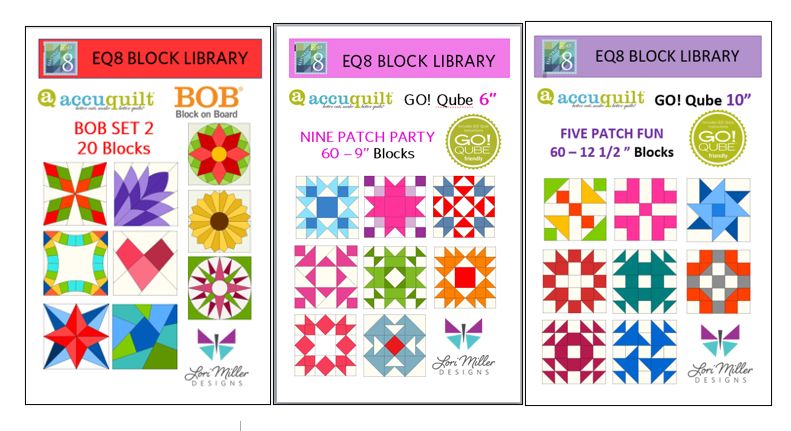
This is for all of you EQ8 Quilt Design fans who also use AccuQuilt® die cutters!  There are now two Collector’s Edition EQ8 Block Libraries for the AccuQuilt Block on Board (BOB) dies.  These libraries contain BOB Blocks that you can easily design within EQ8 and then cut out with your AccuQuilt GO! Qube dies and cutters.

When you combine Electric Quilt® software with your AccuQuilt® GO! fabric cutter and GO! BOB dies, you have the perfect mixture of creativity and precision!

Each of these Collector’s Edition BOB block libraries contain over 40 AccuQuilt GO! Block on Board quilt blocks that match GO! BOB dies released between 2012 and 2024.

Introducing BOB Collector’s Edition 1

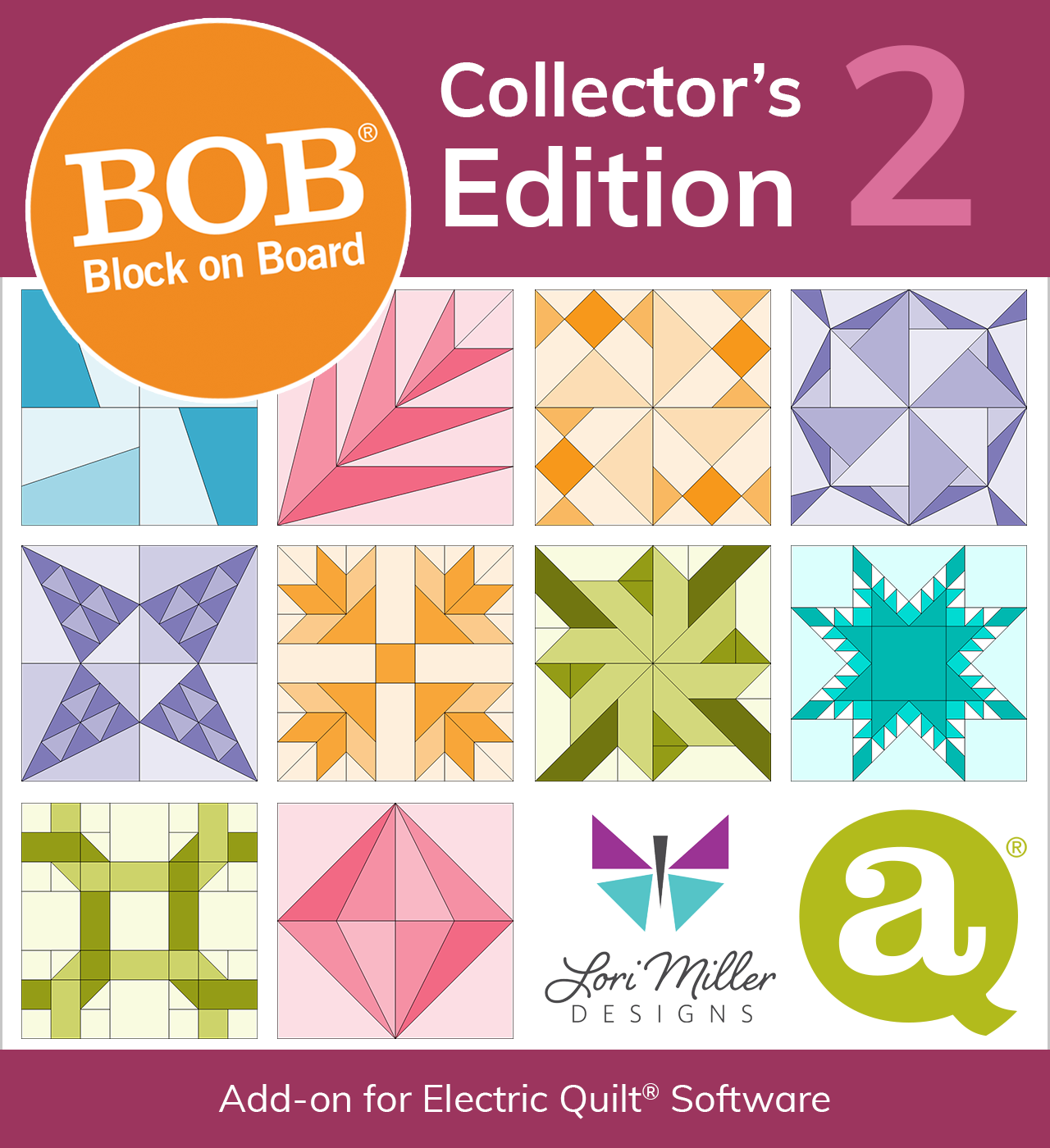
Introducing BOB Collector’s Edition 2

Key Features and Benefits

AccuQuilt compatibility

The libraries are designed to integrate seamlessly with AccuQuilt’s Bob dies, enabling users to translate their digital EQ8 designs into physical quilts with ease. 

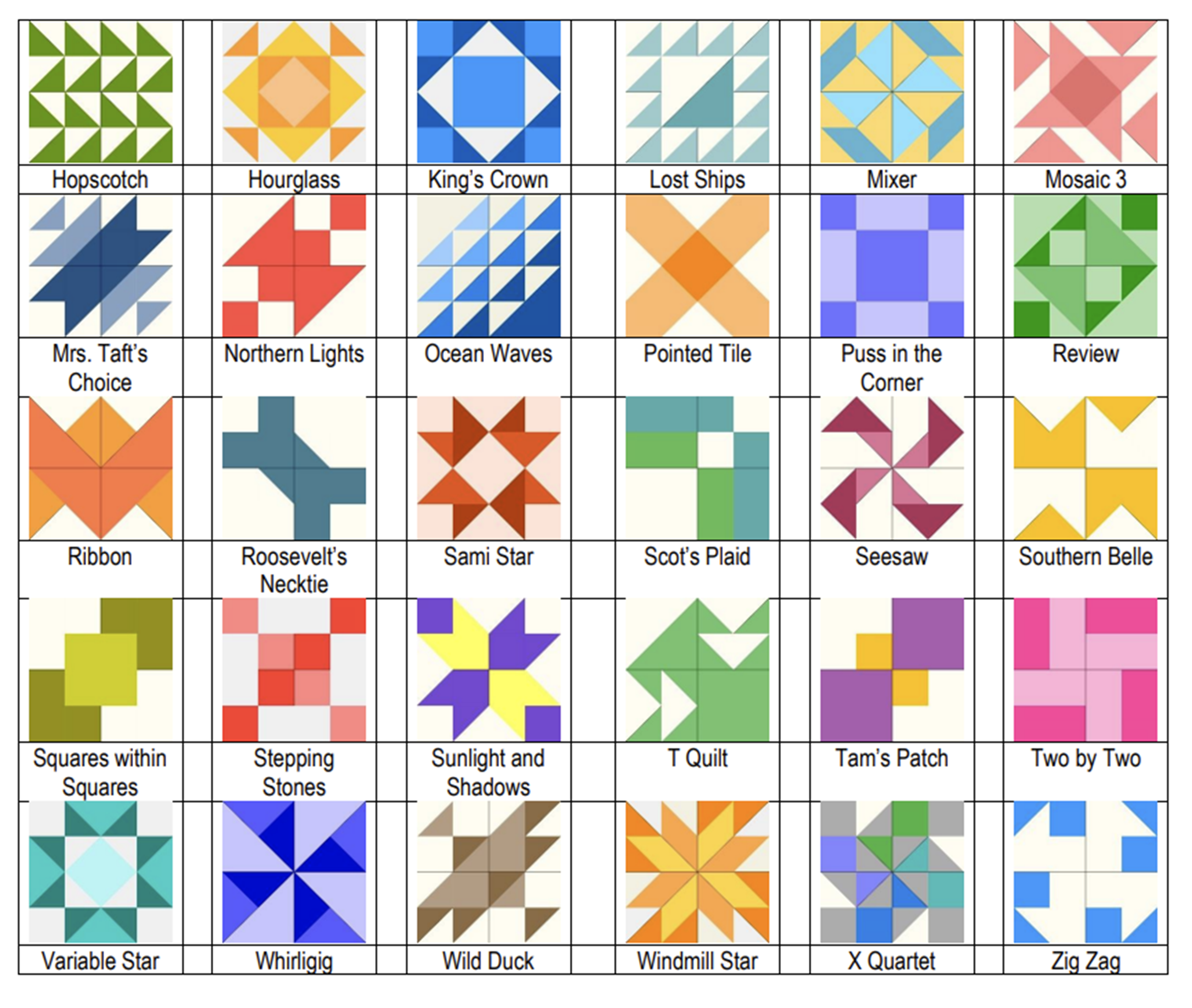
Pre-drawn Blocks

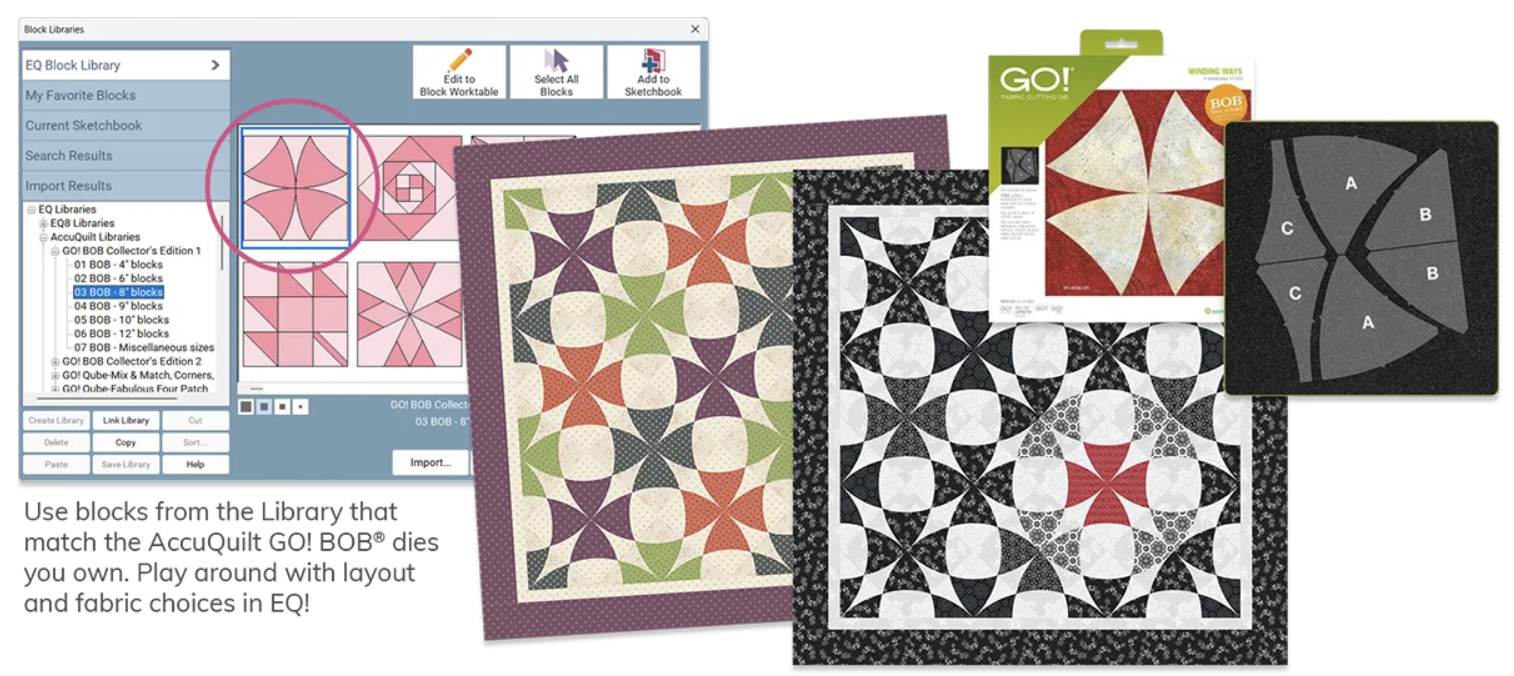
These blocks are already drawn for you in sizes that match AccuQuilt’s most popular BOB dies. You can set the blocks right into EQ quilt layouts, mix and match blocks, and play with colors or fabric until you have designed your perfect quilt.

Easy Installation

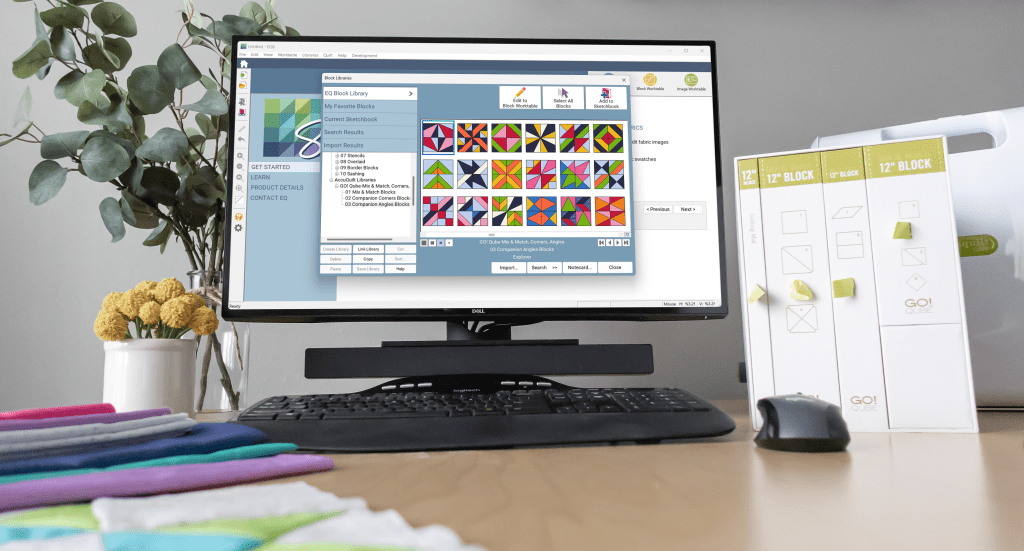
The Block Collections install right into your EQ8 block Library so they are ready to use right away.  Helpful PDF Resources install directly to your My EQ8 > Documentation folder on your computer for easy access.

Color Coded Organization

AccuQuilt GO! BOB blocks are organized in the EQ Block Library, color-coded by finished size so you can easily design quilts with dies you own.

What better way to show off what you can do with the BOB Add-on Block Libraries than to show you quilts I have made using the BOB blocks designed in EQ8.

Pineapple BOB Die – Collector’s Edition 1

I loved being able to choose my own colors and fabrics until I get just the look I want.

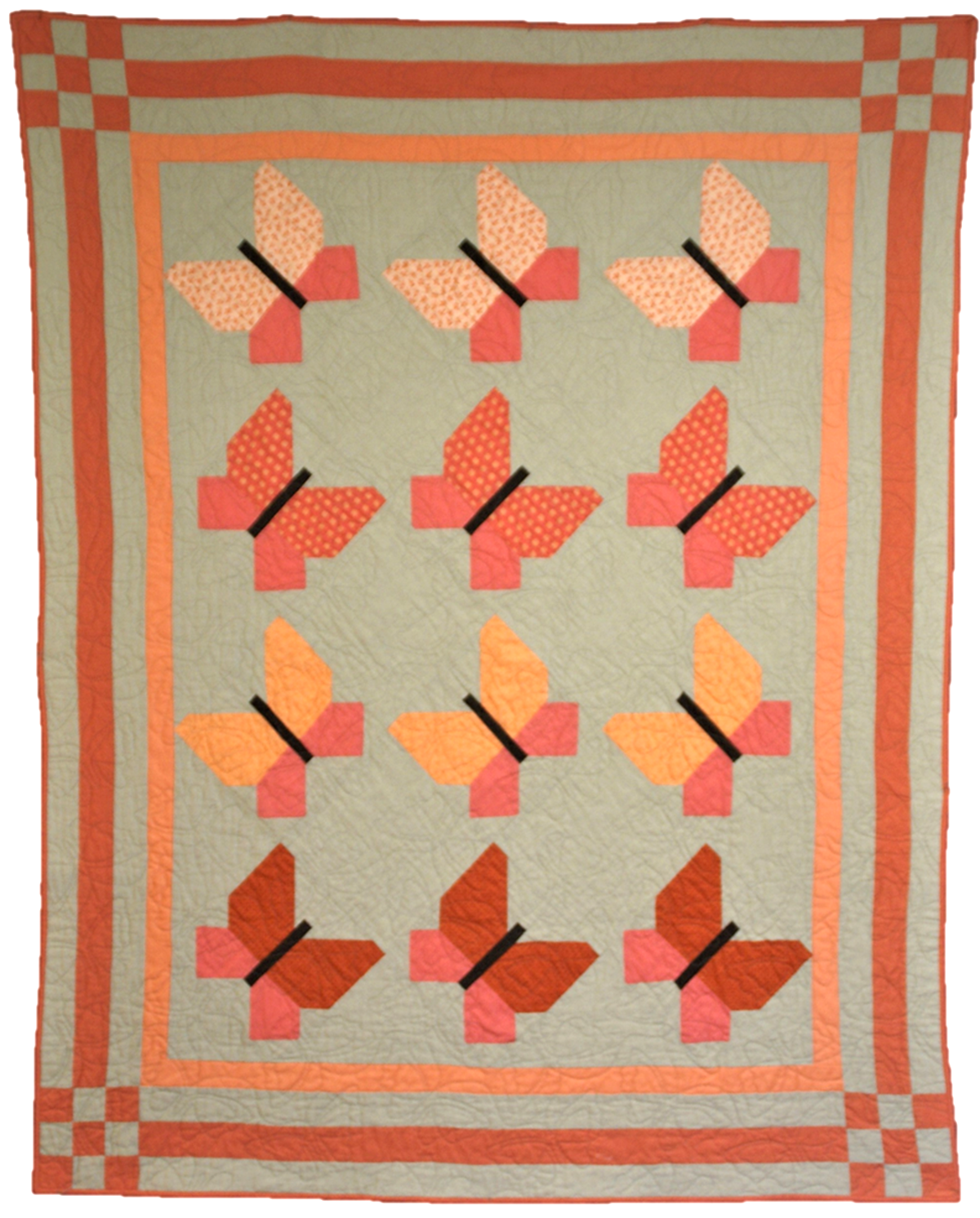
Butterfly Pieced Butterfly Block – Collector’s Edition 2

I even mixed some of the BOB blocks with Qube blocks and even blocks I designed myself in EQ8

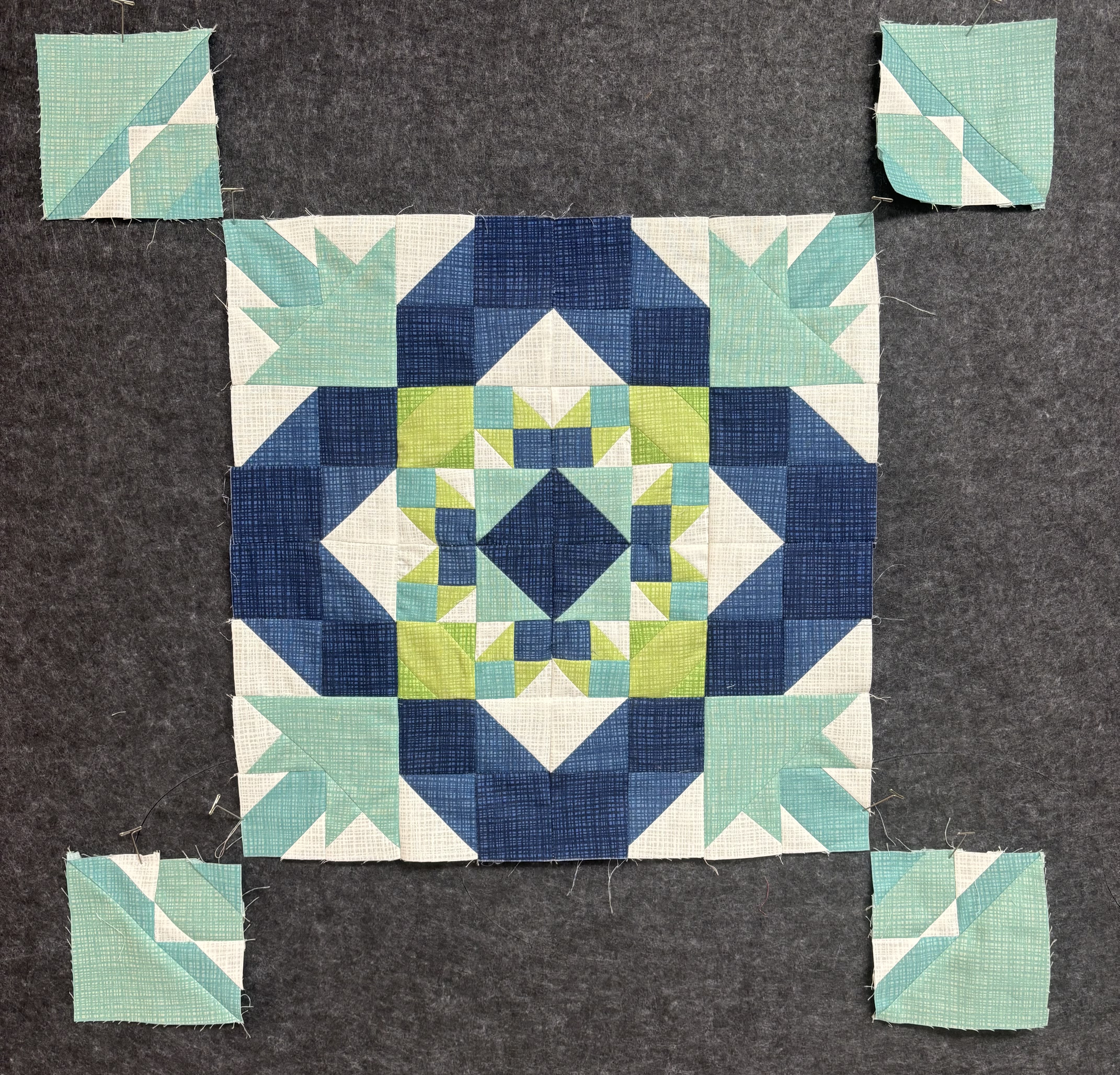
Storm at Sea, Collector’s Edition 1

This quilt design software is so versatile, I can truly make my designs my own.

You can find the EQ8 BOB Collector’s Edition 1 and 2 available for purchase at ElectricQuilt.com and AccuQuilt.com!

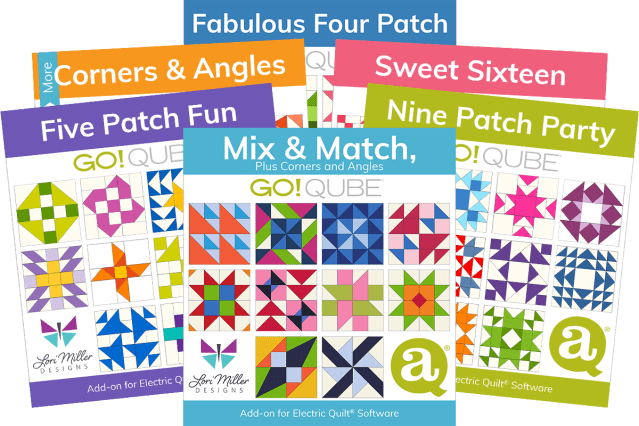
If you like the new EQ8 BOB Collector’s Edition Add-ons, check out these other great EQ8 add-on libraries for the AccuQuilt GO! Qube! View all EQ8 AccuQuilt Add-ons >

Designed by Lori Miller Designs.

All Six EQ8 Add-ons for the GO! Qube Now Available

Quilty friends, I am excited to share that all six GO! Qube Block Add-ons for EQ8 are available! That’s right, there are six Block libraries offering hundreds more blocks that you can easily design within EQ8 and then cut out with your AccuQuilt GO! Qube dies and cutters.

Each of these six, easy-to-use block libraries will work with any size Qube. When you combine Electric Quilt® software with your AccuQuilt® GO! fabric cutter and GO! Qube dies, you have the perfect mixture of creativity and precision!

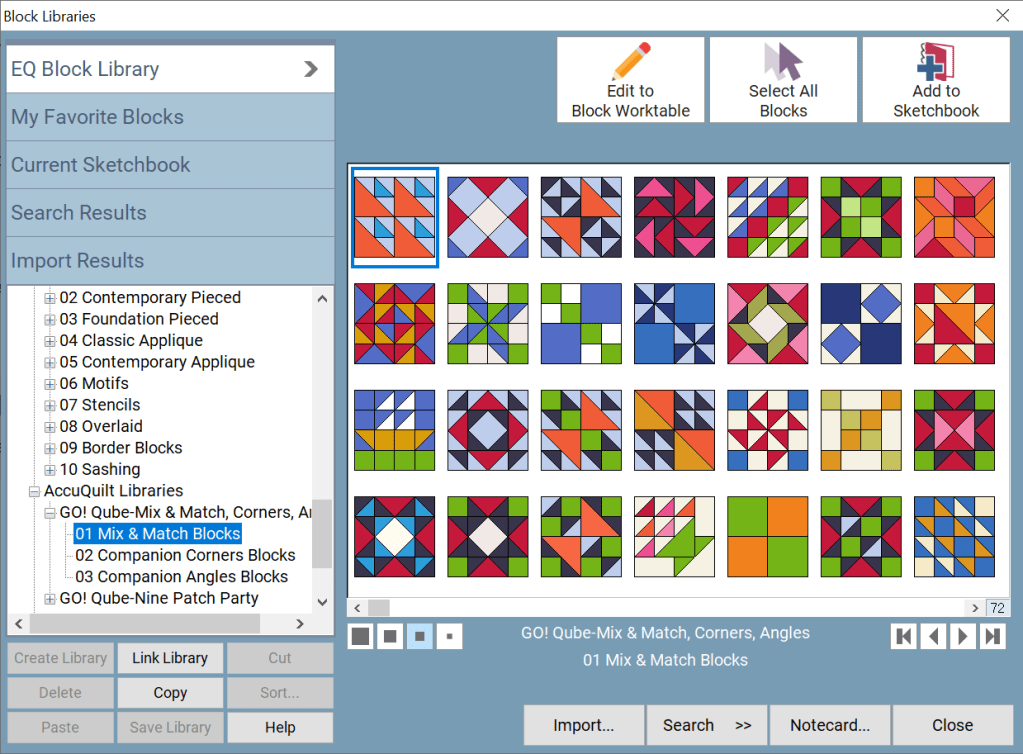
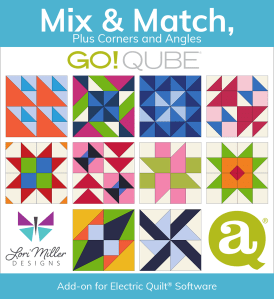
We released the first Block Library in October, and the reception has been so welcoming. If you missed it, you can read more about the GO! Qube Mix & Match, Plus Corners and Angles HERE! And let me introduce you to the rest of the family. Be sure to follow the LINKS for all of the details.

1 – Fabulous Four Patch

This block library contains 60 Four Patch blocks using a 2 X 2 grid.

2 – Five Patch Fun

This block library contains 60 Five Patch blocks using a 5 x 5 grid (small). 

3 – Nine Patch Party

This block library contains 60 Nine Patch blocks using a 3 X 3 grid.

4 – Sweet Sixteen

This block library contains 60 Sixteen Patch blocks using a 4 x 4 grid. 

5 – More Corners & Angles

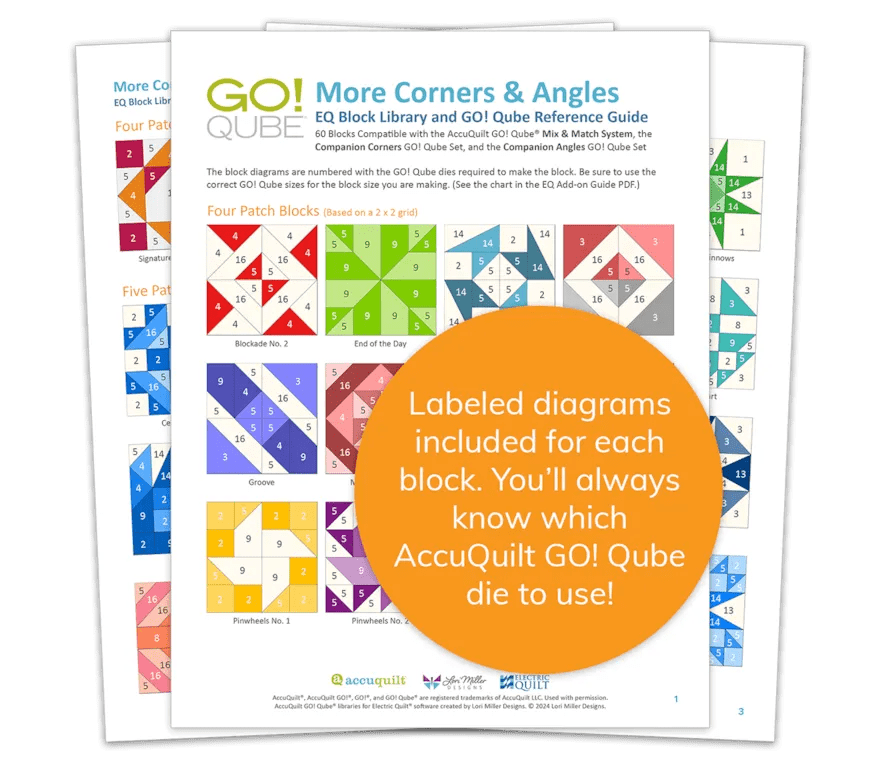
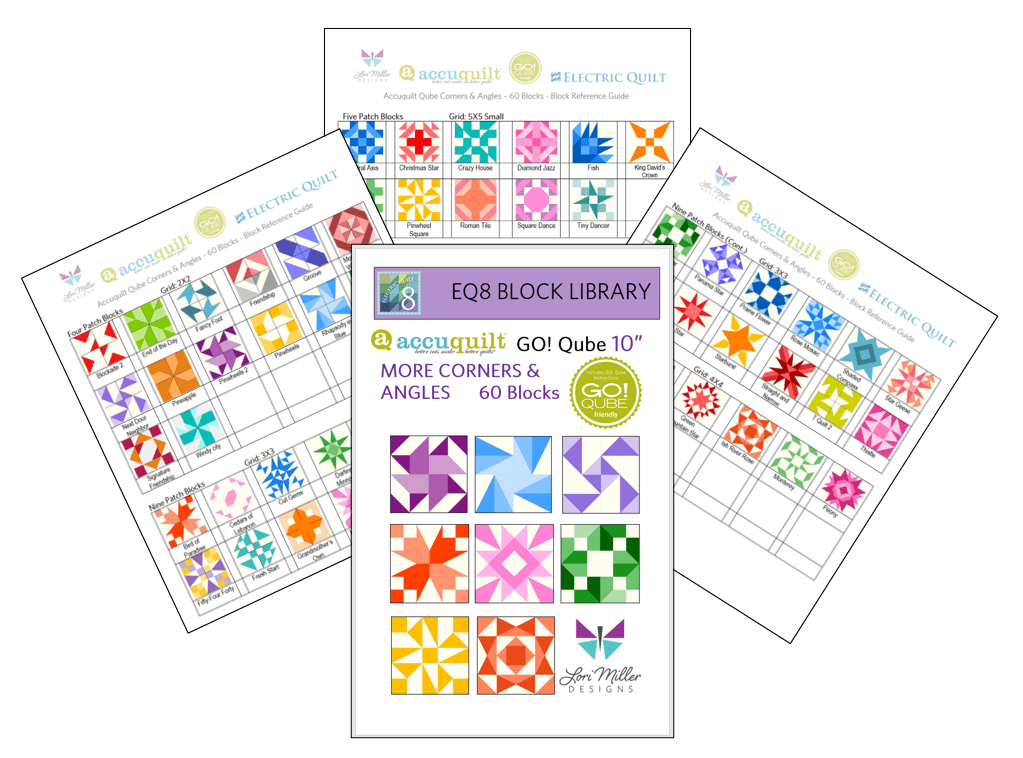
This block library contains 60 blocks that use the GO! Qube Mix & Match with the Companion Corners and Angles. The blocks come in multiple grid sizes with Four Patch, Five Patch, Nine Patch, Sixteen Patch, and 25 Patch blocks.

Each EQ8 Block Add-on Library for the GO! Qube comes with:

  • An automated download that loads the blocks directly into the AccuQuilt Libraries folder found in your EQ8 Block Library.
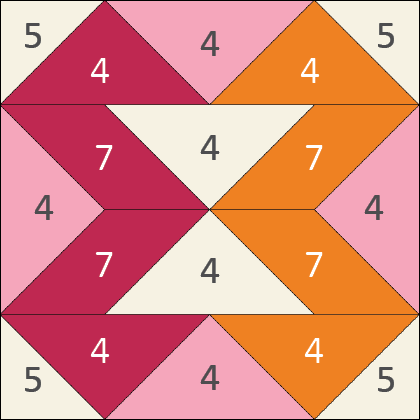
  • PDF Resources including color pictures of each block showing the GO! Qube die shape numbers required to create the block and additional information on how to use the blocks with your EQ software.
  • Ten quilt designs in 4 different colorways, a total of 40 quilt designs to inspire your design journey.
  • And Electric Quilt’s fantastic tech support; free with your purchase so if you need any help, just call, email, or live chat with them!

These products are available for purchase at ElectricQuilt.com and AccuQuilt.com!

Designed by Lori Miller Designs.

BIG NEWS! New Partnership!

I am so excited to share that Lori Miller Designs has teamed up with both AccuQuilt and Electric Quilt, two of my favorite companies whose products I love.

Since so many quilters have enjoyed my EQ8 Add-ons for AccuQuilt, the Electric Quilt Company and AccuQuilt have partnered with me to revamp my block downloads and make them official EQ products that will be available for sale on both of their websites!

If you have not used EQ8 Quilt Design Software, it is an amazing product that gives you the ability to design your own quilts, make your own fabric choices, and discover hundreds of quilt blocks to customize into unique quilt designs. A copy of the EQ8 Quilt design software is required to use these block libraries.

If you are not familiar, AccuQuilt provides state of the art fabric cutting machines that cut accurate pieces with up to 6 layers of fabric, ten times faster than traditional methods.

My EQ8 Add-ons for the AccuQuilt GO! Qubes are all blocks drawn to use the die shapes in the AccuQuilt GO! Qube Mix & Match, plus Corner and Angles Companion dies. 

Included with the blocks are PDF Resources that allow you to build your blocks by the numbers, the actual shape numbers on the GO! Qube die sets.

If you are new to my EQ8 Add-ons for AccuQuilt, let me share a little about them.

Back in 2019 when I first started this adventure, I just wanted to have my own library of blocks in EQ8 that could be easily cut out with AccuQuilt dies   I loved designing my own quilts and EQ8 made it so helpful to see my fabric choices.  When I combined my quilt designs with the accuracy and time savings of cutting out the pieces with my AccuQuilt die cutting machine and dies, I was thrilled.

The convenience of designing with quilt blocks that are so easily cut out with your AccuQuilt tools makes cutting, sewing, and creating beautiful quilts so easy. They were so convenient, I wanted to share them with other Quilters and thankfully, you tried them and became fans too.

Now you have even more terrific reasons to add these to your collection!  With this partnership, the original GO! Qube products have been completely revamped and re-released in a new format.

  • They are easier to use as the blocks will install directly into your EQ8 Block Library
  • PDF Resources are included and they install into your My EQ8 > Documentation folder so they are easy to find
  • There is a new detailed guide (PDF) on how to use the blocks with your EQ software and how to use them with any size GO! Qube
  • Block notecards now include helpful tips and information for the blocks
  • Many of the libraries will come with quilt designs included for inspiration and to spark your creativity

The first product will be available on October 21st, 2024.  It is the GO! Qube Mix & Match Plus Corners and Angles featuring over 216 library blocks.

 These are the same blocks you see in the AccuQuilt GO! Qube brochure.

 Later in November, we will release the next 5 GO! Qube Add-ons with the AccuQuilt Block on Board (BOB) libraries coming in 2025.

I think this is the perfect mix of partners with AccuQuilt, Electric Quilt and Lori Miller Designs to bring you quilting products with the perfect mix of creativity and precision!

Exciting News Coming Soon!

Quilting Friends,

I have a very exciting announcement coming soon!  

I’ve been hard at work on a project with two of my favorite companies!

I can’t give you full details yet but wanted to give you a heads up that my AccuQuilt Qube + EQ block library products will be coming off of my Etsy shop on September 30th, 2024 as part of this project.

Don’t be worried… this is great news! You’ll see why very soon. 

Stay tuned!

Lori

New Product! Add-On EQ8 Block Library – AccuQuilt Qube MORE Corners and Angles

It is here! Another stunning EQ8 Block Library Add-on for AccuQuilt Qubes! Now there are even MORE Corners and Angles Blocks you can make with your GO Qubes and Companions! These libraries are so convenient to use when designing quilts and table runners, just drop the block in where you want it. This new set of digital EQ8 Block Library files for the AccuQuilt Qubes includes 60 stunning block designs in four different grid sizes that you can load into EQ8 Quilt design software.

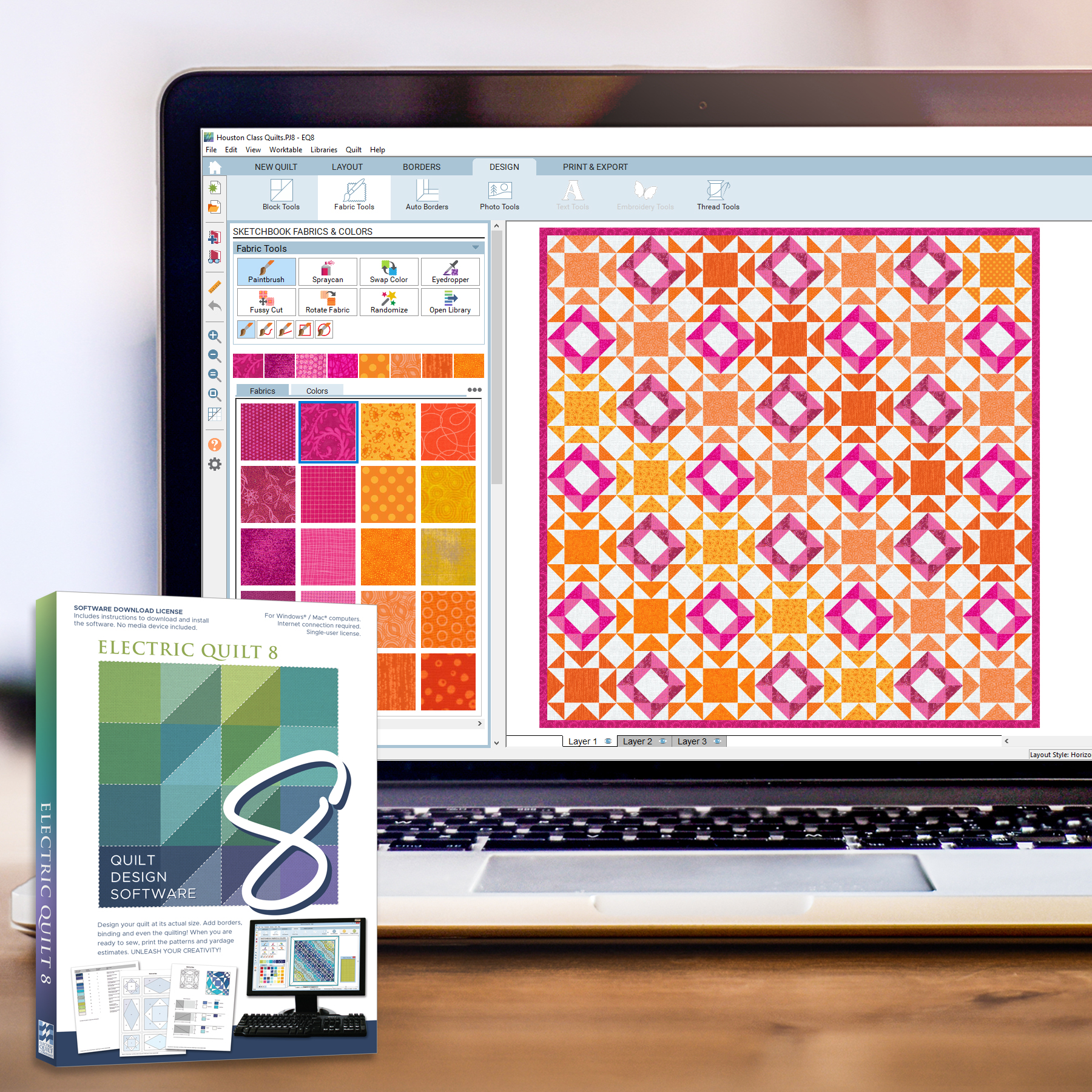
These library files are made to use with EQ8. EQ8 is Quilt Design Software by The Electric Quilt Company.  I design my quilts in EQ8, I teach EQ8 and I use EQ8 in my original patterns. I love that I can create my own designs and mix and match blocks easily in my designs until I have the perfect design. Then I can cut it out with my AccuQuilt GO Cutter.

These block designs work with the Accuquilt GO! Qube Mix & Match, Companion Corners and Companion Angles Block Die sets.  You can use the Die Shapes in the GO! Qubes to cut out all of these blocks.

These EQ8 Block Library files are downloadable digital files that are designed to work with your EQ8 Quilt Design Software.  They are only compatible with EQ8.  Once you place the block file in your library, you will be able to use it immediately to draw and design quilts.

Required: A running copy of EQ8 Quilt Design Software.

60 Beautiful Sixteen Patch Blocks!

I have included 60 MORE Corners and Angles Block designs with brand new, traditional and dynamic blocks. There are so many design possibilities in EQ8.

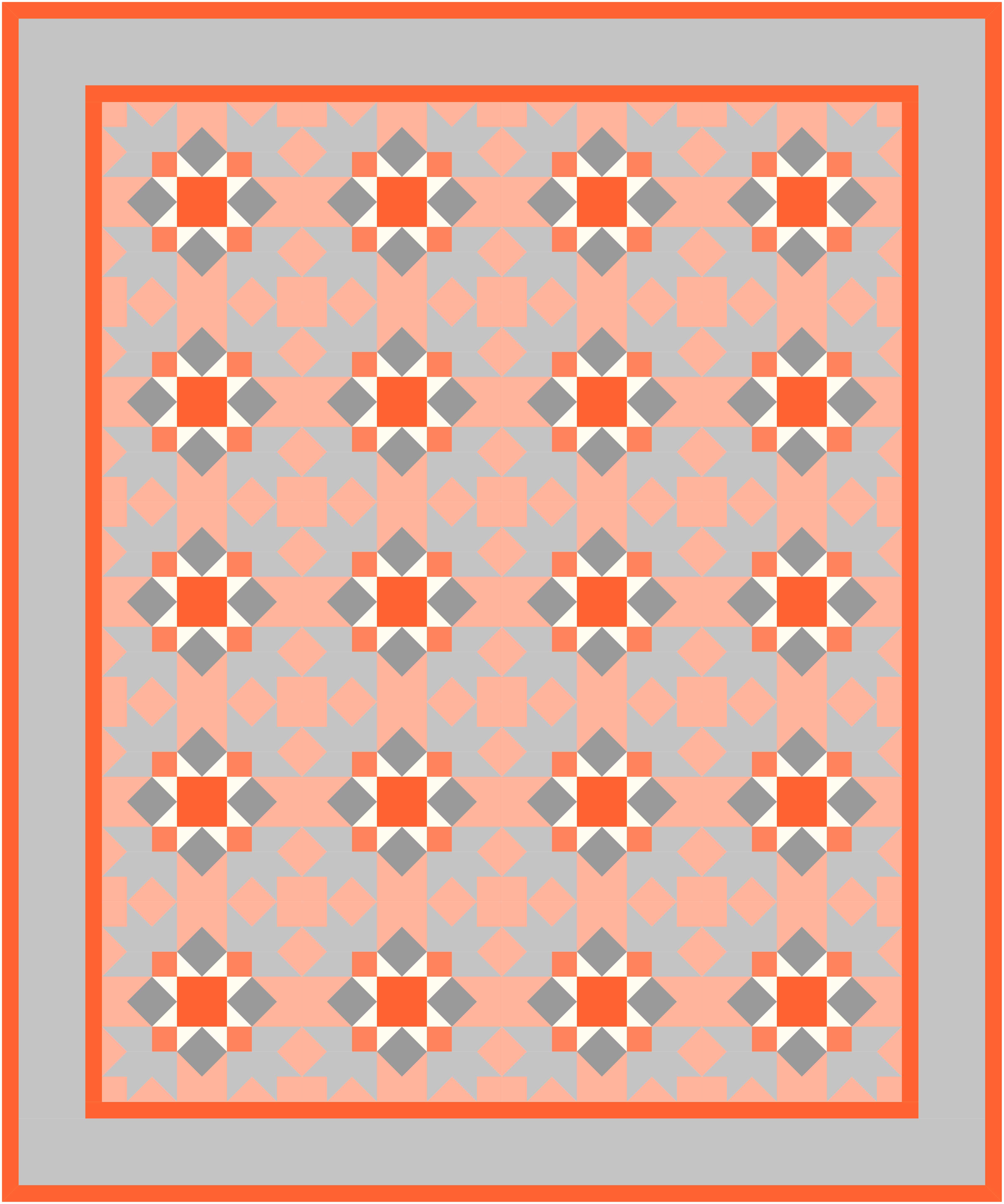
This Quilt features both the Homeward Star and Square Dance quilt blocks.

These blocks include four different grids, 2×2 Four patch Blocks, 3×3 Nine Patch Blocks, 4×4 Sixteen Patch Blocks and 5 x5 large and Small Blocks.

This Quilt uses the Rose Mosaic Block.

Complete Instructions including Die Cutting Guide!

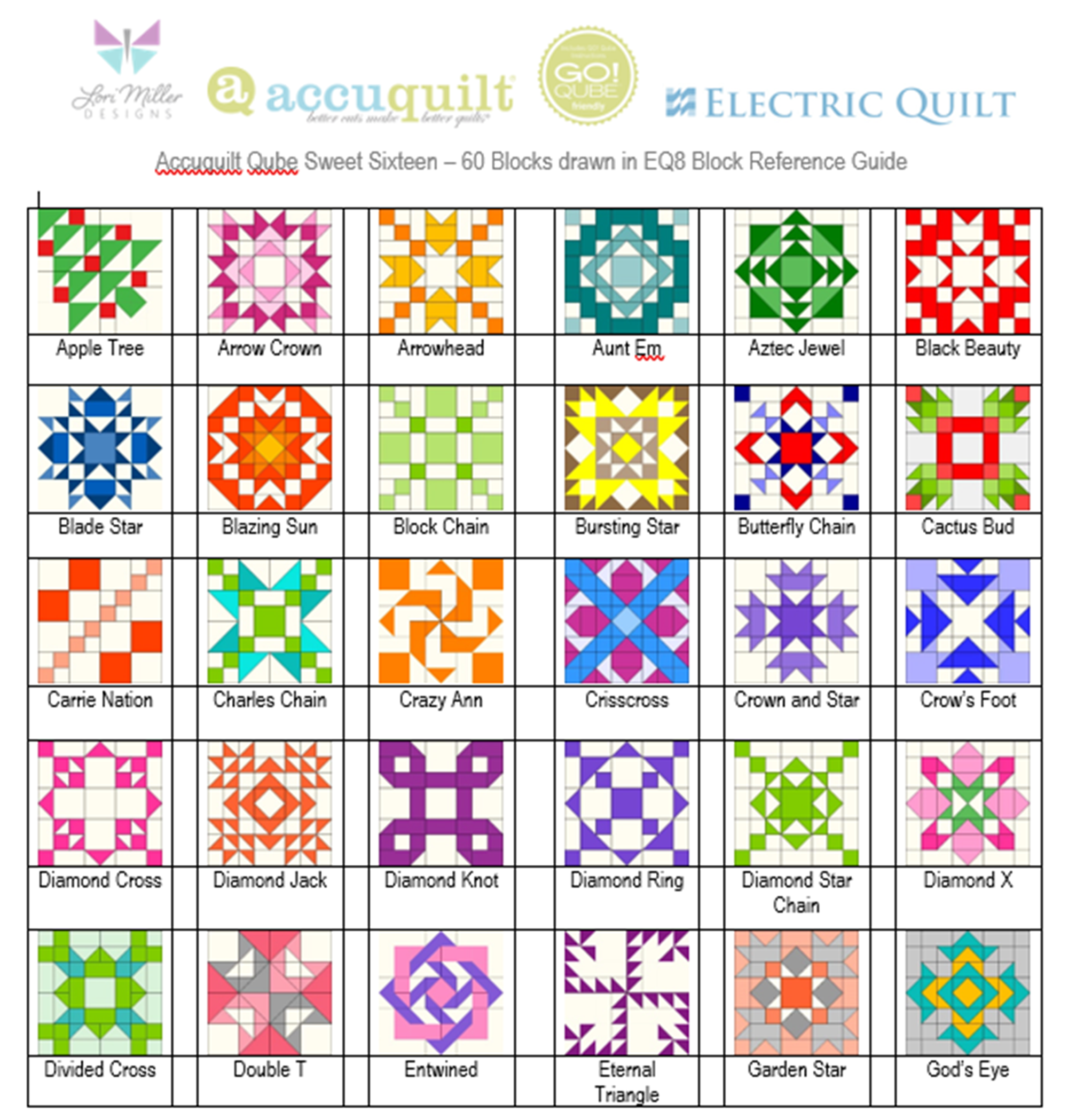
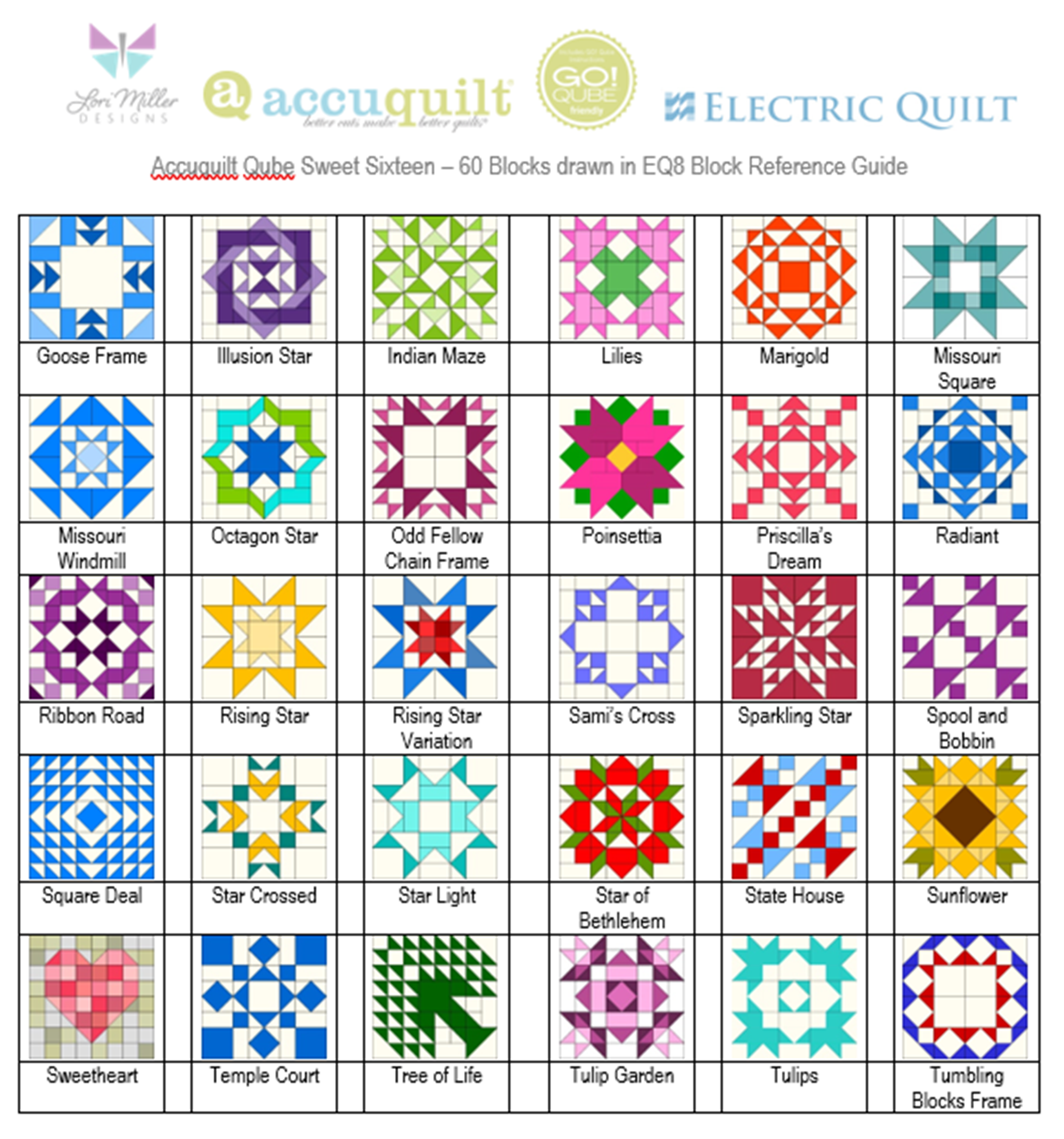
Each set of library blocks comes with a complete set of Instructions, a Block Reference Guide and a Die Cutting Guide.

The Die Cutting Guide provides pictures of the MORE Corners and Angles blocks and which shapes are needed from the Mix & Match Qube, Companion Corners and Companion Angles to cut out that block similar to the picture above.

Please note:  If you have more than one size of Qube, you only need one size of library.  Once you have the EQ8 Library for Accuquilt installed into EQ8, you can easily resize to your other size Qubes as it will scale properly. 

Thank You!  And Happy Quilting!

More Products Available!

If you like designing and making your own quilts with EQ8 and AccuQuilt, check out some of my other products.

Find GO! Friendly patterns and more Add-on EQ8 Block Libraries including the original 216 Four Patch Mix & Match designs, Nine Patch Party, Five Patch Fun, Sweet Sixteen, English Paper Piecing and four sets of BOB libraries.

New Product! Add-On EQ8 Block Library – AccuQuilt Qube MORE Four Patch

EQ8 and AccuQuilt are the perfect match! Introducing my newest Add-on EQ8 Block Library file, MORE Four Patch! I am so happy to offer this new set of digital EQ8 Block Library files for the AccuQuilt Qubes.  These files include 60 gorgeous Four Patch variation block designs that you can load into EQ8 Quilt design software.

EQ8 is Quilt Design Software by The Electric Quilt Company.  I design my quilts in EQ8, I teach EQ8 and I use EQ8 in my original patterns. I love that I can audition different fabrics and get the perfect quilt design before I cut it out with my AccuQuilt GO Cutter.

These block designs work with the Accuquilt GO! Qube Mix & Match Block Die sets.  You can use the Die Shapes in the GO! Qubes to cut out all of these blocks.

These EQ8 Block Library files are downloadable digital files that are designed to work with your EQ8 Quilt Design Software.  They are only compatible with EQ8.  Once you place the block file in your library, you will be able to use it immediately to draw and design quilts.

Required: A running copy of EQ8 Quilt Design Software.

60 Beautiful Sixteen Patch Blocks!

I have included 60 MORE Four Patch Block designs with brand new, traditional and even familiar blocks. There are so many design possibilities in EQ8.

These blocks are Four Patch Blocks that can be cut out with your GO! Qube Mix & Match Block Set, no companion dies are needed.

Since the Four Patch design is based upon a 2 x 2 grid, your finished block sizes will finish at the same size as your GO! Qube.

The MORE Four Patch block files come in all of the Qube sizes: 4″, 5″, 6″, 8″, 9″, 10″ and 12″ .  They are color coordinated by size in the shop so you can find the size you need. You only need one size of EQ8 Qube files as EQ8 will let you resize the blocks.

Complete Instructions including Die Cutting Guide!

Each set of library blocks comes with a complete set of Instructions, a Block Reference Guide and a Die Cutting Guide.

The Die Cutting Guide provides pictures of the MORE Four patch blocks and which shapes are needed from the Qube to cut out that block similar to the picture above.

Please note:  If you have more than one size of Qube, you only need one size of library.  Once you have the EQ8 Library for Accuquilt installed into EQ8, you can easily resize to your other size Qubes as it will scale properly.  You can certainly purchase other sizes for convenience, but it is not necessary.

Thank You!  And Happy Quilting!

More Products Available!

If you like designing and making your own quilts with EQ8 and AccuQuilt, check out some of my other products.

Find GO! Friendly patterns and more Add-on EQ8 Block Libraries including the original 216 Four Patch Mix & Match designs, Nine Patch Party, Five Patch Fun, Sweet Sixteen, English Paper Piecing and four sets of BOB libraries.

I am Teaching EQ8!

Hello Quilty Friends! 

If you have been wanting to design your own quilts and are ready for the next step, you will want to consider learning EQ8 Quilt Design Software.  If you are looking for an in person class to take, I wanted to share that I am teaching EQ8 in person in September at the AQS Des Moines Quilt Show and in October/November at the Houston Quilt Festival.

Shop ElectricQuilt.com

If you are not familiar, EQ8 is my design tool of choice to make and create beautiful quilts.  It is quilt design software available for the PC and the MAC.  It allows you to ditch the pencils and graph paper and design all kinds and styles of quilts using your computer.

If you have never seen it, check out this brilliant demo from The Electric Quilt Company for a great overview.

Watch a demo of EQ8!

Teaching Schedule and Classes

AQS Des Moines EQ8 Classes

September 27 – 30th

Des Moines, Iowa Events Center.

I am teaching a full slate of classes and there is still room to join me.

EQ8 Start at the Beginning, #59101w

Build your EQ8 confidence! Tour the workspace and begin designing a variety of beautiful quilt styles. Search the EQ8 libraries for the perfect block or fabric to turn your quilt designs into reality. Or add fabrics from your own stash. Learn how to print yardage estimates, rotary cutting charts, and more. Nicely paced and encouraging class for those who want to understand and practice the basics. Windows and Mac users welcome. Registration for this class includes show admission for Wednesday.

EQ8: I Want to Learn More, #59102t

Take the next step learning EQ8. Learn to draw or edit your own blocks to place in your quilt creations. Explore appliqué and stencils and understand the three layers of the quilt in EQ8. Take a deep dive into borders and Auto Borders. Create personal libraries, use text, photos, and explore free-form quilt settings. By the end of the class, you will have the confidence to design your own beautiful blocks and quilts. Windows and Mac users welcome. This is a great followup to the EQ8 Beginner class. 

EQ8: Design for AccuQuilt Qube, #59503

Combine the power of EQ8 quilt design software with the ease of fabric die cutting. The AccuQuilt GO! Qube system is made of building blocks to create a four patch quilt block. Discover EQ8 compatible blocks, draw your own blocks, try different fabrics, and create your own block library. Your design will be ready to cut with the AccuQuilt GO! Cutter. Learn tips and tricks to use the best features of both EQ8 and AccuQuilt. Class based on the 8” Qube, with help to accommodate other sizes. Please note: This is an EQ8 software design class. No die cutters will be used. Completion of a beginner EQ8 class is helpful.

EQ8: Borders and Sashings, #59504

Are your Borders simply boring? Do you just slap on strips of fabric to add length and width to your quilt? Is your sashing simple? Take your borders from blah to beautiful and your sashing from sad to stunning with the built-in tools in EQ8. This fun class will explore a variety of borders and border styles from pieced, flying geese, appliqué, checkerboard, and more. Use borders to jazz up a panel or medallion quilt. Discover creative sashing with pieced blocks and clever design ideas. Your quilts are limited only by your imagination. NOTE: This class moves at a faster pace than Beginner EQ8 classes. PC and Mac Users welcome.

EQ8: Adding Fabrics, #59505

Grow your EQ8 skills! Learn how easy it is to add your own fabrics, panels, and photos to EQ8. Import fabrics, straighten, scale, crop and add them to your Favorites library! Add current manufacturer fabric lines to use in your quilt designs. Discover how you can scan or photograph your own stash to use in your creations. Include fabric panels to creatively design one-of-a-kind quilts. This is the perfect follow-up to any Beginner EQ8 class. Windows and Mac Users welcome.

Houston International Quilt Festival EQ8 Classes

October 30th – November 5th

George R Brown Convention Center in Houston, TX

I am teaching the whole week and there are still a few seats left for my classes in Houston.

108   EQ8 Lets Start at the Beginning

220   EQ8: I Want to Learn More

348   EQ8: Design for AccuQuilt Qube

367   EQ8: Adding Fabrics and Photos

425   EQ8: Lets Start at the Beginning

533   EQ8: Kick Start

Are you brand new to EQ8? This is the perfect class to get to know your exciting new quilt design software. Explore the workspace and start designing quilts right away! EQ8 is your virtual design wall. Use it to try out exciting color combinations, estimate fabric yardage quickly, and print blocks and rotary cutting charts to get started right away. Class nicely paced for beginners. Windows and Mac users welcome. Please note: This class is designed for brand new EQ8 users and is focused on EQ8 basics. If you have taken the full-day beginner class, this class covers similar topics. 

569   EQ8: Adding Fabrics and Photos

More Ways to Learn EQ8

If you can’t attend an in person class, The Electric Quilt Company also offers online courses and books for purchase to help you learn the quilt design program.

Learn EQ at Home

Check out the Online classes

EQ8 Lesson Books

Use EQ8 Lesson Books to master the software!

EQ8 Tutorials

Check out my EQ8 Lessons with Lori on the EQ Blog

I am a self-professed EQ8 Superfan, Pattern Designer and Quilter.  Head over to my shop to find my stunning Quilt patterns and EQ8 Block libraries for AccuQuilt.

New Product! Add-On EQ8 Block Library – AccuQuilt Qube Sweet Sixteen

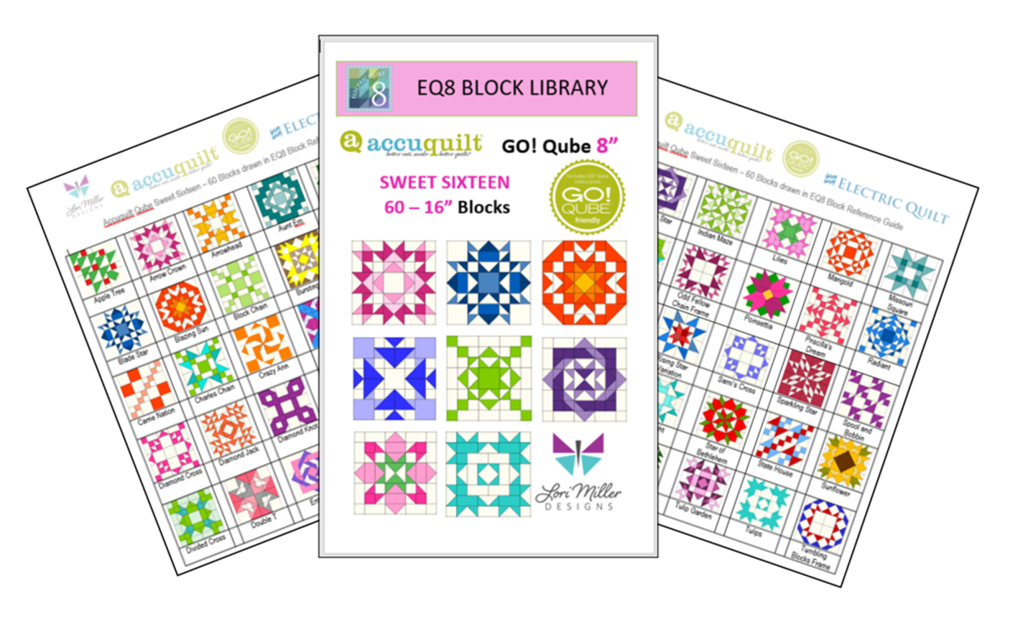
Introducing my newest Add-on EQ8 Block Library file, Sweet Sixteen! I am excited to offer the next set of digital EQ8 Block Library files for the AccuQuilt Qubes.  These files include 60 gorgeous Sixteen patch Patch variation block designs that you can load into EQ8 Quilt design software.

EQ8 is Quilt Design Software by The Electric Quilt Company.  I design my quilts in EQ8, I teach EQ8 and I use EQ8 in my original patterns. I love this design software! It is so versatile and let’s you design your own beautiful quilts with any block design.

These block designs work with the AccuQuilt GO! Qube Mix & Match Block die sets.  You can use the Die Shapes in the GO! Qubes to cut out these blocks.

These EQ8 Block Library files are downloadable digital files that are designed to work with your EQ8 Quilt Design Software.  They are only compatible with EQ8.  Once you place the block file in your library, you will be able to use it immediately to draw and design quilts.

Required: A running copy of EQ8 Quilt Design Software.

60 Beautiful Sixteen Patch Blocks!

I have included 60 Sweet Sixteen Block designs with brand new, traditional and even familiar blocks. There are so many design possibilities in EQ8.

These blocks are Sixteen Patch Blocks that can be cut out with your Go! Qube Mix & Match Set, no companion dies are needed.

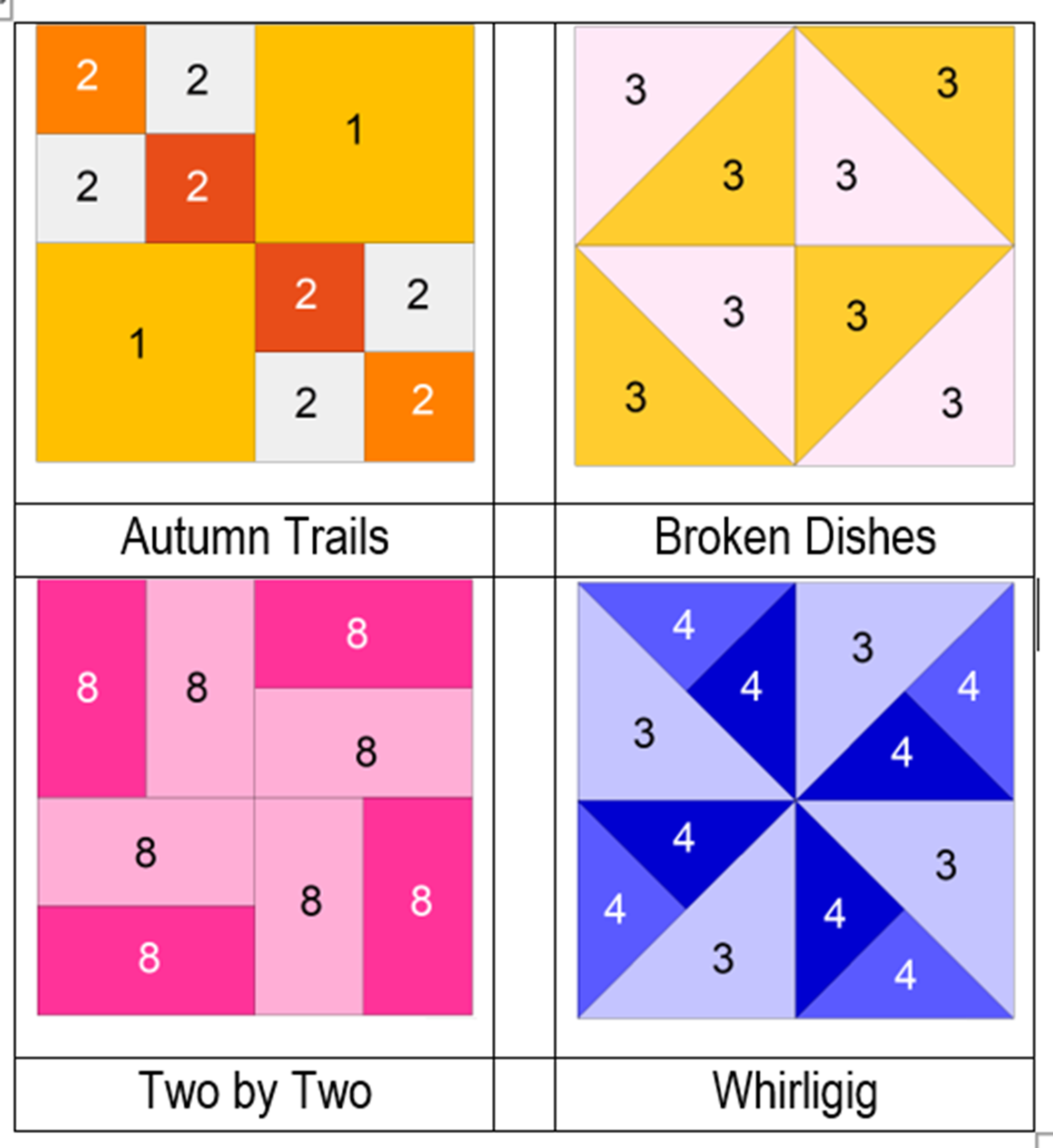
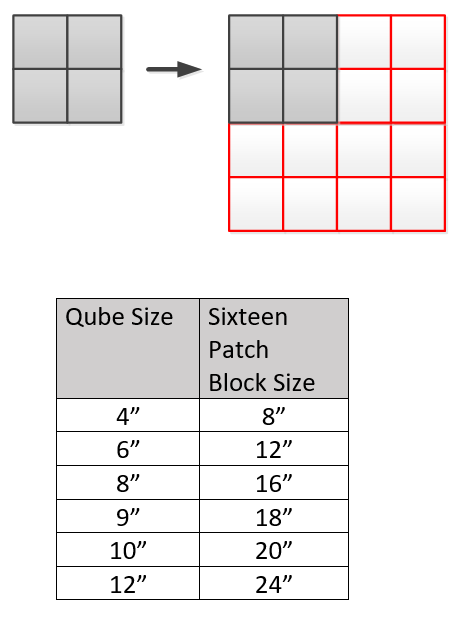
Since the Sixteen Patch design is based upon a 8 x 8 grid, your finished block sizes will finish larger as indicated in the chart below.

The Sweet Sixteen block files are available for all Qube sizes.  You only need one size of EQ8 Qube files as EQ8 will let you resize the blocks.

Complete Instructions including Die Cutting Guide!

Each set of library blocks comes with a complete set of Instructions, a Block Reference Guide and a Die Cutting Guide.

The Die Cutting Guide provides pictures of the Sweet Sixteen blocks and which shapes are needed from the Qube to cut out that block similar to the picture above.

Please note:  If you have more than one size of Qube, you only need one size of library.  Once you have the EQ8 Library for AccuQuilt installed into EQ8, you can easily resize to your other size Qubes as it will scale properly.  You can certainly purchase other sizes for convenience, but it is not necessary.

Thank You!  And Happy Quilting!

More Products Available!

If you like designing and making your own quilts with EQ8 and AccuQuilt, check out some of my other products.

Find GO! Friendly patterns and more Add-on EQ8 Block Libraries including the original 216 Four Patch Mix & Match designs, Nine Patch Party, Five Patch Fun, Sweet Sixteen, English Paper Piecing and four sets of BOB libraries.

Published – Autumn Aglow Quilt

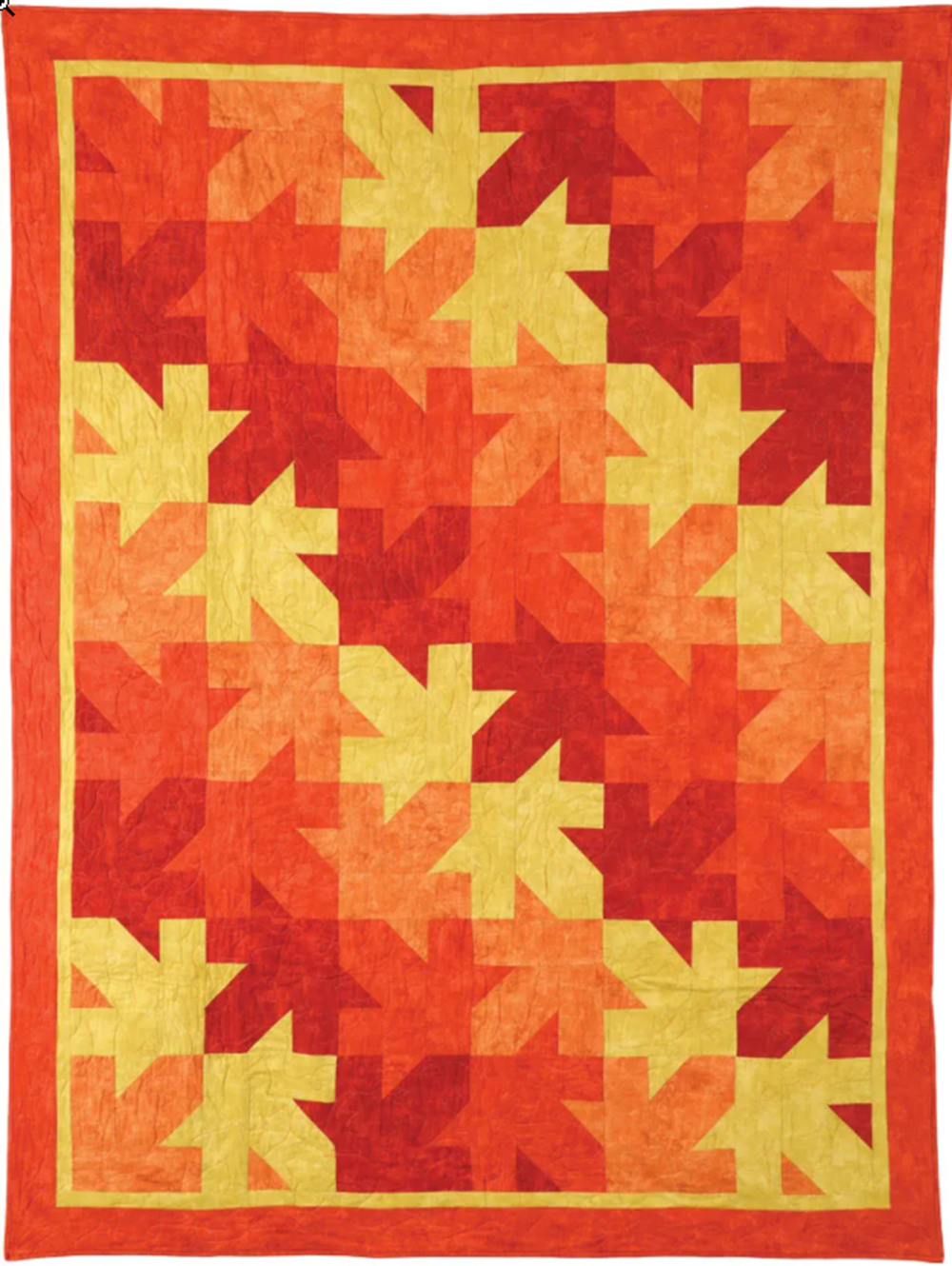
Autumn Aglow by Lori Miller Designs

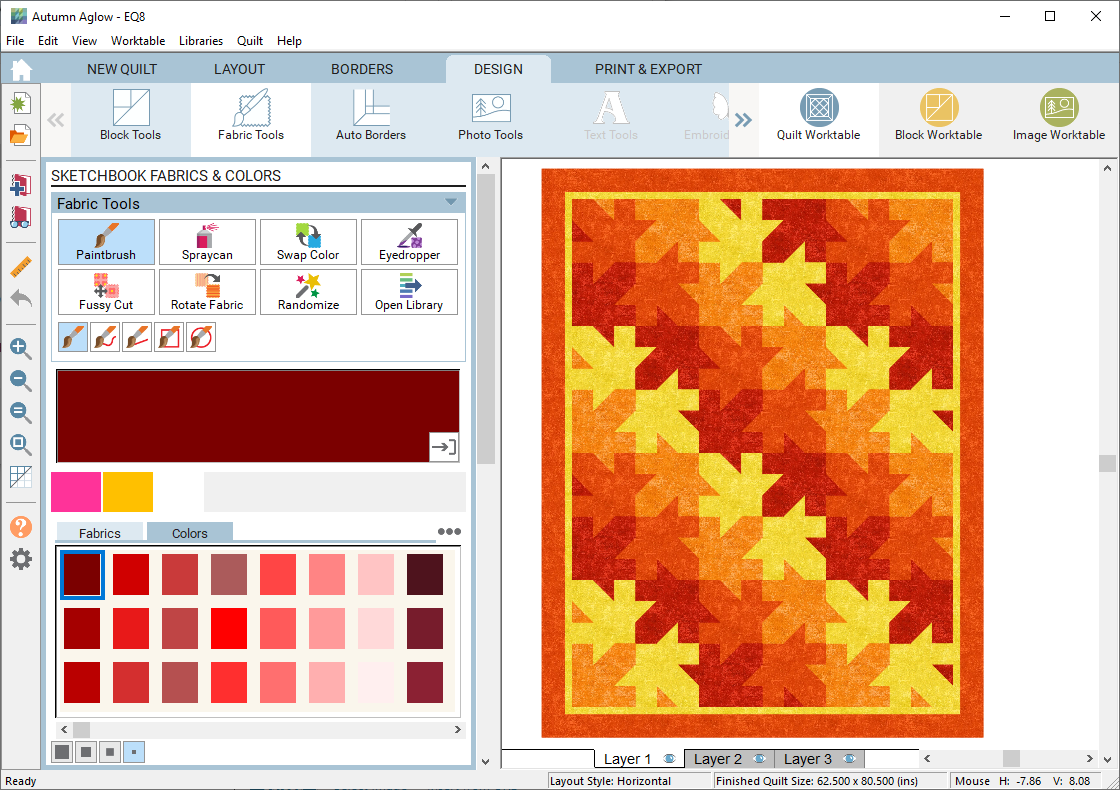
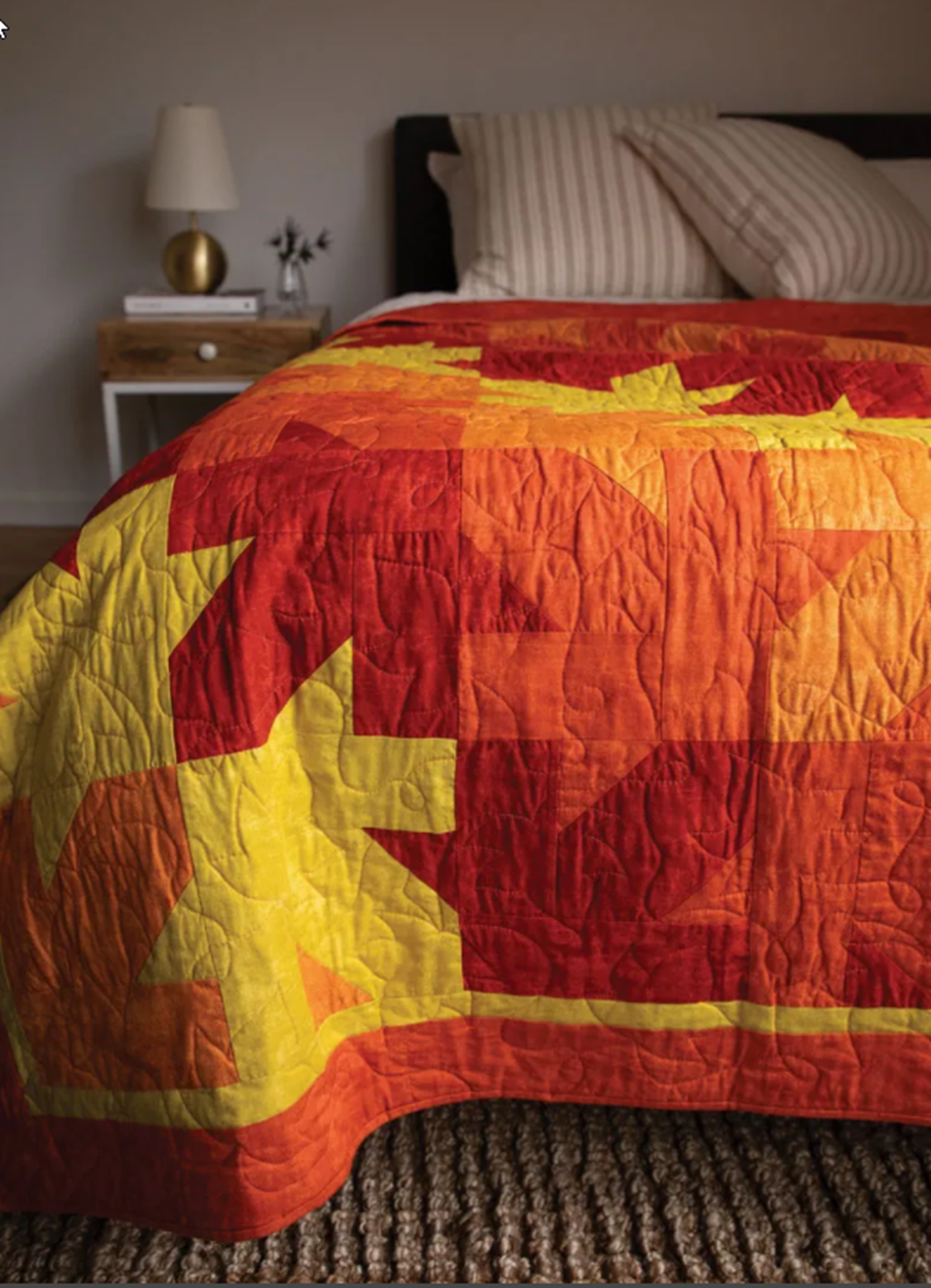
I think it is too early to think of fall, yet here I come with a colorful fall quilt call Autumn Aglow. This gorgeous quilt is reminiscent of falling leaves. The large block is simple to piece and when put together creates a unique tesselating quilt design. I love the cheery fall colors.

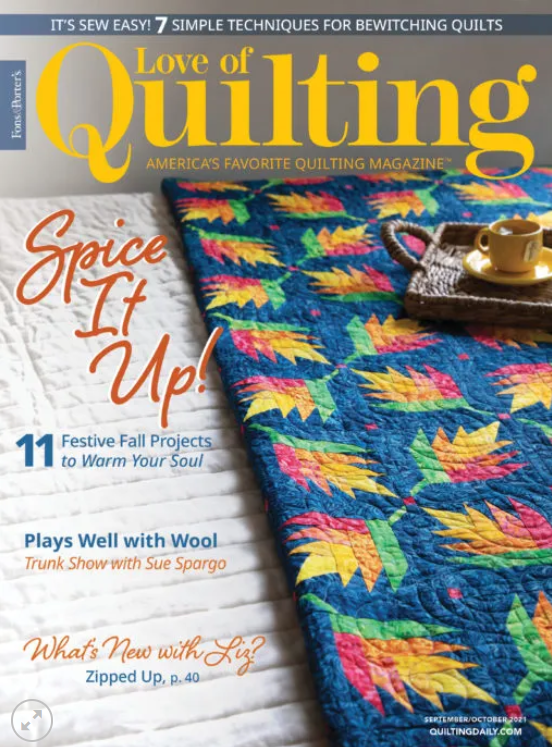
Featured in the September/ October 2021 issue of Fons and Porter’s Love of Quilting magazine, this issue is full of delightful fall, leafy projects… including my Autumn Aglow quilt.

I used blender cottons called Canvas by Deborah Edwards for Northcott. The blenders are perfect for creating the maple leaf pattern in the blocks.

I designed this quilt with EQ8 Quilt Design Software. It made it so easy to try different colors and draw up the blocks.

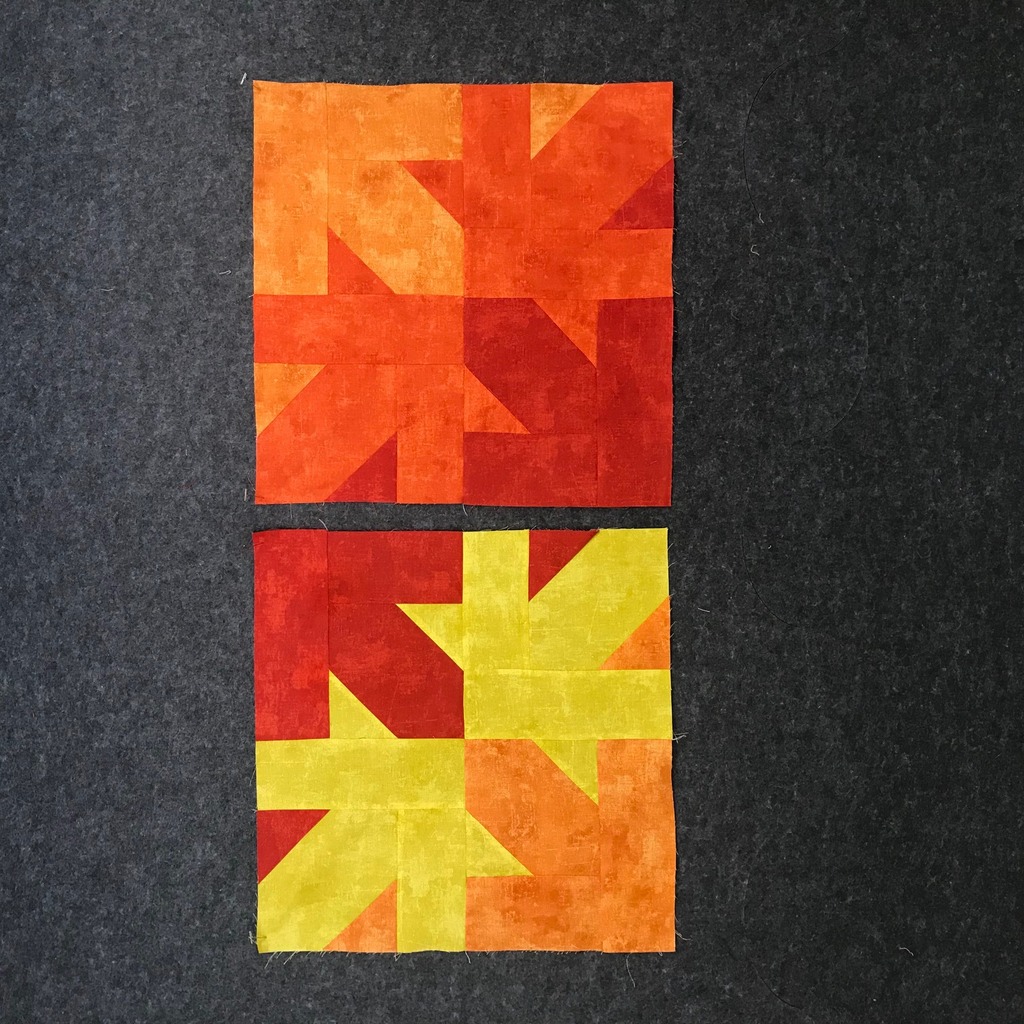
This quilt uses only four colors and you only make multiples of these two blocks for the design. Looks complicated but it is super easy.

Photo courtesy of Fons & Porter Love of Quilting Magazine, Quiltingdaily.com Copyright 2021

I used an allover edge to edge maple leaf design. The batting is Tuscany Cotton/Wool batting 80/20 generously provided by Hobbs. This is my favorite batting as the loft really shows off the quilting.

Pick up a copy of Fons & Porter’s Love of Quilting September/October issue for my pattern and more information.

Happy Stitching!

New Product! EQ8 Block Library: AccuQuilt BOB Set 1


It’s Here!!! Ever since I published my EQ8 block library files for the AccuQuilt GO! Qube Mix & Match sets, you have been requesting more.  You tell me how convenient they are to use with EQ8 and then cut out with your AccuQuilt GO! cutters.  They make your design process speedier and that it is so nice to have the block to match your BOB die.  So I decided to create block files for the AccuQuilt Block on Board (BOB) dies. 

BOB die blocks enable you to create an entire block with one die board.  Every piece needed for the block is on the design board.

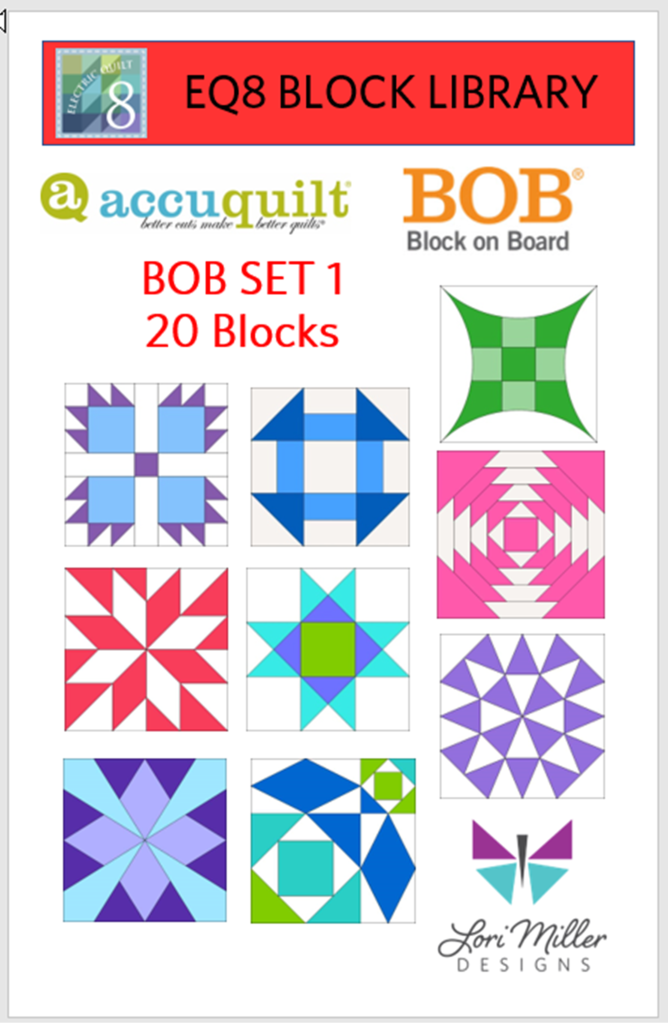
This file contains SET 1 of the BOB block designs which includes 20 blocks.  The blocks vary in size as indicated to match the BOB die. I have included the size of the block by the name reference.

The ONLY designs included in this set are:

  • Bear’s Paw 14”
  • Chimney Sweep 10”
  • Churn Dash 9”
  • BIG Churn Dash 12”
  • Crossed Canoes 9″
  • Glorified Nine Patch 9”
  • Hattie’s Choice 8”
  • Hunter’s Star 6”
  • LeMoyne Star 9”
  • Log Cabin 12”
  • Maple leaf 8″
  • Morning Star 12”
  • Ohio Star 12”
  • Pineapple 10”
  • Snail’s Trail 12”
  • Snail’s Trail 8″
  • Snowball 6”
  • Spool 6”
  • Starry Path 9″
  • Storm at Sea 9”

Required: A running copy of EQ8 Quilt Design Software from The Electric Quilt Company.

Required: You will need the AccuQuilt BOB die set in the size that matches the EQ8 library file in order to cut out these block designs with the AccuQuilt GO! Cutter.  Make sure your cutter is the right size for the BOB die.

This is a downloadable digital file that you will place into your personal block library.  Once you place the block file in your library, you will be able to use it immediately to draw and design quilts.  I have included all of the instructions to add the files to your EQ8 Design Software.  You will receive the EQ8 Block library, a block reference guide and an instruction document.  The blocks are all labeled to match the reference guide.

Now you can use the power of EQ8 to recolor and combine blocks to design beautiful quilts.

Once you have designed your quilt, you can use your AccuQuilt GO! Cutter to make it.  I have also included tips and suggestions for determining what dies to use and how to determine fabric requirements.

I hope you enjoy these files as you create your BOB design quilts.

Happy designing with your AccuQuilt Block on Board Set 1 library blocks in EQ8.

If you liked this EQ8 Block Library File, check out my other available files that work with AccuQuilt.  See the complete line of products available!

I appreciate your feedback and suggestions on this product.

Happy Designing!

New Product!: Add-on EQ8 Block Libraries for AccuQuilt GO! Qubes

I am very excited to introduce a new product in my shop.  Most of you know that I am an EQ8 Superfan.  I design my quilts in EQ8, I teach EQ8, and I use EQ8 to create my original patterns.  This past year I finally jumped on the AccuQuilt bandwagon and became an AccuQuilt GO! Getter.  I love how quickly I can cut out a quilt with my GO! Cutter and have a project all ready to sew.

I received an 8″ GO!Qube with my AccuQuilt GO! Cutter.  I really wanted to design with the AccuQuilt 8″ blocks in EQ8, but there was not a library file of the blocks to be found, so I decided to create them.  That’s right, I drew everyone of those little blocks in the GO! Qube brochure just so I could design with them in EQ8. I loved them soooooo much that I thought you might like the fun and convenience of designing with all of those blocks too.

The blocks in the brochure provided by AccuQuilt to use with the GO! Qube are all Four patch blocks.  These blocks are based upon a 2 X 2 grid, the most popular style of quilt block.

Accuquilt provides 216 Block designs with their popular GO! Qube die sets

  • For the base GO! Qube Mix and Match die set, there are 72 blocks.
  • For the add on Companion CORNERS set, combined with the Mix and Match die set, there are 72 blocks.
  • For the add on Conpanion ANGLES set, combined with the Mix and Match die set and the Companion Corners set, there are 72 blocks.

In this EQ8 Block Library file, you will get all 216 four patch blocks to design to your heart’s content.

These EQ8 Block Library files are downloadable digital files that are designed to work with your EQ8 Quilt Design Software.  They are only compatible with EQ8.

Required: A running copy of EQ8 Quilt Design Software.

The block library is a downloadable digital file that you will place into your personal block library.  Once you place the block file in your library, you will be able to use it immediately to draw and design quilts.  I have included all of the instructions to add the files to your EQ8.  You will receive the EQ8 Block library, a color block reference guide and an instruction document including hints and tips.  The blocks are all labeled and colored similarly to the blocks provided in the AccuQuilt Brochure so they are easy to match up.

The EQ8 block libraries are available for all Qube sizes. 

Please Note! If you have more than one size of GO! Qube, you only need one size of library.  Once you have the EQ8 Library for AccuQuilt installed into EQ8, you can easily resize to your other size Qubes as it will scale properly. 

Once you have designed your quilt, you can use your AccuQuilt GO! Cutter to make it.  I have also included tips and suggestions for determining what dies to use and how to determine fabric requirements.

I hope you enjoy these EQ8 block files as you create your beautiful Four Patch design quilts.

Free EQ8 Applique – Kitchen Stand Mixer

Homemade gifts are the best.  I wanted to make something fun and useful for my sister and since she enjoys cooking so I decided to make her an apron.  I thought this fun retro style mixer would be the perfect motif to set it off.   I designed the applique motifs using EQ8 quilt design software from The Electric Quilt Company.  Here is how I put it together.

I started out making a picture of my own kitchenaid Stand Mixer.  I got this as a Christmas gift recently, I had been wanting one for years.  Ii takes all the work out of mixing up a batch of cookies or brownies and looks beautiful on my counter.  I have always liked to draw so that is a gift I like to use.
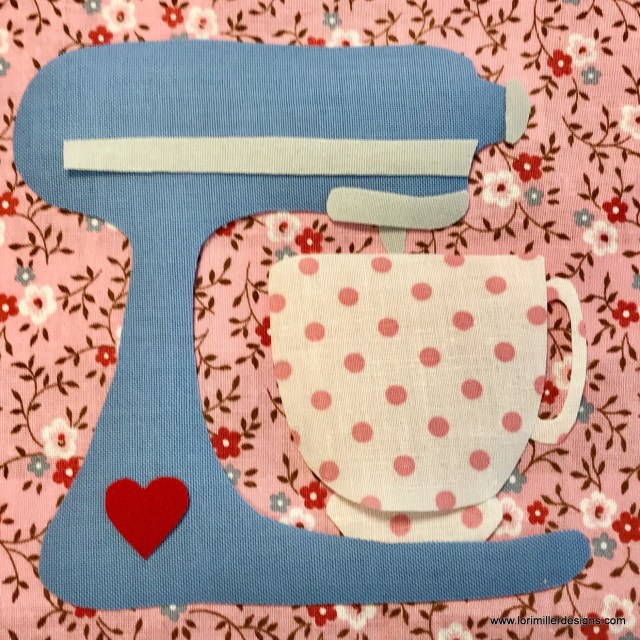
I used my picture to trace the drawing in EQ8.  First, I scanned my drawing and imported it into the quilt design software.  Then I traced and edited the shapes to create the overall Applique motifs.  Electric Quilt allows you to print and mirror the templates so they are perfect for tracing onto fusible applique paper.
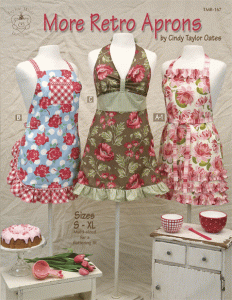
I have a super cute Apron pattern with multiple sizes.  It is called More Retro Aprons by Cindy Taylor Oates.  I just love her patterns, she always does a great job and I have a lot of them.  I made the A version of the apron which is the one on the right.

I had these lovely vintage prints from Grandma’s stash to use.

I placed my shapes in order and pressed them on with the fusible backing.  Then I did a straight stitch around each shape.  For this one, I left off the back edge of the mixer and added a little heart.  i just liked the look better.

Here is the top of the Apron, those ruffles are too cute!

There is even a ruffle detail on the bottom.

The whole apron.  There is a cute crisscross way to tie it up on the back as well.  The applique just added that fun retro vibe of the kitchenaid mixer and my sister simply loved it.

Kitchen Stand Mixer Applique

Here are the Applique Motifs for you to download.  I have included a page with a key for the order to lay down the individual motifs.  They go in alphabetical order.

INCLUDES 8″ and 6′ block templates and a key block.

Kitchen Stand Mixer templates

This cute applique would look great on a tea towel or even on a kitchen wall hanging.  What will you make?

Share pictures of your Kitchen Stand Mixer Applique.  Tag me on Facebook or Instagram @lorimillerdesigns

Looking for the EQ8 Design Instructions?  You can find them HERE!

For more projects and tips and techniques on using EQ8, visit my Electric Quilt blog series EQ8 Lessons with Lori.

For more information on EQ8, go to Electric Quilt 8 Software.

I teach EQ8!  I would be happy to teach at your event or Quilt Shop.  Check out my classes page.

Free Tutorial – Summer Flora Quilted Tote

Its July and summer is in full swing.  I couldn’t resist making this bright and cheery Summer Flora Tote.  It’s perfect to take to the beach, fill  up with a sewing project to work on or just tote all of your goodies in style.  This Summer Flora Tote was designed with EQ Mini Software by The Electric Quilt Company .  It uses a simple Horizontal strip layout with a couple of applique quilt block designs that will end up as the feature on each side of the tote.  Stitched in lots of bright summer colors, it reminds me of all of the flowers blooming this time of year.  Finish up this simple design with simple quilting and a fun handle.

eqmini-nohole-sm-226x300

EQ Mini is a scaled down, simpler version of EQ7 quilt design software.  This program was created for quilters who are just getting started using software for quilt design.  EQ Mini will help you create, edit, share, and print patterns and yardage for your quilt designs.

When I designed this little quilt, I used a simple horizontal strip layout with borders.  I just added two quilt blocks that when assembled would become the sides of the tote.

Summer Flora Quilted Tote

Finished size is approximately 14″ W x 14 1/2″ T x 5″ D

Materials

  • 1 pack of 5″ charm squares or at least 28 – 5″ squares (I used some Bali Snaps by Hoffman Fabrics)
  • 1/8 yd of bright green solid
  • 1  1/4 yd Grey Linen
  • 1  1/4 yd of coordinating print for lining
  • 1  1/2 yd of  muslin for backing
  • 1 1/2 yd of Fusible Web (like Pellon 805 Wonder Under or Pellon Lite EZ Steam II)
  • 20″ x 49″ piece of Pellon FF77 Flex Foam
  • 4 – 1″ D rings
  • 2 handles with lobster clips
  • Summer Flora Tote Templates

Directions

Cut Fabric:

From bright green solid, cut a 6″ x 10″ rectangle

From Grey Linen, cut:

  • 1 — 5 1/2″ x 14 1/2″ strip
  • 2 — 3 1/2″ x 33 1/2″ strips
  • 2 — 14 1/2″ x 14 1/2″ squares
  • 2 — 3 1/2″ x 19 1/2″ strips
  • 4 – 2″ x 4″ strips for handle tabs

From lining fabric

  • 1 — 18 1/2″  x 36″ rectangle

From fusible web, cut:

  • 28 — 4 1/2″ squares
  • 1 — 5 1/2″ x 9 1/2″ rectangle

Make the Applique Blocks

  1. Download and print out the Summer Flora Tote Templates.  If you plan on machine appliqueing the stems and leaves, you can cut off the outside seam allowance before tracing the templates.
  2. Press the large piece of fusible web to the wrong side of the bright green stem rectangle.
  3. Using the stem template A, trace and cut out 8 stems.
  4. Press the 4 1/2″ fusible web to the wrong side of 28 – 5″ charm squares.
  5. Using the leaf template B, trace 2 leaves onto each charm square and cut them out.
  6. Using the block diagram as a visual guide, arrange the stems and leaves on each of the 14 1/2″ linen squares.
  7. I folded and pressed the squares diagonally to get guidelines to use.
  8. Once you have the arranged the leaves and have the design how you like it, set aside the leaves at the top of the stems and press the remaining stems and leaves onto the linen square.
  9. Using a small zigzag stitch, applique around the stems and leaves.  I used a length of .9 mm and a stitch width of 2.5 mm.
  10. Hint, when you are machine applique stitching the points of the leaves, narrow the stitch width to 2.0 mm just at the points.
  11. Once you have appliqued the stems and leaves, arrange the leaves on the top of the stems and press down.
  12. Machine applique the remaining leaves.

Assemble the Tote top

  1. Sew the 5 1/2″ x 14 1/2″ linen center strip between the two appliqued squares.  Press to one side and top stitch if desired.
  2. Sew the 3 1/2″ x 33 1/2″ strips to each side of the applique unit.  Press to one side and top stitch if desired.
  3. Prepare the loops for the handles.  Fold in half  the long way and press a crease.  Open back up and fold each raw edge to the center.  Topstitch close to the folded edges.  Topstitch on the other side to match.
  4. Slide the d ring over the strip and fold in half.  Position the d ring and strip 6″ from the edge of the tote and baste into the seam.  Repeat for the 3 other loops.
  5. Sew the 3 1/2 ” x 20 1/2″ linen strips to the top and bottom of the applique unit.  Press to one side.  Topstitch close to the seam.
  6. Mark the quilt top if you want to quilt the 2 ” diamond pattern like I did.  I used a washable white marking pen.
  7. Make a quilt sandwich with the muslin, flex foam and the top applique unit.
  8. Pin baste the quilt layers together.
  9. Quilt as desired.

Finish the tote

  1. Trim tote to 19 1/2″ x 39 1/2″.  Only on the top ends of the tote, trim the flex foam to be 1 inch shorter than the outside of the tote.  You will be folding the top of the tote down into the inside over the flex foam.
  2. Fold the tote in half, right sides together (RST) and pin aligning seams.
  3. Stitch the sides and bottom of the tote.
  4. Box each corner and measure up 2 1/2″ from the point and stitch across the tote a 5″ long seam.  Trim seam.
  5. Fold the lining in half, RST and stitch the sides and bottom of the lining leaving an opening for turning on the side of the tote.
  6. Box each corner of the lining by measuring up 2 1/2 inches from the point and stitching across the lining corner with a 5 ” seam.  Turn the lining right side out.
  7. Tuck the lining into the tote with RST.  Pin aligning the seams.  Stitch around the top of the tote.
  8. Pull the tote right side out through the opening in the lining.
  9. Push the lining down into the tote.  The lining is shorter, so the top of the tote should fold down  to the inside of the tote about an inch or so.  Pin in place.  Top stitch along the edge of the top of the tote and again 1/4″ away.
  10. Tack the lining to the bottom sides of the tote from the inside.
  11. Attach your handles.

Use a favorite charm pack or cut up some colorful scraps for this tote.   Choose another favorite applique block or pieced block for the tote sides.  I would love to see your Summer Flora Tote, tag me on instagram @lorimillerdesigns.

Looking for the EQ Mini Design Instructions?  You can find them HERE.

For more projects and tips and techniques on using EQ Mini, visit my Electric Quilt blog series EQ Mini Friday Fun.

For more information on EQ Mini software, go to EQ Mini.

Free Tutorial – Americana Placemat

For this month’s free tutorial project, we are sticking with a mini approach.  This striking design is for a patriotic placemat which certainly qualifies as a mini quilt.  This placemat was designed with EQ Mini Software by The Electric Quilt Company .  It uses a Vertical strip layout and a traditional Ohio Star block to create a winning red, white and blue design.  Stitch up as many as you need for your holiday celebrations or just make one for a cute centerpiece design.

eqmini-nohole-sm-226x300

EQ Mini is a scaled down, simpler version of EQ7 quilt design software.  This program was created for quilters who are just getting started using software for quilt design.  EQ Mini will help you create, edit, share, and print patterns and yardage for your quilt designs.

When I designed this little quilt, I used a vertical strip layout with two strips.  Each strip uses a pieced row of blocks.

Americana Placemat

Finished size is 14″ x 17″.

Materials

This will make one placemat.

  • 1/4 yd Red
  • 1/4  yd White
  • 1/4 yd Blue
  • 1/4 yd for binding
  • 1/2 yd for backing
  • 16″ x 20″  piece of batting

Directions

Cut Fabric:

From red fabric, cut:

  • 3 — 3 1/4″ x 12 1/2″ strips

From white fabric, cut:

  • 2 — 3 1/4″ x 12 1/2″ strips
  • 3 — 2″ squares
  • 6 — 3″ squares

From blue fabric, cut:

  • 12 — 2″ squares
  • 6 — 3″ squares

From binding fabric, cut:

  • 2 — 2 1/4 ” x WOF strips  for binding

From backing fabric, cut:

  • 1 — 16″ x 20″ rectangle

Make Ohio Star Blocks

  1. You will make three Ohio Star blocks for each Americana Placemat.
  2. Start with quarter square triangle units.
  3. Mark a line on the wrong side of the 3″ white fabric squares diagonally from corner to corner.
  4. Place the marked white fabric square right sides together (RST) with a 3″ blue fabric square.
  5. Sew two seams, each 1/4″ away from the center marked diagonal line.
  6. Cut along the marked line to separate the half square triangles.  Press seams to the darker fabric.
  7. Mark a line on the wrong side of one of the half square triangles.
  8. Pair the half square triangles, RST. with opposite fabrics facing each other.
  9. Sew two seams, each 1/4″ away from the center marked diagonal line.
  10. Cut along the marked line to separate the now quarter square triangles.  Press seams open.
  11. Make a total of 12 quarter square triangles.
  12. Trim the quarter square triangles to 2″ square.
  13. Arrange the parts of the Ohio Square block and stitch together.
  14. Sew the three stars together for the left side of the placemat.  Sew the red and white strips together for the right side of the placemat and then join them together.
    Note:  I rounded up some of the numbers to 1/4 inches so you may have to adjust a bit to match up the stars with the stripes.  I did not want you to have to work with sixteenths of inches.
  15. Make a quilt sandwich with the backing face down, then the batting, then your quilt top face up.
  16. Pin baste the quilt layers together.
  17. Quilt as desired.  I stitched some fun loops in the red and white strips.
  18. Sew the 2 1/4″ binding strips together and add to the quilt.
  19. Finish the binding and you are done!

This is a fun placemat to make.  Take your time with the Ohio stars so you can really line up the points.  Share your pictures of the Americana placemat, tag me on instagram @lorimillerdesigns.

Looking for the EQ Mini Design Instructions?  You can find them HERE.

For more projects and tips and techniques on using EQ Mini, visit my Electric Quilt blog series EQ Mini Friday Fun.

For more information on EQ Mini software, go to EQ Mini.

Free Tutorial – Liberty Quilt of Valor

This Liberty Quilt of Valor is the project of the month  with a free tutorial designed with EQ Mini Software by The Electric Quilt Company .  It uses Broken dishes blocks set on point using light and dark blue prints from my stash.  The scattered triangles of red pull it together and add that pop of color along with the candy strip bias binding.  This quilt looks complicated but was easy to design and is easy to stitch together.

I belong to the Stitching Sisters Quilt of Valor group.  The mission of the Quilts of Valor Foundation is to cover service members and veterans touched by war with comforting and healing Quilts of Valor.  This quilt is made using  the traditional patriotic colors of  red, white and blue.

eqmini-nohole-sm-226x300

EQ Mini is the new scaled down, simpler version of EQ7 quilt design software.  This program was created for quilters who are just getting started using software for quilt design.  EQ Mini will help you create, edit, share, and print patterns and yardage for your quilt designs.

Liberty Quilt of Valor

Finished size is 60″ x 75″.

Materials

  • 1 5/8 yd white background
  • 1 3/8 yd Light blue
  • 2 7/8 yd dark blue
  • 3/4 yd solid red for triangles and thin border
  • 1/2 yard red and blue stripe for binding
  • 4 yards fabric for backing
  • 70″ x 84″ batting

WOF = Width of Fabric

Directions

Cut Fabric:

Light blue

  • 8 — 13″ squares

Dark Blue

  • 10 — 13″ squares
  • 7 — 5 1/2″ x WOF strips  for outside border

Red

  • 2 — 13″ squares
  • 6 — 2″ x WOF strips for border

White background

  •  7 — 12 ” squares

Striped fabric

  • Cut 7 — 2 1/2″ x Width of Fabric strips

Make Blocks

Hint:  Because you need to match seams, be sure to keep an accurate 1/4″ seam allowance and make sure blocks are square as you sew them to keep things in alignment.

  1. Take one light blue 13″ square and one dark blue 13″ square and place them right sides together.
  2. Mark a line diagonally from corner to corner, both ways.
  3. Stitch 1/4″ away from the lines on both sides.
  4. Next mark two lines down the center of the block.
  5. Cut along the solid lines to create 8 half square triangle units.
  6. Press the half square triangle units open pressing to the dark fabric side.
  7. Make 7 more sets of dark and light blue half square triangle units.
  8. Make 2 more sets of half square triangle units using the dark blue and red fabrics.
  9. Mark a diagonal line on each of the white background squares.  Be careful not to stretch the bias edge.
  10. Arrange your pieces using this design as a guide.  There will be a few extra half square triangles.
  11. Sew together the individual broken dishes blocks, then sew the center together in diagonal rows, aligning edges.
  12. Piece together the red border with 45 degree seams.
  13. Cut 2 side red border strips 2″ x 62 3/4″ long.  Stitch to the sides of the quilt being careful not to stretch the bias edges of the white background.
    Hint:  You may want to stitch 1/8″ from the bias edge of the white background pieces to keep them from stretching.
  14. Cut 2 red border strips 2″ x 50 1/8″ long.  Sew to the top and bottom of the quilt.
  15. Piece together the dark blue border.
  16. Cut 2 side dark blue border strips 5 1/2″ x 65 3/4″.  Sew to the sides of the quilt.
  17. Cut 2 dark blue border strips 5 1/2″ x 60 1/2″.  Sew to the top and bottom of the quilt.
  18. Piece together the backing.
  19. Make a quilt sandwich with the backing face down, then the batting, then your quilt top face up.
  20. Pin baste the quilt layers together.

  21. Quilt as desired.  I echoed the seam lines for the half square triangles.  I added feathers for the white background space and quilted a large chain in the dark blue border.
  22. Sew the 2 1/2″ binding strips together and add to the quilt.
  23. Finish the binding and you are done!

Make it scrappy!  I used up light and dark blue fabrics from my stash to give this quilt a scrappy look.  You can too.  Or you can use 8 light blue fat quarters, 10 dark blue fat quarters and 2 red fat quarters for the center blocks.

This quilt meets the guidelines for a quilt of valor, but it would make a great patriotic quilt for your home too.  Change up the colors to match a bedroom or even in your favorite team’s colors.  I would love to see your Liberty quilt, tag me on instagram @lorimillerdesigns.

Looking for the EQ Mini Design Instructions?  You can find them HERE

For more projects and tips and techniques on using EQ Mini, visit my Electric Quilt blog series EQ Mini Friday Fun.

For more information on EQ Mini software, go to EQ Mini.